Reverse Chronological Order for Resumes: A Practical Guide
Learn what reverse chronological order means on a resume, when to use it, and how to lay it out so ATS software and recruiters both read it clearly.
You're staring at a blank résumé, moving section headings around, and wondering whether “reverse chronological” means your entire document must run backward through time. One template puts Skills near the top. Another pushes Education ahead of Experience. An ATS guide warns you away from columns, while a polished design seems to depend on them.
The confusion feels like ten separate formatting decisions, but most of it comes down to one choice: how should dated information be ordered? Once that decision is clear, many layout questions become easier. This guide walks through the logic patiently, including what reverse chronological order means, where it applies, and how to adapt it when your career path includes gaps or a change in direction.
Table of Contents
- Why Your Resume Layout Feels Harder Than It Should Be
- What Reverse Chronological Order Actually Means
- The Five Fields Every Entry Needs
- Where the Order Applies and Where It Does Not
- A Concrete Layout You Can Picture
- When Reverse Chronological Order Works Against You
- Why This Format Is Still the Safest Default in 2026
- Common Format Questions Answered Quickly
Why Your Resume Layout Feels Harder Than It Should Be
A first résumé often becomes a tug-of-war between appearance and function. You want a document that looks polished enough for a person to enjoy reading, but you also need screening software to identify your employers, titles, dates, and skills. Advice about fonts, columns, icons, section placement, and templates can make the task feel much larger than it is.
The first pressure comes from contradictory formatting advice. One guide may encourage a visually distinctive design, while another warns that tables, graphics, or unusual spacing can interfere with parsing. Neither concern is irrelevant, but treating every recommendation as an independent rule leaves you with no clear starting point.
The second pressure comes from templates. A layout can look excellent in a browser or word processor and still produce an unclear text sequence when software extracts its content. ATS-focused guidance commonly recommends a single-column, reverse chronological structure with standard headings and text-selectable files because that keeps the timeline easier to interpret, as described in ATS-friendly résumé guidance from Jobsolv.
The third pressure is emotional. You may worry that choosing one structure locks your career story forever. It doesn't. A résumé is an application document, not a permanent record. You can shorten older roles, move a relevant project higher, or change the emphasis of your summary while keeping the underlying work history accurate.
The simplifying idea: Choose the right order for dated information first. Then use relevance and reading flow to place the sections around it.
The rest of this guide focuses on one decision, reverse chronological order, and the layout patterns that follow from it naturally.
What Reverse Chronological Order Actually Means
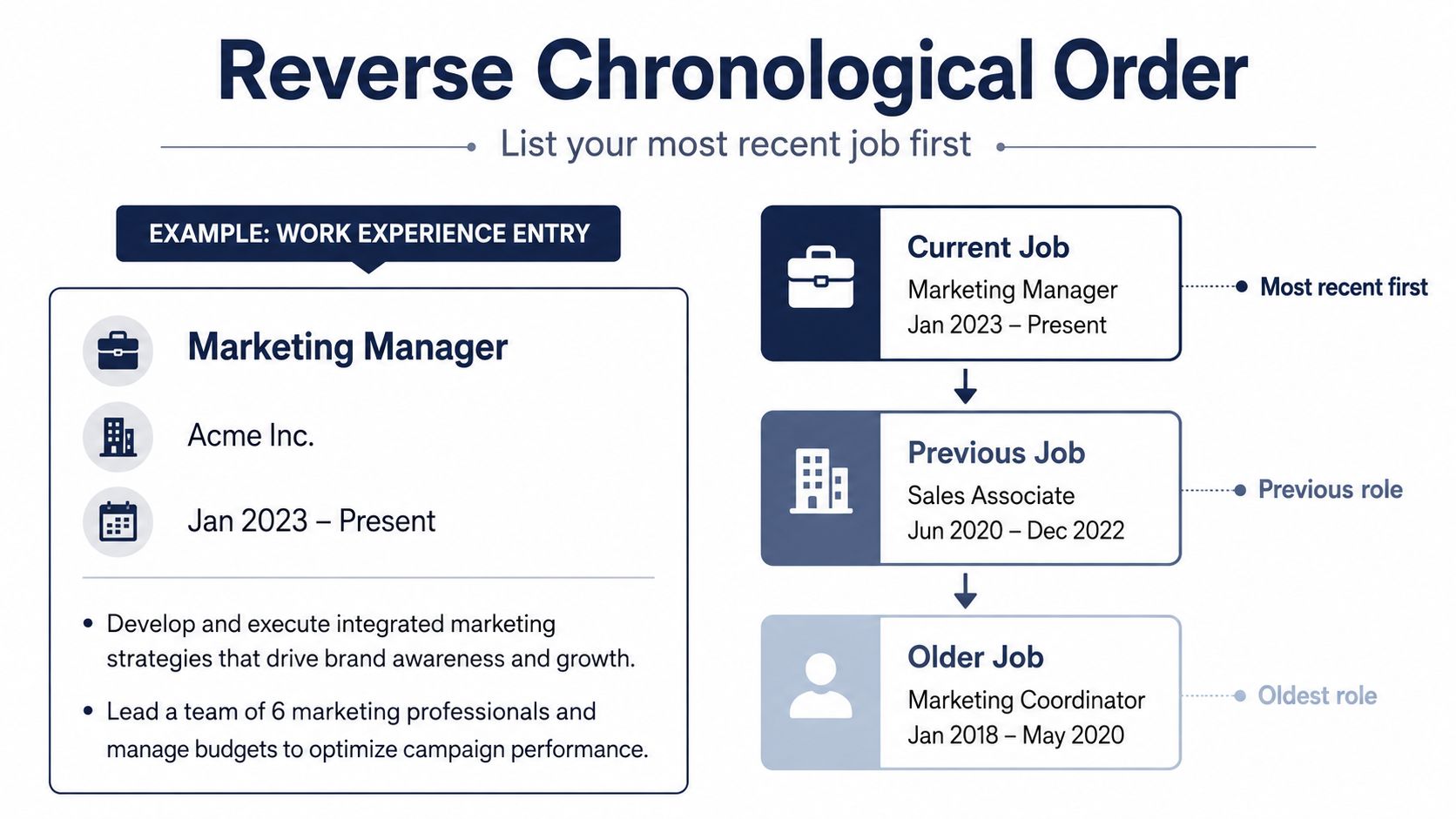
Suppose your latest position is Marketing Manager at Acme Inc. You would place that role above your earlier positions, with its dates and achievements easy to find:
Marketing Manager
Acme Inc., Boston, MA
Jan 2023 – Present
- Lead campaign planning across digital channels
- Manage reporting, testing, and stakeholder updates
Marketing Coordinator
Earlier Employer, Boston, MA
Jun 2020 – Dec 2022
The most recent role appears first, and earlier roles follow below it in descending date order. That's the core meaning of reverse chronological order on a résumé. The work-experience section moves from newest to oldest, rather than beginning with your first job and moving forward.
The mental model to avoid
Reverse chronological order doesn't mean every section in the document must be sorted by date. Skills usually have no timeline, so they can appear where they support the reader's understanding. A Summary or Profile can come before Work Experience because it introduces the candidate and target role. Projects, Certifications, and Volunteer Work can also be placed according to relevance, provided dated entries inside those sections use a clear newest-first sequence.
The “reverse” applies primarily to dated sections, especially Work Experience and Education. Contemporary résumé guidance describes the newest position as the standard starting point for professional history because recruiters commonly look for current responsibilities first, while ATS systems can map the employer, title, and date sequence more reliably in a straightforward layout. Resume.io's explanation of the chronological résumé format also identifies reverse chronology as the familiar structure for professional experience.
That familiarity matters. A recruiter may not consciously notice that your latest job is first because the pattern is so conventional. A parser, however, depends on recognizable relationships among headings, titles, employers, and dates. The format works because it makes your career path legible to both audiences.
The Five Fields Every Entry Needs
A strong entry gives the reader and the parser the same basic information. Each role should identify the position, the employer, the location, the dates, and the evidence of contribution. Standard reverse chronological guidance recommends this combination, as outlined in this reverse chronological résumé template guide from ESI.
| Field | What It Contains | What Parsers Read From It |
|---|---|---|
| Job title | Your formal or target-relevant position | A role name that can be matched to the job listing |
| Employer | Company, organization, or client name | The organization connected to the role |
| Location | City and region, or a remote designation | Geographic context and possible work arrangement |
| Employment dates | Start and end month and year, or Present | The timeline and sequence of employment |
| Accomplishment bullets | Results, responsibilities, tools, and scope | Evidence of experience and relevant keywords |
The job title and employer should be visually distinct but text-selectable. Dates establish where the role sits in your history. Location can answer practical questions about relocation, local experience, or remote work. Bullets provide the substance, so don't use them only to repeat a job description.
Use one date convention throughout the résumé. You might write 2024 – Present, May 2024 – Present, or 05/2024 – Present. The exact choice can depend on space and the document's style, but ATSFixer's guidance on reverse chronological résumés emphasizes consistent date formatting because reviewers and parsing systems scan the timeline more reliably when entries follow the same pattern.
Put the strongest evidence first
Reverse chronology also creates a useful rhythm within each role. Lead with the accomplishment or responsibility that best supports the target position, then add context underneath.
Before:
- Responsible for social media and campaign reporting.
After:
- Built social media reporting dashboards and used campaign data to guide weekly content decisions.
The second version gives the reader an action, a work product, and a reason the work mattered. If you have verified quantitative evidence, include it accurately. If you don't, clear qualitative detail is better than a made-up result.
Keep the same field pattern for every role. Consistency helps a person skim your history and helps software distinguish one entry from the next.
Where the Order Applies and Where It Does Not
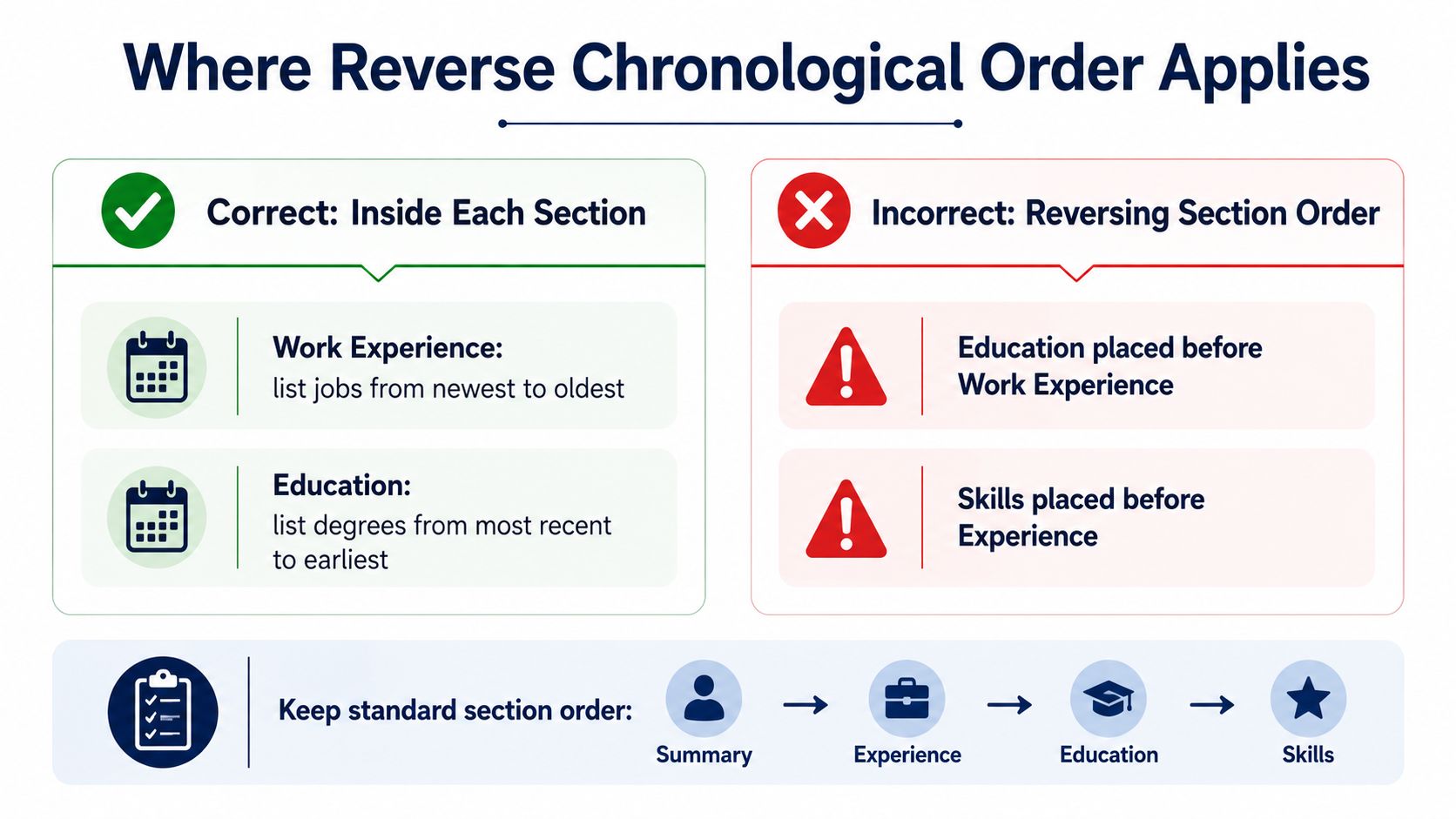
The simplest rule is local, not global. Inside Work Experience, list the newest job first. Inside Education, list the most recent credential before earlier milestones. If you include Volunteer Work or Certifications with dates, use the same newest-first logic within those sections.
Across the entire résumé, section order follows relevance and reading flow. A common arrangement is:
- Summary or Profile
- Work Experience
- Skills
- Education
That sequence isn't a demand that every résumé look identical. A recent graduate may place Education before Experience because the degree is stronger evidence for the target role. A career changer may use a Summary and Skills section to frame transferable strengths before the reader reaches the work timeline. The dated entries inside each section should still remain clear.
Compare the two approaches
Confused structure
- Skills
- Education
- Work Experience
This can make sense for a particular student or specialist, but it shouldn't happen just because the candidate thinks every section must follow a date rule.
Purposeful structure
- Summary
- Work Experience, newest to oldest
- Skills
- Education, newest credential first
Here, Experience remains a timeline, while Skills acts as a searchable summary of capabilities. Guidance on reverse chronological résumé structure from ResuPulse makes the same essential distinction: dated sections have an internal order, but the whole document doesn't need to be arranged as one continuous timeline.
Practical rule: Reverse the entries inside a dated section. Don't reverse the entire résumé unless a specific audience or career situation gives you a clear reason.
A Concrete Layout You Can Picture
A two-page résumé can still feel orderly when every section has a job. Page one might begin with your name in a larger font, followed by a contact line containing your email, phone number, LinkedIn profile, and location. A short Summary beneath it can identify the target role and present a few verified strengths without turning into a dense paragraph.
The Work Experience heading should then introduce your current or latest role. A typical entry includes the title, employer, city, and date range in a consistent header, followed by accomplishment bullets. Use strong verbs such as “managed,” “built,” “coordinated,” or “improved,” and include measurable outcomes only when you can support them accurately.
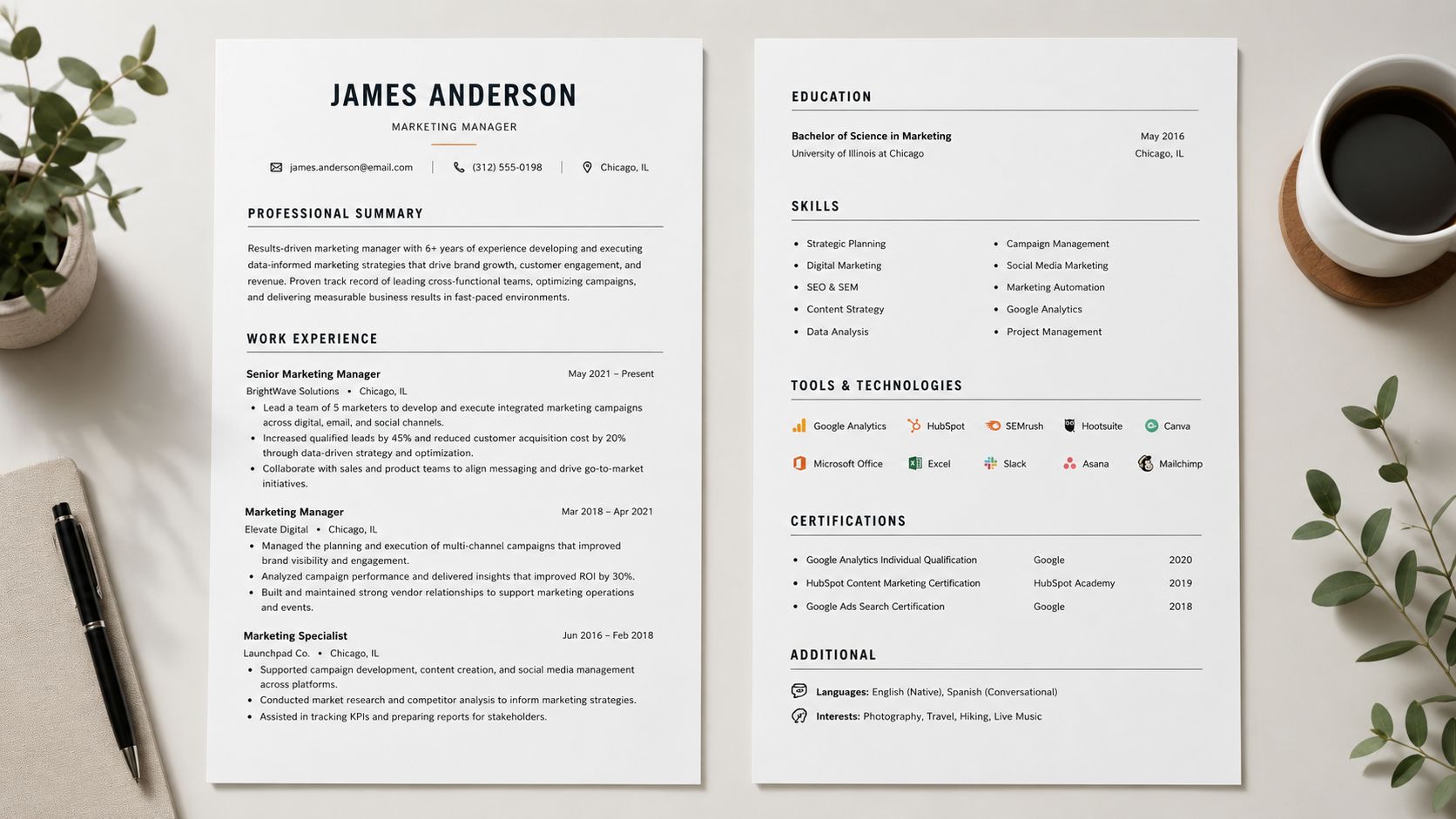
Your latest position usually deserves the fullest explanation because it gives the reader the clearest view of your current level. Earlier roles can use fewer bullets when they offer less direct evidence for the target job. That isn't a reason to erase useful history. It's a way to give attention to the experience most likely to influence the hiring decision.
A compact Skills section can follow Experience on page one or open page two. List tools, platforms, and methodologies in a scannable block, but keep the terms truthful and relevant. A résumé should support the claims made in its work entries, not create a disconnected keyword inventory.
For more guidance on making the overall document readable by screening software, see this ATS-friendly résumé guide.
Page two can place Education near the top when the candidate is a student or recent graduate. It can then include Certifications, Volunteer Experience, and Additional Information for languages or interests. Any dated entries in those sections should follow newest-first order, while undated content should be arranged by usefulness.
The finished document should feel like one consistent system. Readers shouldn't have to decode different date styles, header patterns, or bullet spacing as they move from one role to the next.
When Reverse Chronological Order Works Against You
Reverse chronological order is clear, but clarity can expose parts of a career that need context. Employment gaps become visible when they sit between two dated positions. Hiding the gap by removing dates usually creates a larger question, especially when the surrounding entries suggest an incomplete timeline.
A concise explanation can make the sequence understandable:
Career break for caregiving, 2021 to 2023
You don't need to write a personal essay. Use an accurate label and date range, then return the reader's attention to your relevant experience. If you completed freelance work, study, contract projects, or volunteer work during the period, include that activity when it supports the role you're pursuing.
Career changers face a different problem. Their latest job may be recent but not obviously connected to the new target. Keep Work Experience in reverse chronological order, then use the Summary and Skills sections to identify transferable strengths before the reader interprets the older titles.
Reframe the evidence, don't rewrite the history
A customer-support role can support a move toward operations if its bullets emphasize process improvement, documentation, reporting, or cross-team coordination. A teaching role can support a training position if the bullets accurately describe curriculum development, facilitation, and stakeholder communication. The chronology stays intact, but the evidence becomes more relevant.
Older experience can also be condensed. Contemporary résumé templates often recommend focusing on roughly 10 to 15 years of experience, with older positions shortened or omitted when they no longer help the application, as explained by this reverse chronological résumé guide from ESI. An impressive older role can appear as a one-line entry under Earlier Experience when it matters but doesn't need the same space as recent work.
A hybrid approach can help when a skills-based opening gives a career changer or returning professional useful context. Keep the dated history visible, label sections clearly, and avoid making a reader hunt for employers and dates. You can also use a targeted résumé tailoring guide to align accurate bullets with the language of a specific role.
The objective isn't to abandon reverse chronology. It's to add enough framing that the timeline tells a coherent story.
Why This Format Is Still the Safest Default in 2026
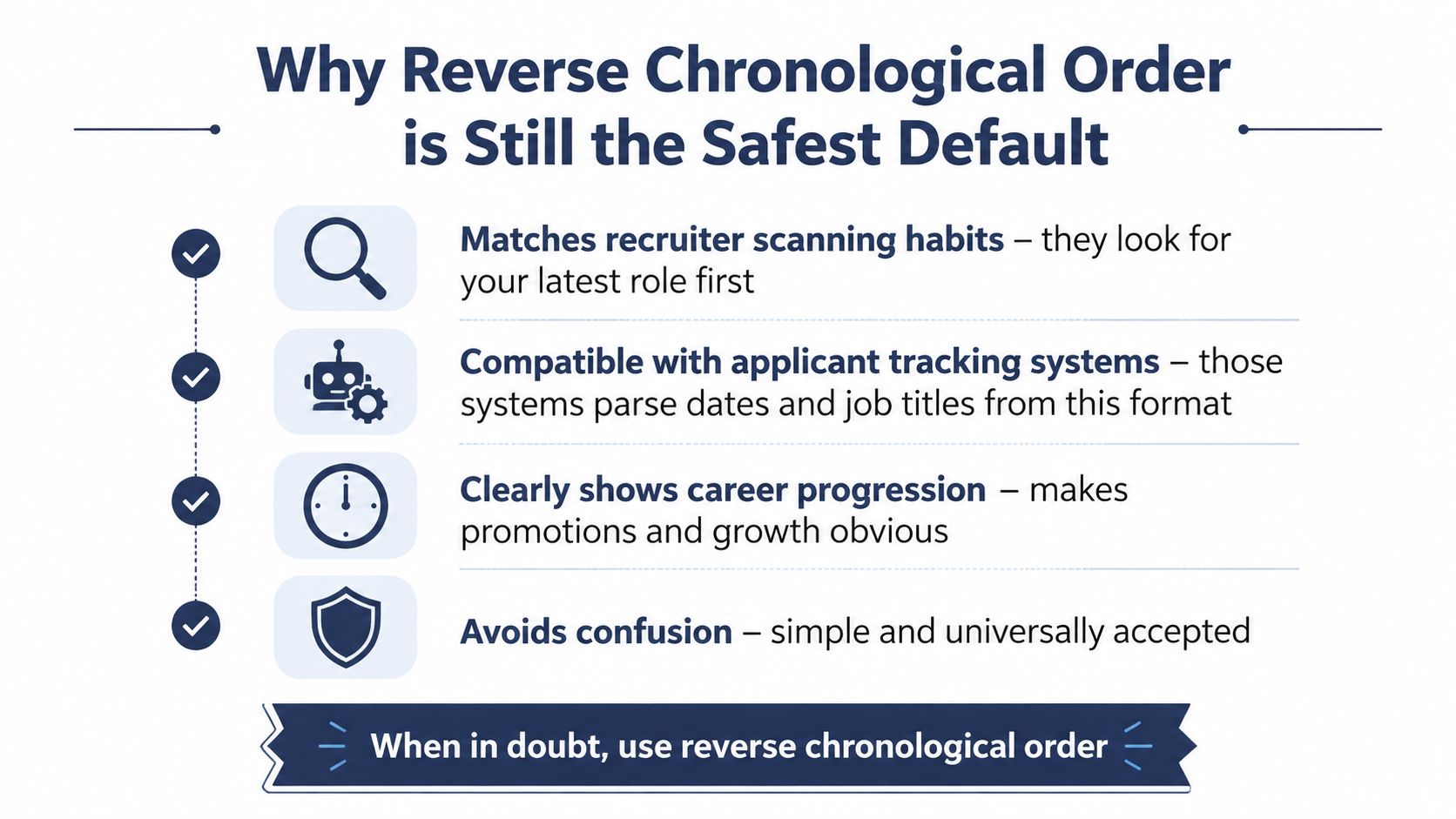
For most applicants, reverse chronological order remains the safest starting point because it aligns with familiar recruiter scanning habits and gives ATS tools a straightforward employer, title, and date sequence. Current résumé guidance continues to describe it as the standard format for professional experience, education, and certifications, with the newest entry first, as summarized in JobLeads' ATS-friendly résumé guidance.
The format also makes progression easier to read. A reviewer can see your current responsibilities, then move backward through earlier roles without reconstructing the timeline. Standard headings such as Experience, Education, and Skills further reduce ambiguity during extraction.
That doesn't make the format universal. A functional or hybrid résumé may suit a major career change, limited work history, or significant gaps, but it should still give human readers and ATS software a clear account of dated employment. If an older role is especially relevant to a specialist position, you can feature it in a selected or relevant-experience area while preserving the complete history below in date order.
Before submitting, check the essentials:
- Verify each entry: Include the company, title, useful location detail, and a clear date range.
- Keep the structure simple: Use a single-column layout, standard headings, and text-based content.
- Inspect the file: Export to a text-readable PDF or DOCX, then review the extracted or previewed text for misplaced columns, icons, or unusual spacing.
- Tailor the emphasis: Adjust the Summary, Skills, and accomplishment bullets for each position without changing the truth of the chronology.
A reverse chronological résumé is a dependable foundation, not a rule that overrides relevance. Start with the format, then adapt it deliberately to the person and role in front of you.
Common Format Questions Answered Quickly
Use one date style throughout. You can spell out months, such as January 2022–June 2024, or use shorter forms such as Jan 2022–Jun 2024 when space is tight. Older jobs still belong in reverse date order, but you can shorten their bullets.
Education can come before Experience for a student or recent graduate, and after Experience when employment history is the stronger qualification. A hybrid opening can highlight skills for a career changer, but the dated work history should remain visible and newest-first.
Keep gaps accurate. Add a brief line for caregiving, freelance work, contract work, study, or another legitimate activity when relevant. Don't invent months or remove dates. Maintain a master résumé containing every role, then customize the submitted version for each application. Before sending it, run the file through an ATS résumé checker to catch parsing and keyword issues.
GetTheCall can turn your LinkedIn profile or existing résumé into a job-specific, ATS-optimized PDF, then help align your verified experience with the target listing. Visit GetTheCall to check your résumé, tailor its emphasis for a specific role, and create a submission-ready version without rebuilding the chronology by hand.