10 Resume Templates Nursing Students Can Use
Compare 10 resume templates nursing students can use for clinicals, internships, and new-grad roles, with ATS tips, sections, and keyword examples.
A polished template can't compensate for unclear clinical evidence or a resume that misses the target posting. The popular advice is to “pick a professional design” and fill in the blanks, but nursing employers need to see what you studied, where you trained, what you did under supervision, and which credentials you hold.
That matters because the applicant pool keeps replenishing. The AACN 2025 annual report recorded 267,889 students in entry-level baccalaureate nursing programs in its 2024 survey, plus tens of thousands of graduates across nursing education pathways. A useful resume template therefore needs more than a generic work-history section. It should make education, clinical rotations, certifications, simulation experience, patient-care competencies, practicum hours, volunteer work, and technology skills easy to find.
The resources below are evaluated by use case. You'll see which options fit clinical placements, externships, internships, nurse-tech roles, and new-grad applications, how much tailoring each requires, and which ATS risks to avoid. A reusable template gives you a starting structure. It doesn't replace job-specific editing, and keywords such as EHR, patient assessment, infection prevention, BLS, or medication administration should appear only when they reflect your actual training or supervised experience.
Table of Contents
- 1. GetTheCall
- 2. Zety
- 3. ResumeGenius
- 4. Resume.io
- 5. Novorésumé
- 6. Canva
- 7. Enhancv
- 8. LiveCareer
- 9. Indeed Career Guide
- 10. NurseMate Pro
- Top 10 Nursing Student Resume Templates Comparison
- Choose the Template That Fits Your Next Application
1. GetTheCall
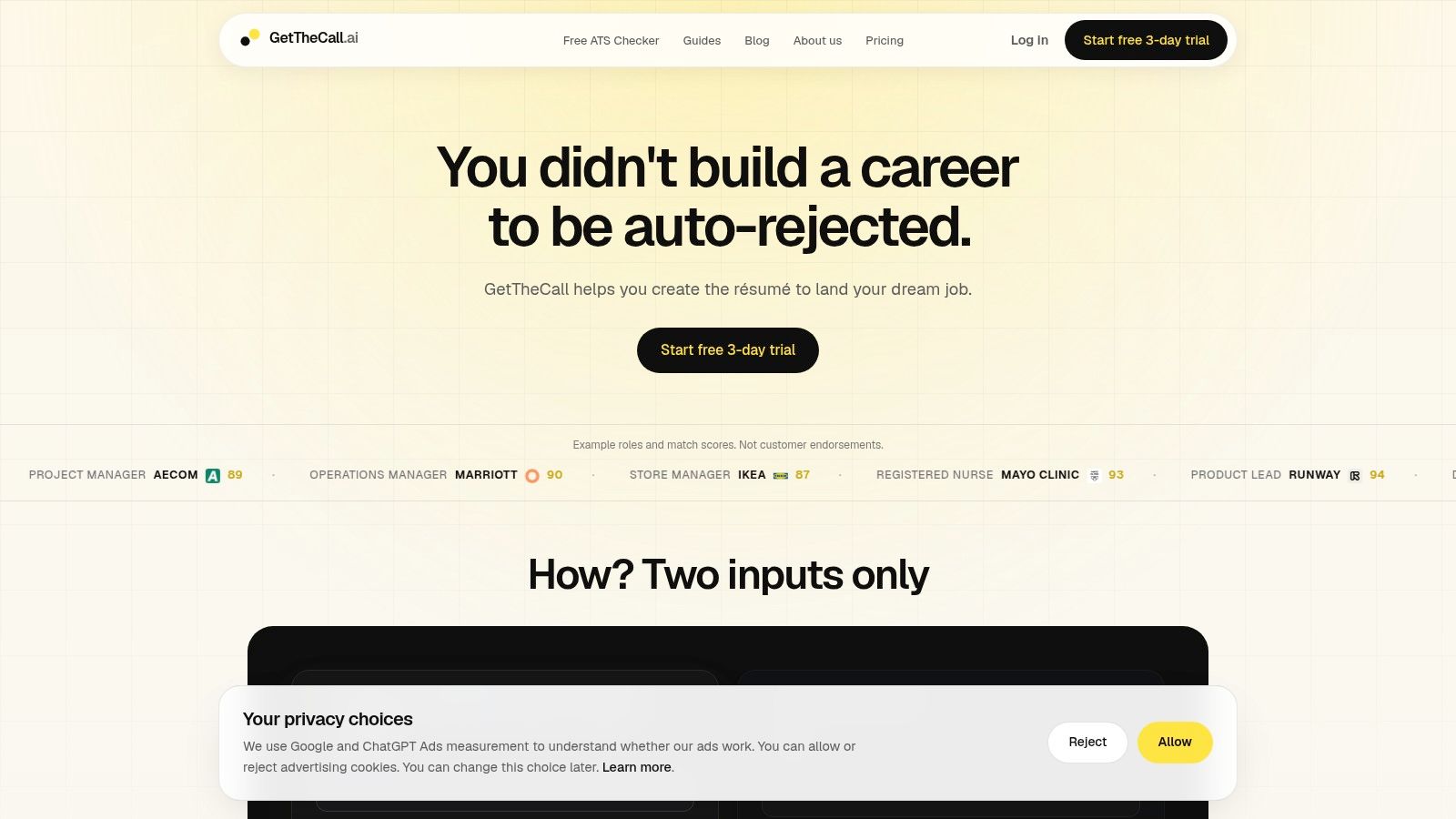
GetTheCall is the strongest option when you don't want a static nursing resume. It turns a LinkedIn profile or existing PDF, DOC, or DOCX resume into a job-specific PDF, then compares your verified background with a target listing. You can paste a job description, review prioritized keyword and bullet suggestions, and switch among 20+ ATS-friendly templates without rebuilding the document from scratch.
That workflow suits nursing students applying to several different settings. A pediatric externship might emphasize a pediatrics rotation, patient education, and family communication. A nurse-tech posting might put vital-sign monitoring, patient transport, and EHR documentation first. A new-grad medical-surgical application may need a different order of clinical placements and a more prominent graduation or licensure-status line.
Best use cases and trade-offs
GetTheCall's useful distinction is between verified experience and attractive wording. It doesn't invent roles or skills, and you review every suggested change. That matters when you describe supervised care. “Assisted with patient assessment under supervision” is safer than implying independent practice you haven't performed.
Its live Role Match score can show whether edits improve alignment with the posting, but it isn't a promise of an interview. The site displays illustrative example scores, including a Registered Nurse example, rather than customer case studies. Public awards and formal certifications aren't listed, so students should judge the tool by its workflow and still verify every line themselves.
- Clinical placements: Import your existing resume, then give the target unit more prominence without deleting accurate rotation details.
- Internships and externships: Map truthful terms such as EHR, patient assessment, infection prevention, or BLS to supporting bullets.
- New-grad applications: Keep education, clinical experience, certifications, and credential status visible while tailoring language to the hospital's posting.
- ATS safety: Choose a readable layout, review the extracted text, and export a clean PDF only after checking dates and headings.
GetTheCall offers a free ATS resume checker and a short trial. Its site lists a 3-day free trial followed by a one-time $49 USD Pro payment for lifetime access, with no recurring subscription. Cover letters are announced as coming soon. Meaningful customization still requires your judgment, but this is the most complete choice for students applying to roles with different requirements.
2. Zety
Zety is a practical starting point if you've never written a resume and want prompts rather than a blank page. Its nursing student examples explain what to place in education, certifications, clinical experience, skills, and supporting sections. The guided builder then turns those decisions into a formatted document.
For a student applying to a first clinical internship, Zety's structured flow can reduce the temptation to lead with unrelated part-time work. You can put your BSN or other nursing program near the top, add an expected graduation date, list relevant clinical placements, and include certifications such as Basic Life Support when you hold them. The tool also provides prewritten bullet suggestions, but those should be treated as drafting prompts, not facts to copy.
Where Zety works best
Zety is especially useful when your content gap is larger than your design gap. A student who has notes from medical-surgical, pediatrics, or community placements can use the prompts to turn them into concise entries with the facility, unit, dates, responsibilities, and supervised procedures.
Its single-column options are more appropriate for hospital ATS systems than heavily graphic designs. Still, the template catalog includes more visual choices, so select the simplest layout before exporting. Full-quality downloads generally require a paid plan, and the free experience may be enough for planning but not final submission.
Tailoring is moderate. You'll need to read the job posting yourself and replace broad skills with truthful terms from the role. A nursing student applying to a nurse-tech position might emphasize vital-sign monitoring, patient transport, documentation, and teamwork, while an internship posting may call for clinical learning and patient education.
3. ResumeGenius
ResumeGenius is built for speed. Its nursing student templates, guided prompts, and AI-assisted builder can help you produce a first draft when you don't know how to turn coursework or clinical practice into resume language.
The useful feature is role-oriented phrasing. You can start with a nursing student example, then adapt the suggested wording to your actual rotation. For example, a medical-surgical entry might describe taking vital signs, documenting observations, assisting with transfers, or participating in team handoffs under supervision. Don't claim medication administration, EHR proficiency, or a procedure unless your coursework, simulation, certification, employment, or supervised placement supports it.
A fast draft still needs a careful edit
ResumeGenius suits a student facing an application deadline or creating a first version for career-center feedback. Its guided structure can keep education, clinical experience, certifications, and skills from disappearing beneath unrelated employment history. Multiple export formats are available once the resume is finished.
The trade-off is that AI suggestions don't know the boundaries of your actual clinical role unless you correct them. Content still needs to be customized to the target unit, and the strongest designs and downloads generally sit behind paid access. Treat the builder as a drafting partner, not a credential verifier.
For ATS safety, favor conventional headings such as Clinical Experience, Education, and Certifications. Keep the layout simple, use month and year dates, and connect each skill to evidence in a bullet. Tailoring is moderate to high because the tool can accelerate wording, but you must decide which rotation deserves priority for each application.
4. Resume.io
Resume.io combines nursing student examples with a builder focused on clean presentation. Its library includes 30+ templates, and you can switch designs without retyping the content. That helps when you like your wording but want to test a more conservative layout for a hospital application.
The platform fits students who already know their core sections. Put the nursing program and expected graduation date near the beginning, then add selected clinical placements, certifications, and role-relevant skills. A one-page format can work well for a student with limited paid nursing employment, provided it still preserves meaningful clinical evidence.
Choose readability over decoration
Resume.io's cleaner designs are easier to adapt for ATS parsing than layouts built around visual panels. Even so, examples may reflect different national conventions. A student applying in the United States should check whether headings, license language, address details, and credential names match the employer's expectations.
Tailoring requirements are moderate. Resume.io helps with consistent formatting, cloud saving, and PDF export, but it doesn't replace a close reading of the job description. If the posting emphasizes infection control, place that phrase in a relevant clinical bullet and skills section only if truthful. If it prioritizes pediatric experience, move the relevant rotation higher rather than copying the same order into every application.
Full exports typically require a subscription. The main benefit is control over presentation, not automated clinical interpretation, so the quality of your final resume depends on the evidence you enter.
5. Novorésumé
Novorésumé takes an education-first approach that fits many early-career nursing applicants. Its student-oriented layouts make it easier to place your nursing degree, school, expected graduation date, relevant coursework, honors, and clinical preparation before less relevant employment.
That structure is useful for a student applying to a nurse-tech role without extensive paid healthcare experience. You can give education and clinical training the space they deserve, then add a CNA role, volunteer position, or other employment where it supports patient care, communication, reliability, or teamwork.
Strong for concise student resumes
Novorésumé's nurse-specific guidance and examples can help you decide what belongs in a compact document. Its one-page defaults are convenient, but don't remove a relevant rotation merely to preserve visual balance. The University of Maryland School of Nursing resume guidance recommends listing clinical placements with the unit and number of hours, which gives students concrete evidence of preparation when full-time RN employment isn't available.
Use the layout controls to place the most relevant sections first. For a pediatric application, pediatrics should receive more prominence than an unrelated placement. For a medical-surgical role, reverse that emphasis while keeping all details accurate. Some popular styles are premium-only, and fashion-forward designs may need simplification before use with a conservative hospital portal.
Tailoring is moderate. Novorésumé helps you organize and condense content, but you still need to adjust keywords, clinical order, credential status, and bullets for each posting.
6. Canva
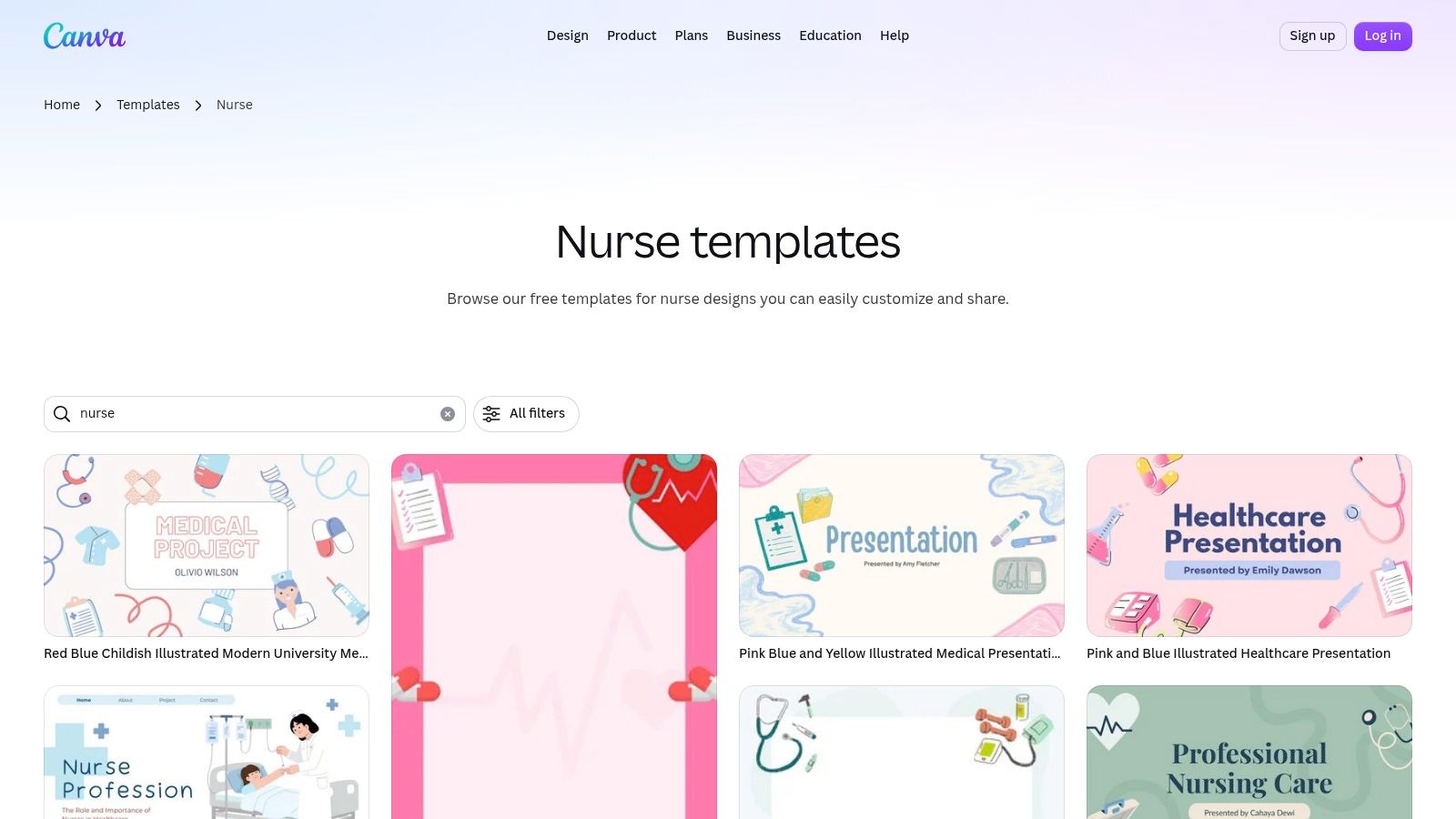
Canva's nurse resume template gallery is attractive to students who want quick visual editing and matching documents for a resume, cover letter, or portfolio. You can change fonts, spacing, colors, and wording in the browser, then export the result as a PDF or share it for feedback.
The platform works best when you deliberately choose a simple, single-column template. Canva also offers designs with multiple columns, icons, graphics, text boxes, and decorative skill bars. Those elements can interfere with ATS parsing or make important details harder for a recruiter to scan.
The ATS decision is yours
A polished Canva resume can suit a portfolio review, career fair, or direct email, but a hospital application deserves extra caution. Conventional headings and machine-readable text matter more than visual personality. The ATS-friendly resume guide explains why a plain structure is often the safer choice when software must extract your education, clinical experience, dates, and certifications.
Use Canva when visual customization is your main need and your content is already strong. It won't decide whether a clinical rotation belongs above another one, whether “NCLEX scheduled” is accurate, or whether EHR reflects actual experience. You need to make those decisions yourself.
Many templates are free, while some assets and features require Canva Pro. Tailoring is high if you manually create a separate version for each job. Before exporting, remove unnecessary icons, check the reading order, and copy the text into a plain document to confirm that the sections appear logically.
7. Enhancv
Enhancv suits students who want writing assistance and ATS feedback inside the same builder. Its nursing student examples provide a starting point, while keyword guidance and AI writing features can help align a resume with a particular externship, internship, or new-grad posting.
The strongest use case is targeted editing. Suppose an emergency-department externship emphasizes patient assessment, teamwork, documentation, and infection prevention. Enhancv can help you notice those terms, but you still need to connect them to the setting where you learned or practiced them. A phrase in a job description isn't proof that you have the competency.
Keep creative features in proportion
Enhancv's cleaner templates can keep parsing straightforward, but creative sections aren't always useful for a conservative hospital system. A nursing resume should make your education, clinical placements, certifications, and credential status easy to find before adding visual extras.
The National Council of State Boards of Nursing's 2024 NCLEX factsheet reported 317,710 RN NCLEX candidates and an overall pass rate of 73.26% in 2024. That context reinforces why your resume must distinguish a nursing student, a graduate awaiting examination, a candidate who has passed NCLEX, and a licensed RN. Use precise wording such as NCLEX-RN scheduled or NCLEX-RN passed only when it accurately reflects your status.
Advanced features and downloads require paid plans. Tailoring is moderate to high, since the tool supports job-specific edits but can't validate your clinical scope or licensing jurisdiction for you.
8. LiveCareer
LiveCareer is a sensible choice if you prefer traditional, chronological resumes over design experimentation. Its student-friendly templates and guided prompts can help you build a polished document quickly, with clear sections that recruiters and ATS software can scan.
This approach fits a new nursing student applying for a clinical placement or nurse-tech role. Start with the nursing program, expected graduation date, and selected clinical experience. Add certifications and relevant skills, then include non-nursing employment only when it demonstrates transferable strengths such as patient interaction, communication, dependability, or teamwork.
Traditional doesn't mean generic
LiveCareer's layouts are generally easier to parse than graphic alternatives, but the templates may feel broad rather than nursing-specific. You'll need to supply the clinical detail. The Santa Monica College nursing resume guide recommends documenting the facility, unit or specialty, dates, supervised responsibilities, and relevant procedures. It also places clinical rotations near the beginning for students and recent graduates.
That information is more persuasive than a skills list alone. Instead of writing “patient care,” explain the supervised activity, patient population, documentation, or safety practice that supports the phrase. Keep entries in reverse chronological order and use month-and-year dates.
LiveCareer offers multiple file types and clean formatting controls. Full downloads and premium templates require paid access. Tailoring is moderate. The builder handles structure, while you must adapt the clinical emphasis and keywords to each target posting.
9. Indeed Career Guide
Indeed's nursing student resume guide is the best free planning resource on this list. It provides a copyable template and worked example, making it useful before you open a visual builder or ask a career advisor for feedback.
The guide is particularly helpful when you aren't sure which sections belong on a student resume. Use it to outline Education, Clinical Experience, Certifications, Skills, and relevant work or volunteer experience. Then replace generic wording with details from your actual rotations, simulation lab, coursework, or healthcare employment.
Build the content before choosing the design
Indeed doesn't offer the same visual customization as a dedicated builder, so you'll need to paste the content into Word, Google Docs, Canva, or another platform for final formatting. That limitation can be an advantage. It forces you to solve the evidence problem first instead of hiding weak content inside a polished template.
For job-specific editing, use the resume tailoring guide to compare the posting with your real experience. A pediatric application might feature pediatric clinical exposure and family communication. A community-health role might give more space to public-health coursework, patient education, and volunteer work.
Tailoring is high because the resource doesn't automate the comparison. The benefit is cost: it's free and accessible. Once your content is accurate, move it into a plain, single-column format and save the final PDF according to the employer's instructions.
10. NurseMate Pro
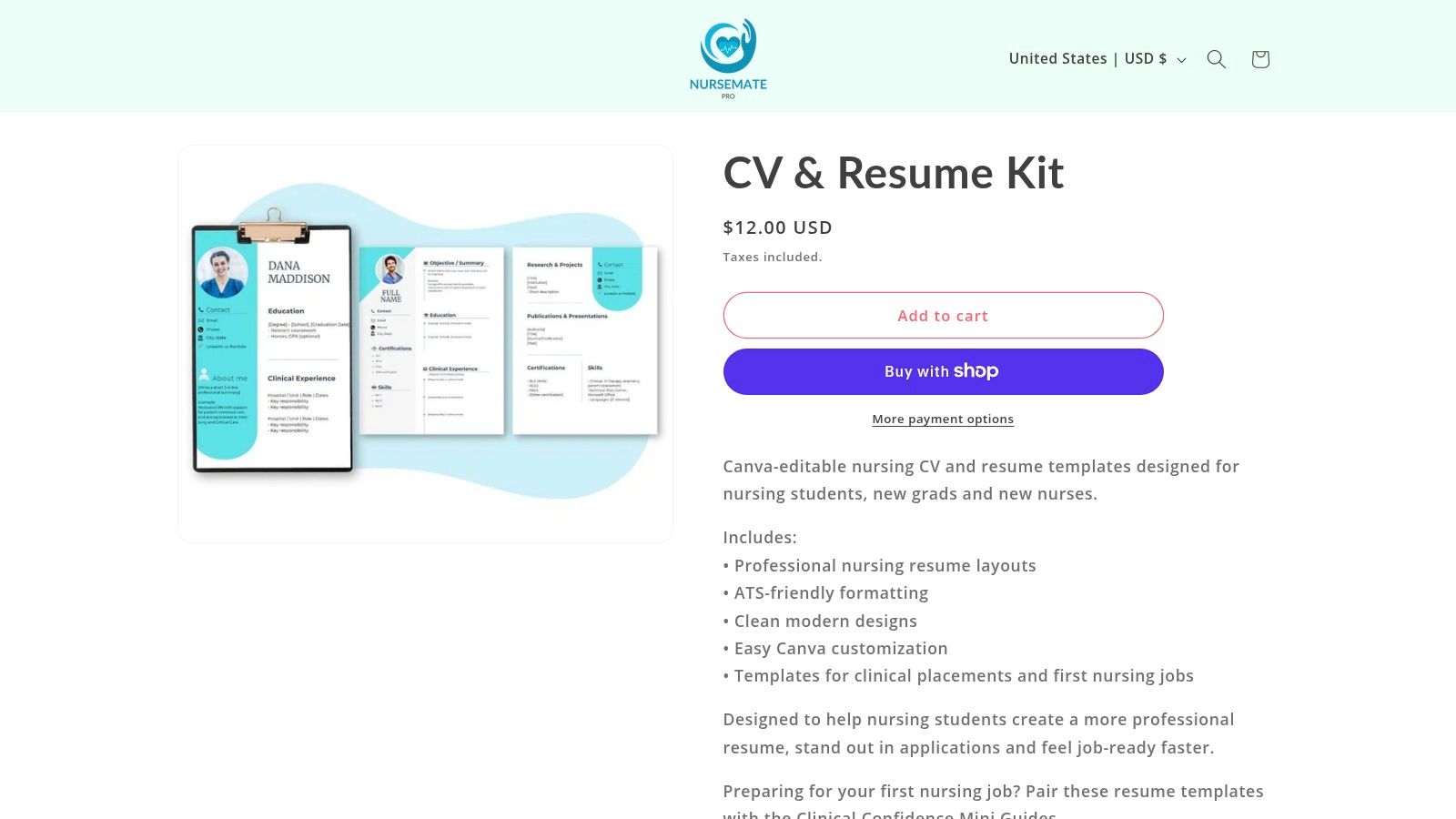
NurseMate Pro offers Canva-editable templates designed specifically for nursing students, new graduates, and early-career nurses. Nursing-focused section labels can reduce the guesswork around education, clinical experience, certifications, skills, and transition pathways such as CNA-to-RN applications.
It's a useful fit when you want a quick starting point for an externship, nurse-tech position, or first post-graduation application. The nursing language can help you remember to include a facility, unit, placement dates, clinical hours, and certifications instead of treating clinical training as a vague line beneath education.
Check the file before submitting
NurseMate Pro sells templates as a one-time purchase, with no free tier. Because the files are edited in Canva, the ATS quality depends on the design you select and how you modify it. Choose the single-column option, remove decorative icons, and avoid placing dates or headings inside elements that could be read out of order.
Use the free ATS resume checker after editing if you want another parsing and keyword review. It can help identify formatting problems, but it won't decide whether “independently performed” is accurate. Use careful role language such as assisted with, observed, completed in simulation, or performed under supervision where appropriate.
Tailoring is moderate if you edit the file manually. The nursing-specific structure saves setup time, but you still need a separate version when a posting prioritizes pediatrics, intensive care, obstetrics, mental health, or community nursing. The template reduces guesswork. It doesn't replace clinical judgment or credential verification.
Top 10 Nursing Student Resume Templates Comparison
| Tool | Core features (✨) | ATS fit & UX (★) | Pricing & value (💰) | Best for (👥) | Unique edge (✨) |
|---|---|---|---|---|---|
| GetTheCall 🏆 | Import LinkedIn/PDF, job parsing, AI rewrite, 20+ ATS templates | ★★★★☆ Live Role Match; submission-ready PDFs | Free ATS checker + 3‑day trial; Pro one‑time $49 💰 | 👥 Applicants needing job-by-job tailoring | ✨ Live match scoring & one-click ATS-safe styling; refuses to invent experience |
| Zety | Guided builder, nursing examples, ATS layouts | ★★★☆☆ Step-by-step UX, some design-heavy templates | Freemium; full downloads require paid plan 💰 | 👥 First-time writers & students | ✨ Nursing-specific prompts and structured guidance |
| ResumeGenius | AI-assisted builder, role phrases, fill-in templates | ★★★☆☆ Fast draft creation; needs job tailoring | Free preview; paid downloads 💰 | 👥 Users who want quick draft resumes | ✨ Rapid fill-in templates with role suggestions |
| Resume.io | 30+ clean ATS templates, one-click switching, cloud export | ★★★★☆ Consistent one-page layouts, ATS-friendly | Freemium; exports often behind subscription 💰 | 👥 Users seeking clean, single-page resumes | ✨ Design switching without retyping content |
| Novorésumé | Student mode, nurse guide, one-page default layouts | ★★★★☆ Recruiter-informed templates for early career | Freemium; Premium styles paid 💰 | 👥 Students & recent grads | ✨ Section ordering tuned for early-career resumes |
| Canva | Large nurse template gallery, drag-and-drop editor, PDF export | ★★★☆☆ High visual polish; must choose single-column for ATS | Many free templates; Pro for premium assets 💰 | 👥 Branding-focused users & portfolios | ✨ Extensive visual customization & matching collateral |
| Enhancv | Nursing examples, built-in ATS checks, AI writing | ★★★★☆ Integrated ATS guidance; clean templates | Freemium; advanced features paid 💰 | 👥 Users tailoring to specific postings | ✨ ATS keyword checks + AI suggestions in-editor |
| LiveCareer | Big template library, guided prompts, multi-format export | ★★★☆☆ Traditional chronological formats; quick build | Free preview; paid downloads/subscription 💰 | 👥 Users preferring classic resume structures | ✨ Fast production of traditional, ATS-safe resumes |
| Indeed Career Guide | Free nursing-student template, sample & advice | ★★★☆☆ Excellent content baseline; no design editor | 100% free 💰 | 👥 Students planning resume content | ✨ Free, employer-aligned editorial guidance |
| NurseMate Pro | Canva-editable nursing templates, instant downloads | ★★★☆☆ Nursing-specific labels; ensure single-column | One-time purchase per template 💰 | 👥 Nursing students & new grads | ✨ Role-specific templates with ready Canva links |
Choose the Template That Fits Your Next Application
The best resume template depends on the problem you're trying to solve. If you don't know what sections to include, start with Indeed's free guide. It gives you a basic structure for education, clinical placements, certifications, skills, and relevant experience before design decisions distract you. You can then move the content into a simple document or builder.
Choose a guided builder such as Zety, ResumeGenius, Resume.io, Novorésumé, Enhancv, or LiveCareer when drafting support matters. These tools can make it easier to turn clinical notes into readable bullets and maintain consistent spacing. Their trade-off is that many premium downloads or advanced features require payment, and none of them can safely invent missing evidence. You still need to review every suggested phrase.
A simple traditional layout is usually the safer choice for conservative hospital systems and unfamiliar ATS portals. Use conventional headings, a single column, readable text, clear month-and-year dates, and machine-readable formatting. Santa Monica College specifically recommends headings such as Clinical Experience, Education, and Certifications, while Yale School of Nursing advises placing relevant clinical rotations and nursing experience near the beginning and ordering entries in reverse chronological order. The Yale resume guide also recommends including only rotations relevant to the position.
Use Canva or NurseMate Pro when visual customization is your priority, but simplify the file before submission. Columns, graphics, icons, text boxes, and decorative skill bars can make a resume harder for an ATS to interpret. A visually attractive resume is only useful if the employer can quickly identify your education, clinical experience, credential status, and contact information.
Choose GetTheCall when each application has different requirements and you want help tailoring one verified background to multiple postings. Its job-specific workflow, live Role Match score, rewriting suggestions, template switching, and PDF export reduce manual copying between tools. The final review still belongs to you, especially when describing supervised care or changing licensure status.
Before you submit any version, verify every clinical detail, certification, date, facility name, unit, hour total, and keyword. Make sure the document distinguishes simulation from clinical practice, assistance from independent work, and NCLEX progress from an active license. Put education, relevant clinical placements, certifications, and truthful skills where recruiters can find them quickly.
Your resume should change emphasis, not facts. A pediatrics application may lead with pediatrics, while a medical-surgical application may lead with medical-surgical experience. Both versions should preserve the actual placement, dates, responsibilities, and level of supervision. Save a clean PDF only after reviewing the text extraction and visual formatting, and follow the employer's requested file type when it differs.
GetTheCall turns your existing LinkedIn profile or resume into a job-specific, ATS-ready PDF, using verified experience, targeted keyword suggestions, and multiple professional layouts. Visit GetTheCall to check your resume and tailor the version you need for your next clinical placement, internship, nurse-tech role, or new-grad application.