Resume One Page: How to Fit It Without Losing Impact
Learn to craft a resume one page that passes ATS and highlights your best experience. Practical cuts, layout, and tailoring tips.

The most repeated resume advice is also the least useful: “Keep it to one page, no matter what.” That rule helps students and early-career candidates edit, but it can force experienced professionals to hide the evidence employers need. A resume should be as short as the role allows, not as short as an old convention demands.
Think of resume one page as an editing discipline. You're deciding what to compress, what to amplify, and what to remove completely. The page count matters, but the measure is signal density. Every line should help a reviewer understand your fit, your contribution, or the results you've produced.
Table of Contents
- The One-Page Rule Is Outdated and That's Good News
- When One Page Is the Right Choice
- The Hierarchy of What Deserves Space
- Rewriting Bullets to Earn Every Line
- Formatting and ATS Rules for a Tight Layout
- A Real One-Page Edit From Start to Finish
- Your One-Page Checklist and Final Push
The One-Page Rule Is Outdated and That's Good News
Crafting a one-page resume is an editing discipline, not a universal length rule. You decide what to compress, what to amplify, and what to remove. The test is whether every line helps prove your fit, contribution, or results.
In a recent hiring simulation involving 482 recruiters, hiring managers, and executives and nearly 8,000 resumes, two-page resumes were preferred 2.3 times more often than one-page versions. Reviewers also spent 4 minutes 5 seconds on two-page resumes, compared with 2 minutes 24 seconds on one-page resumes, according to this recruiter-preference analysis. Treat that result as evidence against a universal page limit, not as an instruction to add space.
A separate employer field experiment pointed in the same direction. Hiring professionals approved 5,375 two-page resumes and 2,337 one-page resumes out of 7,712 submissions, meaning about 69.6% of approved resumes were two pages long. Reviewers also spent an average of 4 minutes 5 seconds on two-page versions and 2 minutes 24 seconds on one-page versions, as reported by Business Insider's summary of the experiment.
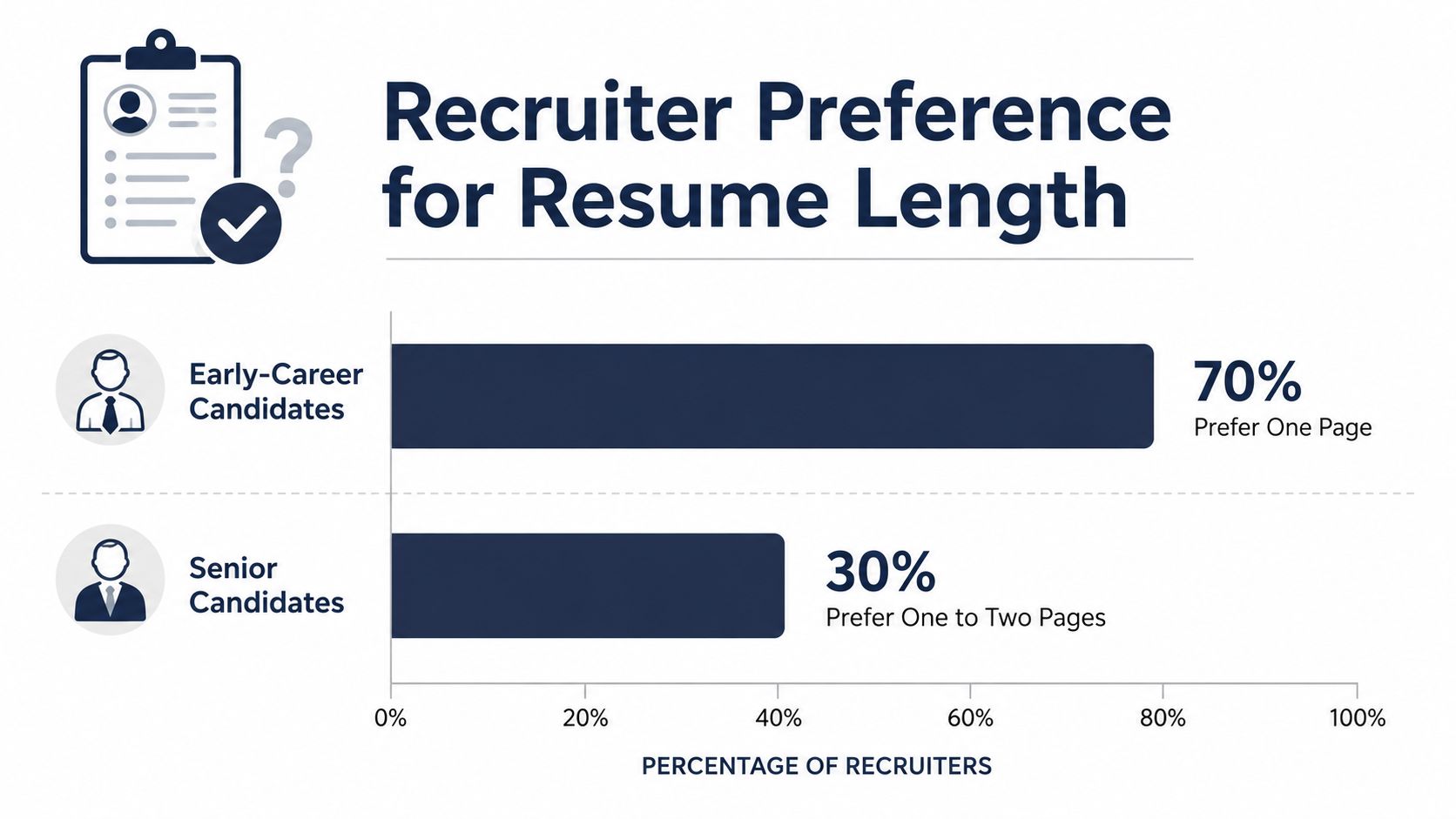
The one-page convention spread through American corporate hiring during the mid-20th century. By the 1950s, it was standard practice, and by the 1970s, resume-writing guides had become a publishing category, according to this historical overview of resume length. The rule remains useful because limited space exposes weak writing and forces candidates to remove repetition.
Use that discipline without obeying the limit blindly. A mid-career operations manager, specialized engineer, or senior marketer may need room for relevant progression, leadership scope, technical tools, and outcomes. Cutting those details solely to preserve one page can hide qualifications employers need to see.
The useful question isn't “How short can I make this?” It's “Which evidence deserves the space?”
Keep one page when it creates focus. Use two when the second page adds relevant proof rather than repeated duties. A strong resume feels edited, never squeezed.
When One Page Is the Right Choice
Use three filters to decide whether one page serves your application: career stage, role density, and job-description overlap. The page limit is a tool for editing, not a rule that overrides relevant evidence.
Career stage sets the starting point. Students, new graduates, and candidates with under 7 years of targeted experience typically have enough room to present their strongest qualifications on one page. Keep the focus on work, projects, and skills that support the target role.
Role density determines how much history earns space. Keep recent positions prominent when they directly support the job. Compress or remove unrelated retail, temporary, and early roles that add no new proof. If older work helps show continuity, place it in a brief “Additional Experience” line rather than letting it crowd out recent accomplishments.
Then test job-description overlap. Compare your draft with the employer's responsibilities, hard skills, title language, and qualifications. Low overlap is a signal to cut. High overlap can justify additional detail, but every bullet should prove a capability the employer requested.
One-page vs two-page decision matrix
| Situation | Score Toward One Page | Score Toward Two Pages |
|---|---|---|
| Student or new graduate | Strong | Weak |
| Under 7 years of targeted experience | Strong | Weak |
| Standard corporate role with limited relevant history | Strong | Weak |
| Several recent roles with distinct, relevant achievements | Moderate | Moderate |
| Mid-career candidate with specialized experience | Weak | Strong |
| Senior applicant with 15+ years of relevant work | Weak | Strong |
| Job description closely matches a broad body of experience | Moderate | Strong |
| Second page would contain repeated duties or old unrelated work | Strong | Weak |
A one-page resume fits an early-career applicant pursuing a conventional corporate role. It can hurt a senior candidate who removes specialized experience that matches the opening. Current ATS guidance generally supports one page for entry-level and early-career profiles, while experienced applicants can use two pages, as summarized by Scale Jobs' resume-length guidance.
Do not add a second page just because the layout feels crowded. Add it when the extra space carries new, role-relevant evidence. If page two only repeats duties or preserves irrelevant history, edit harder.
The Hierarchy of What Deserves Space
A strong one-page resume isn't evenly balanced. Experience deserves the largest share, while contact details and education should stay compact unless they're central to the role.
Use this order of priority:
- Professional experience: Give this the most room. Your current or most recent role should receive about two-thirds of the experience space because it best reflects your present capability.
- Skills and tools: Include a tight cluster of role-specific skills, not an inventory of everything you've touched.
- Education: Experienced candidates usually need only the degree, institution, and year.
- Header and contact: Keep your name, phone, email, city, and LinkedIn compact.
- Projects: Include them when they supply evidence your employment history lacks.
- Summary: Treat it as optional signal. Keep it to three or four lines and use it only when it targets the role.
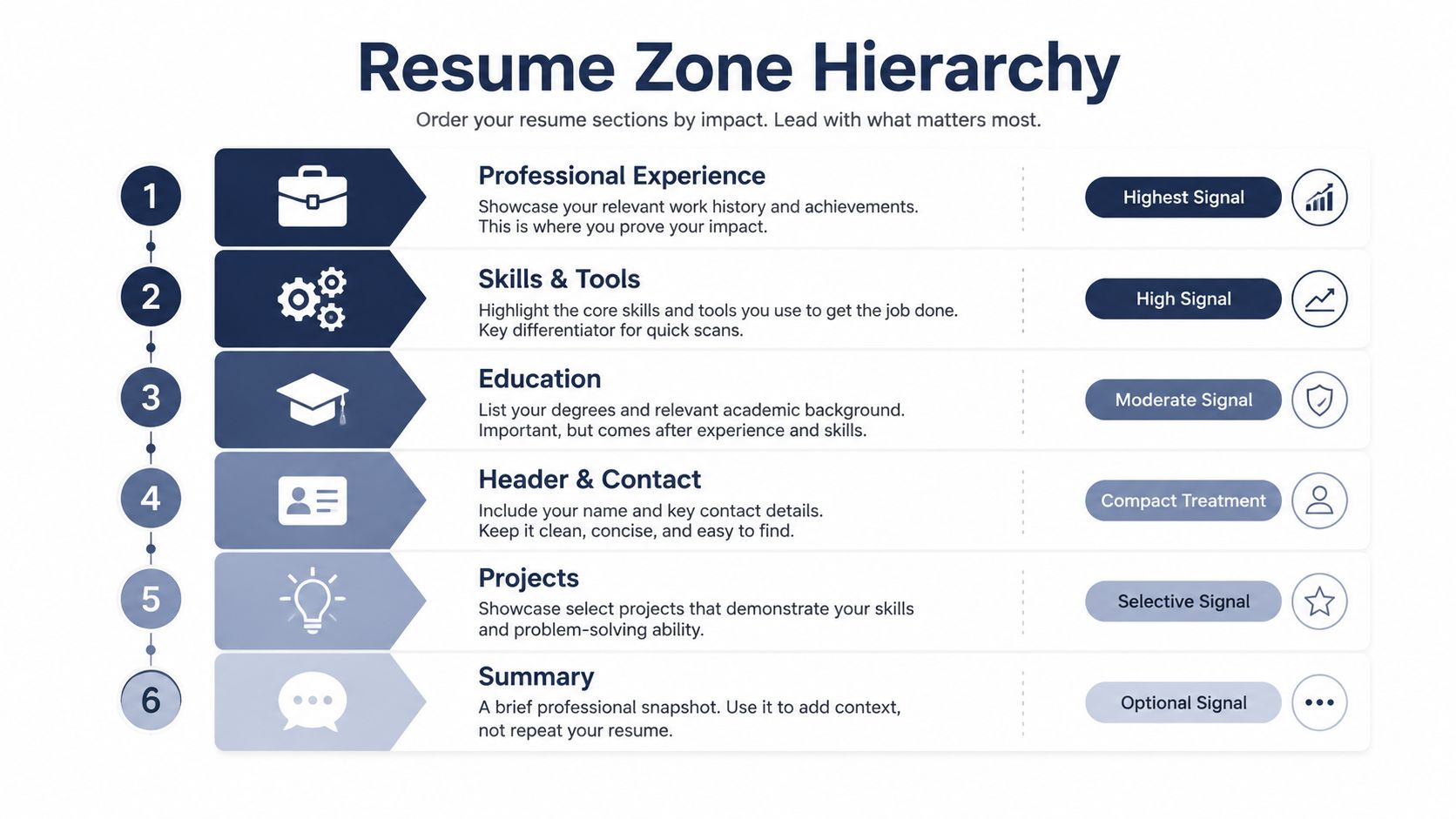
A practical one-page allocation can look like this:
- Header and contact: about 5% of the page
- Targeted summary: about 10%, only when useful
- Professional experience: about 60%
- Skills and tools: about 10%
- Education: about 10%
- Projects and extras: about 5%, only when relevant
These are editing benchmarks, not laws. A technical student may need more project space. A senior executive may need more experience space and no summary at all. The point is to prevent low-signal sections from consuming the room your strongest evidence needs.
What to shrink first
Shrink education details once the degree no longer needs explanation. Remove coursework, academic honors, and campus activities unless they directly support the target role. Certifications, languages, volunteer work, and awards should earn space only when the posting or industry makes them relevant.
Your skills section shouldn't claim “communication,” “leadership,” and “teamwork” without proof. Put tools and hard skills in a compact line, then demonstrate them through experience bullets. For role-specific tailoring, use this guide to tailoring a resume to a job description so the page reflects the employer's actual priorities.
The header should never compete with the experience section. Name, contact details, and professional links are necessary, but oversized typography, icons, and decorative banners spend space without improving your candidacy.
Rewriting Bullets to Earn Every Line
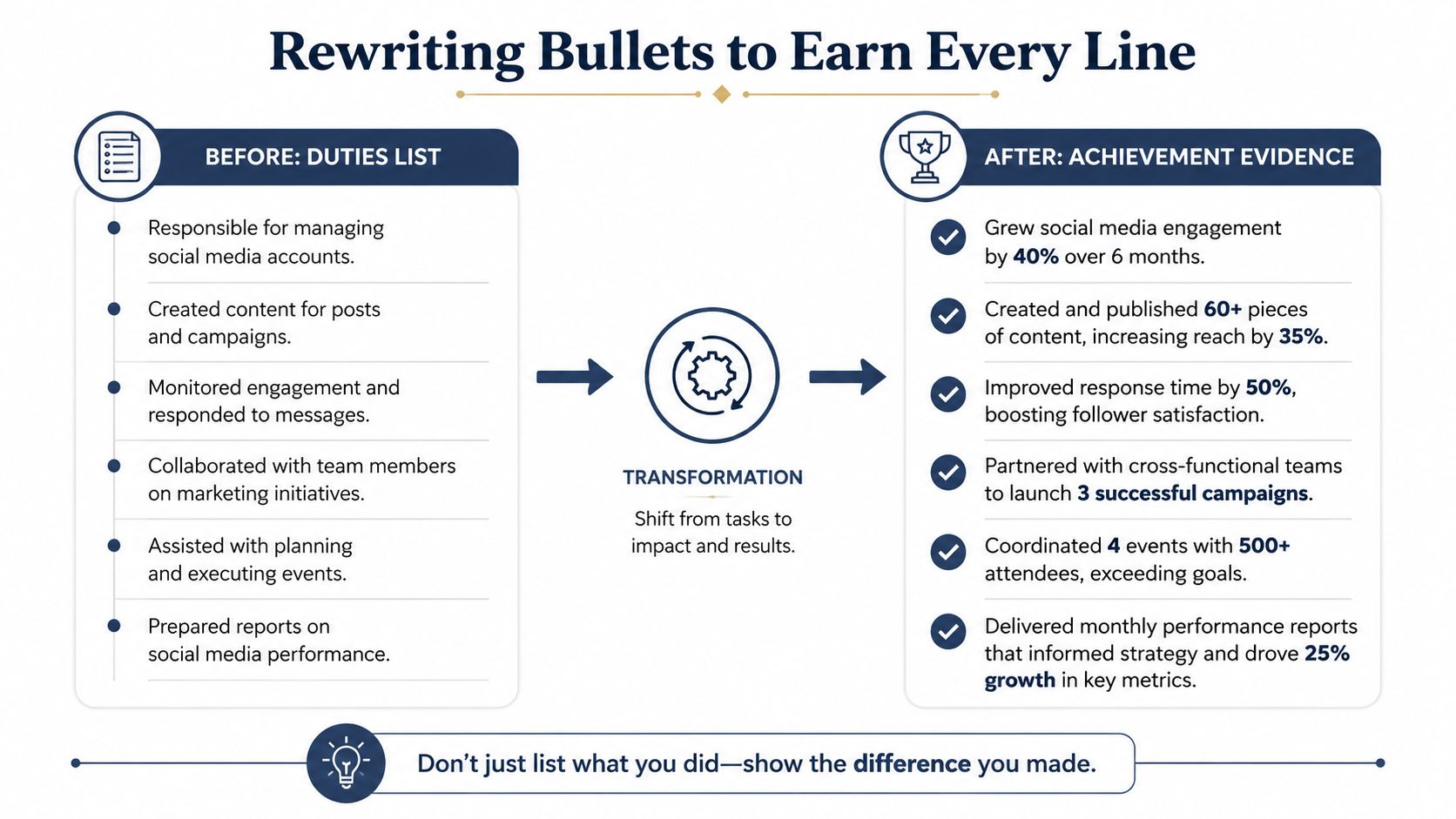
A resume bullet should act as evidence that you can produce the result named in the job description. It shouldn't read like a transcript of everything your manager asked you to do.
Start with the weak version:
- Duty: Responsible for vendor coordination.
- Stronger: Coordinated vendors to support an early onboarding launch.
The second version gives the reader an action and a purpose. If you have reliable records, add scope or outcome. If you don't, don't manufacture precision. A credible qualitative result is better than a fake number.
Use a four-part bullet test
Build bullets around action, scope, result, and relevance. You won't always need all four, but the structure helps expose empty wording.
- Action: Replace “helped,” “assisted,” and “worked on” with verbs such as built, reduced, managed, negotiated, analyzed, or launched.
- Scope: Identify the customers, systems, teams, vendors, or process involved.
- Result: State what improved, changed, shipped, or was protected.
- Relevance: Match the evidence to a requirement in the posting.
“Responsible for managing social media accounts” is a task label. “Managed social media content calendars and coordinated campaign launches” is clearer, but it still needs an outcome if one exists. Don't claim an engagement lift, revenue figure, or time saving unless your records support it.
A bullet earns its line when removing it would erase useful evidence.
Cut repeated phrases, stacked nouns, and sentences that take too long to scan. If two bullets prove the same skill, keep the one with stronger scope or outcome. Move common tools and operating methods into one skills line instead of repeating them in every position.
Older or less relevant roles can become one compressed entry. If your final three positions were with one employer and the title changes matter less than continuity, group them under the employer name and use only the bullets that show progression. Early-career candidates can turn coursework, internships, volunteer work, and projects into outcome-focused evidence rather than hiding them in vague activity lists.
Read the compressed version aloud. Each remaining bullet should add a new fact, skill, or outcome. For more visual guidance, use this bullet rewriting video.
Formatting and ATS Rules for a Tight Layout
Save space through editing and structure, not tricks that make the document unreadable. Use a single-column layout, standard headings such as “Experience,” “Education,” and “Skills,” and a clean PDF with selectable text.
ATS parsing evidence points to structure as the primary technical risk, not page count. In independent parsing benchmarks, a clean single-column resume scored 100/100, while a two-column layout scored 85/100 and caused a critical reading-order scramble, according to this ATS parsing benchmark. Tables, repeated headers, image-based PDFs, text boxes, icons, and decorative headers can cause similar problems.
The tight-layout checklist
- Choose a readable typeface: Use a standard font with body text around 9.5 to 11 points.
- Control margins carefully: Keep margins around 0.5 to 0.7 inches, but don't sacrifice readability.
- Keep spacing restrained: Use line spacing around 1.0 to 1.08 and modest space between sections.
- Align information plainly: Put dates on the same line as employers and titles where possible.
- Use bold selectively: Emphasize your name, current company, job titles, and section headings, not every keyword.
- Avoid visual substitutes: Skip progress bars, skill ratings, decorative symbols, images, tables, and icons.
- Keep contact details in the body: Don't hide essential information in a header or footer.
A “Skills” section filled with isolated keywords is weaker than a short list supported by experience. ATS systems look for keywords, readable formatting, and logical section order, while job-specific guidance emphasizes matching the posting's exact titles, hard skills, repeated terms, and qualifications, as explained in this ATS keyword and structure guide.
Save a real-text PDF, then open it in a PDF reader and copy the text into a plain-text editor. Check that the reading order is logical, headings remain attached to the right content, and dates and links survive extraction. Keep a DOCX copy when the application system accepts that format, and name the submitted file with your name and target role. This ATS-friendly resume guide covers the same structural priorities in a practical workflow.
A Real One-Page Edit From Start to Finish
Maya, a customer-support specialist with three years of experience, started with a three-page resume. It contained a two-sentence summary, six bullets for each of three jobs, a long tools list, and campus activities from seven years earlier.
The first edit removed the summary, the oldest retail role, and activities unrelated to a customer-operations opening. Her three remaining positions showed a clear progression from sales associate to support representative to senior support specialist. That progression was more persuasive than a complete record of every early responsibility.
The bullet rewrite
Her original bullet, “Responsible for answering customer questions across email, chat, and phone,” became: “Resolved an average of 65 email and chat cases per day while maintaining a 96% satisfaction score.” The underlying figures came from Maya's records, so the rewrite added credibility without inventing precision.
“Helped the team use a new ticketing system” became: “Trained 12 support representatives on Zendesk, cutting average ticket-handling time by 18%.” “Handled escalated customer issues” became: “De-escalated high-risk account complaints, retaining 85% of customers during the quarter.” Maya verified each result through performance feedback and internal records.
The repeated phrases “responsible for,” “helped,” and “customer service” disappeared. The tools list shrank to the four systems requested in the posting, and proficiency appeared only where it supported an achievement. A long inventory became a focused argument for customer operations.
The final page
The finished layout used a single column, 10.5-point body text, 0.6-inch margins, compact heading spacing, and a traditional serif or sans-serif font. Maya kept three or four bullets for her current role, two for the previous role, and one for the earliest relevant position.
The result didn't pretend she had only one year of experience. It showed increasing responsibility, measurable customer impact, and the operating skills the employer requested. Each line answered the same question: Why is Maya credible for this specific job?
Your One-Page Checklist and Final Push
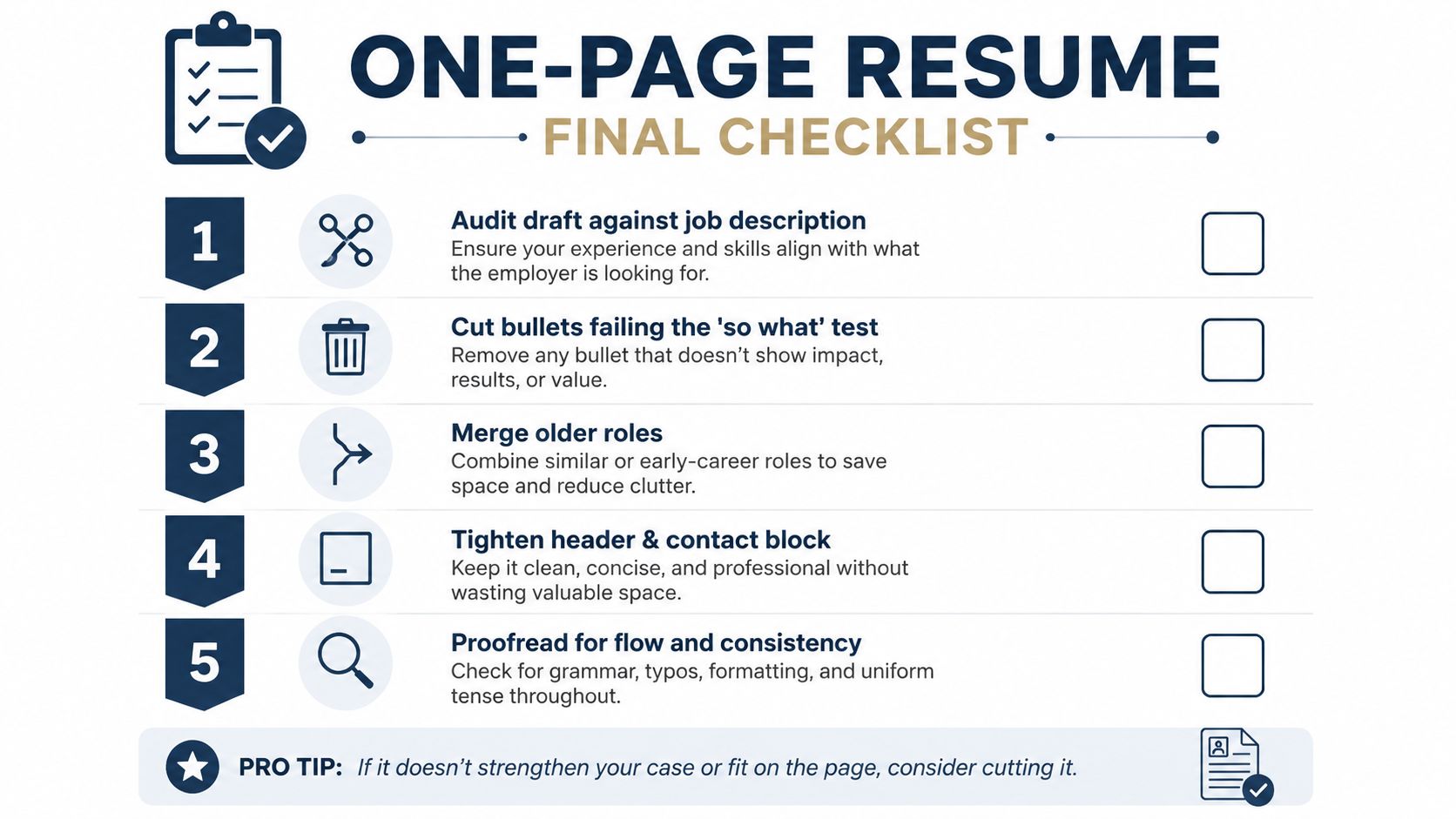
Edit in sequence, not by randomly shrinking text until the document fits.
- Audit the draft: Compare every section against the target job description.
- Apply the “so what” test: Cut bullets that don't show contribution, relevance, or outcome.
- Merge older roles: Group or compress roles older than 12 years when they repeat skills already proven elsewhere.
- Rewrite with evidence: Use stronger verbs and include one reliable number per bullet when your records support it.
- Strip the layout back: Use a single column, standard headings, readable 10 to 11-point text, and restrained spacing.
- Export safely: Save a real-text PDF and check its extracted reading order.
- Proofread aloud: Listen for repetition, awkward phrasing, missing articles, and inconsistent verb tense.
Break the one-page rule when the extra space carries necessary evidence. That includes a senior candidate with 15+ years of relevant experience, an academic or research CV aimed at R1 positions, or a federal application that requires detailed KSAs. A second page full of repeated duties is a formatting failure. A second page that proves specialized fit is a sensible choice.
Use the page as a constraint, not a punishment. Finish the edit, send the application within 48 hours, and stop revising when each line has earned its place. A submitted resume can create an opportunity. A perfect draft trapped in a folder can't.
To make the final pass easier, use the GetTheCall ATS resume checker to review parsing and keyword issues before submission, then fix only the problems that affect clarity or role fit.
GetTheCall can turn your existing LinkedIn profile or resume into a job-specific, ATS-ready PDF, with keyword alignment, bullet rewriting, and a live role-match score based on your actual experience. Visit GetTheCall to tighten your one-page resume without inventing skills or burying the evidence that makes you qualified.