Medical Front Desk Resume That Gets You Hired
Build a medical front desk resume that passes ATS and lands interviews. Practical tips on skills, EHR keywords, bullet examples, and formatting for 2026.
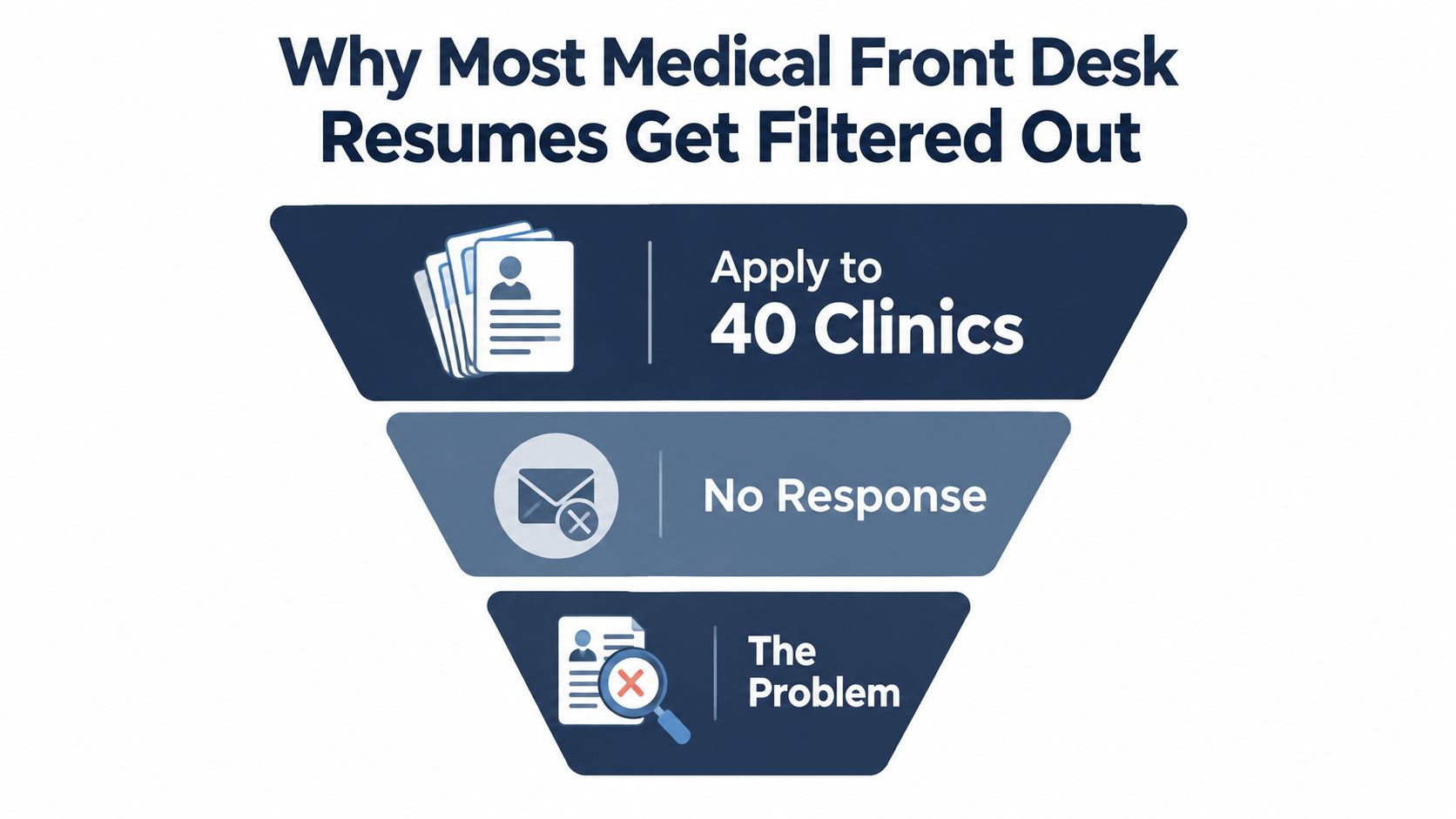
You've applied to clinic after clinic with a tidy one-page resume, relevant front-office experience, and perhaps a certificate that proves you took the work seriously. Still, the inbox stays quiet. That's frustrating, but the problem may not be your ability to do the job. It may be that your resume presents you as a generic receptionist instead of a healthcare-access professional who understands EHR workflows, insurance verification, patient intake, and revenue-cycle support.
A strong medical front desk resume has to pass two reviewers. First, an applicant tracking system looks for recognizable job language and readable formatting. Then, a recruiter or practice manager scans the document quickly for evidence that you can keep patients moving, protect sensitive information, support scheduling, and handle financial conversations professionally. Every section below is designed for both screens.
Table of Contents
- Why Most Medical Front Desk Resumes Get Filtered Out
- The Core Structure of a Medical Front Desk Resume
- Skills and Keywords Hiring Managers Actually Scan For
- Writing Bullet Points That Prove Real Impact
- Formatting Choices That Help or Hurt ATS Parsing
- Tailoring Your Resume to Each Job Posting
- Showcasing Certifications, EHR Systems, and Compliance Knowledge
- Your Next Steps and a Quick Pre-Submit Checklist
Why Most Medical Front Desk Resumes Get Filtered Out
A candidate with two years of front-office experience applies to dozens of clinics. The resume looks polished and fits on one page. It says the candidate is friendly, organized, dependable, and comfortable answering phones. It also says the candidate greeted patients, scheduled appointments, and handled paperwork.
Those statements sound acceptable, but they don't distinguish the applicant. They describe almost every receptionist who has ever used a resume template. They leave out the operational language that tells a healthcare employer the candidate understands what happens after a patient walks through the door.
Hiring-manager test: Could a recruiter tell which EHR you used, how you handled eligibility, and what part of patient access or billing support you owned within a quick scan?
Medical front desk work isn't limited to smiling at check-in. It can involve EHR or EMR documentation, insurance verification, prior authorization, copay collection, referral coordination, records handling, patient portal support, and HIPAA-aware communication. The medical receptionist resume guidance from WAH Resume specifically emphasizes named systems such as Epic, Athenahealth, eClinicalWorks, and Cerner, along with duties that map those systems to actual workflows.
The labor market reinforces why this framing matters. In the United States, the broader Receptionists and Information Clerks occupation employed 1,011,170 people in May 2022, with a mean hourly wage of $16.64 and a mean annual wage of $34,600, according to the Jobs and Skills Australia occupation profile. Within that group, Offices of Physicians employed 179,690 people and Offices of Dentists employed 88,320, showing that medical front desk work sits inside substantial, high-volume healthcare settings.
The ATS screen is only the first barrier. A resume that survives automated sorting still needs to make a human think, “This person can operate our front desk.” Generic customer-service language rarely does that. Healthcare workflow evidence does.
The Core Structure of a Medical Front Desk Resume
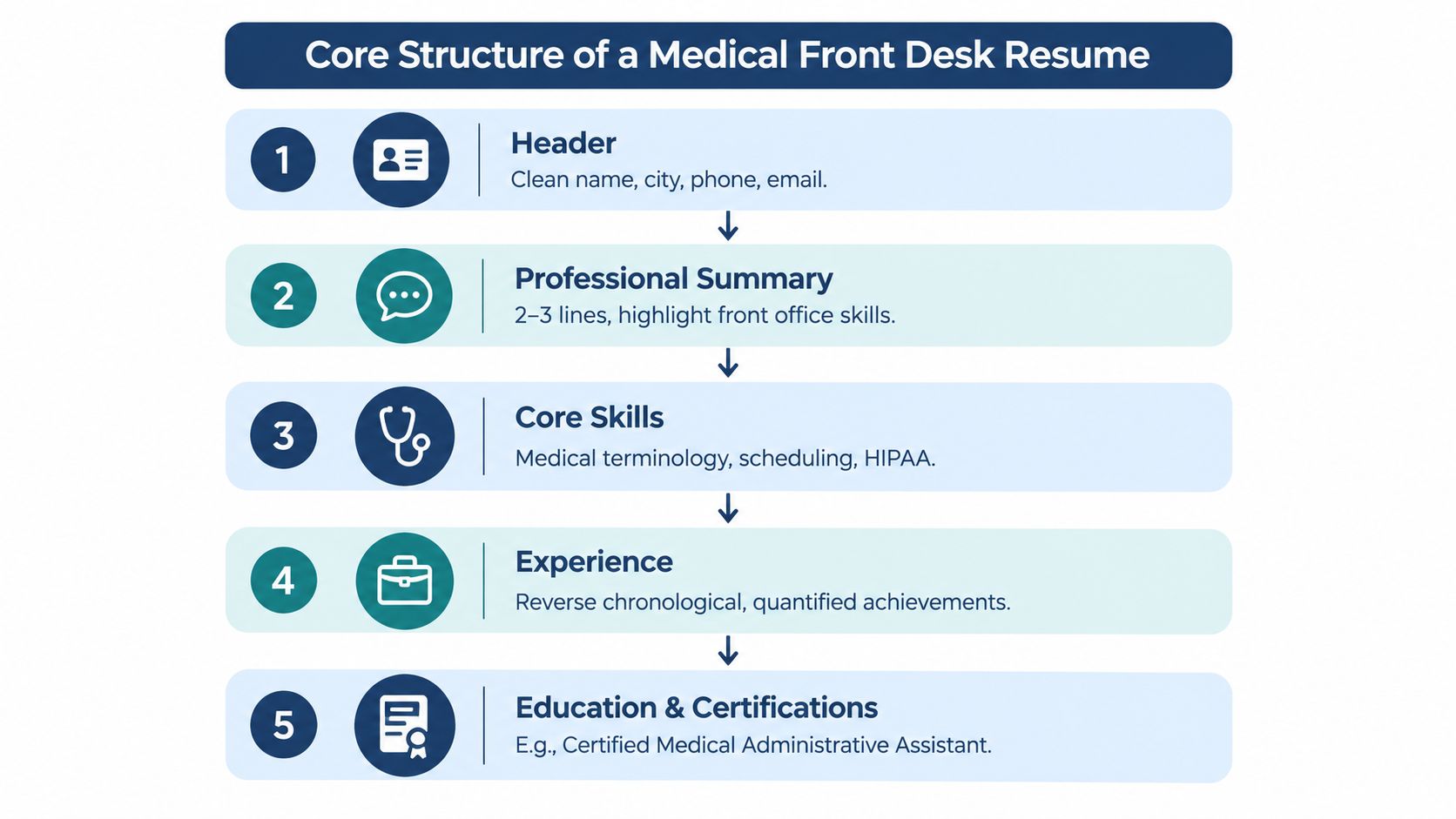
Build the document in the order a recruiter naturally reads it. Each block should either help the ATS recognize your fit or help a human reviewer understand your readiness without digging.
Start with a clean contact block
Use your full name, city and state, phone number, and a professional email address. Avoid nicknames, decorative symbols, profile photos, and old email handles that look casual or abandoned. Your contact information should sit in the main body of the document, not inside a header, footer, image, or text box.
Follow with a focused summary
Keep the summary compact and specific. Position yourself as a medical front desk or healthcare-access professional, name the practice setting, mention the EHR you've used, and add a strength you can support in your experience section.
For example:
Medical front desk professional experienced in a multi-specialty clinic using Epic for patient intake, appointment scheduling, insurance verification, and demographic updates. Known for accurate check-in workflows, calm patient communication, and dependable support for providers and revenue-cycle staff.
Don't call yourself a “friendly receptionist” and stop there. That description is too broad to help either reviewer.
Put skills near the top
A compact skills section gives the parser a dense, readable group of relevant terms. Include systems, workflows, compliance knowledge, and patient-facing abilities, but only list skills you can explain in an interview.
Make experience the proof
Use reverse-chronological order. Lead each bullet with an action verb, identify the workflow or system, and describe the result or operational scope. The front desk medical receptionist resume guidance from ResumeTemplates recommends emphasizing tasks such as check-in, scheduling, eligibility, pre-authorization, copay collection, phone triage support, and HIPAA-aware records handling.
Close with education, certifications, and a short technical-proficiencies line. Remove anything that doesn't support the target role. A resume earns space by making your fit clearer, not by documenting every task you've ever performed.
Skills and Keywords Hiring Managers Actually Scan For
A healthcare-aware resume uses keywords in context. Don't paste a software list into the document and expect it to prove competence. Pair each important term with a duty, workflow, or outcome.
| Skill Bucket | Keywords and Examples |
|---|---|
| Technical systems | Epic, Cerner, Athenahealth, eClinicalWorks, NextGen, EHR, EMR, practice management software, Availity, Change Healthcare, Microsoft Excel, patient portal administration |
| Operational workflows | Patient intake, insurance verification, eligibility checks, prior authorization, copay collection, self-pay collection, charge entry, claim-scrubbing support, scheduling optimization, referral coordination, medical records release, HIPAA |
| Patient-facing strengths | De-escalation, empathetic communication, distressed-patient support, bilingual communication, financial conversations, phone triage support, confidentiality, service recovery |
Technical terms need evidence
Write “Epic, patient registration, demographic updates, appointment scheduling” instead of “Epic proficiency.” If you used Availity to check eligibility, say so. If you used Excel for daily reconciliation, identify that task. Named tools help the ATS, while the surrounding duty helps the hiring manager judge your level.
Operational language beats generic traits
“Customer service” can stay on the resume, but it shouldn't lead the skills section. Insurance verification, prior authorization, copay collection, referral coordination, and records release communicate that you understand how front-desk work affects access, compliance, and payment.
The medical receptionist resume examples from ResumeTemplates call attention to a gap in common advice. Many resumes overuse generic receptionist traits while leaving out EHR systems, HIPAA and 42 CFR Part 2 awareness, prior authorization, and patient collections. Those details show that the role supports more than check-in and check-out.
Patient skills should sound real
Healthcare front desks handle anxious, confused, frustrated, and financially stressed patients. Use language such as “de-escalated scheduling concerns,” “explained balances clearly,” or “supported distressed patients while protecting privacy.” If you speak another language, list it plainly and identify whether you used it in patient communication.
Include two or three terms from each bucket when they match the posting. The combination creates a recognizable picture of someone who can operate the desk, not just greet people.
Writing Bullet Points That Prove Real Impact
“Answered phones and greeted patients” is a duty, not a persuasive accomplishment. It tells the reader what happened, but not how you performed, what systems you used, or why the work mattered.
Use this formula instead:
Action verb + workflow or system + scope or result + clinic goal
The result can be a verified metric, a documented quality measure, a volume description, or a clear operational improvement. Never invent a percentage or outcome. If you don't have exact records, describe the responsibility accurately and use qualitative language.
| Weak Duty Phrase | Rewritten Impact Bullet |
|---|---|
| Answered phones and scheduled patients | Managed a multi-line phone queue, triaged appointment requests, and scheduled visits in Athenahealth while routing clinical questions to the appropriate team. |
| Checked patients in | Completed patient intake, verified demographic details, collected required forms, and updated EHR records to support accurate same-day visits. |
| Verified insurance | Performed insurance eligibility checks and documented coverage details before appointments, escalating authorization concerns for resolution. |
| Collected copays | Collected copays and self-pay balances at check-in, explained financial obligations clearly, and recorded payments in the practice-management system. |
| Helped with referrals | Coordinated referral documentation between patients, providers, and outside offices while protecting confidential information under HIPAA requirements. |
| Answered patient questions | Used empathetic communication and de-escalation techniques to address patient concerns, resolve front-desk issues, and maintain an orderly check-in experience. |
| Released medical records | Processed medical-record requests, confirmed authorization requirements, and released documentation according to office procedures and privacy standards. |
Add scope wherever you can verify it
Scope helps a recruiter picture your work environment. Mention the number of providers supported, the type of practice, the presence of multiple phone lines, or the fact that you handled both check-in and check-out. “Supported a multi-specialty clinic” gives useful context without forcing you to manufacture a statistic.
If you know documented measures, use them carefully. The ResumeBuilder guidance on front desk medical receptionist resumes highlights operational evidence such as no-show reduction, appointment-reminder efficiency, call-routing performance, throughput, error reduction, and patient-flow improvements.
Turn metrics into credible proof
A metric belongs in a bullet only when you can explain where it came from and what you personally did. A scheduling report, collection record, quality dashboard, or manager feedback can support the claim. If you can't verify the number, write “improved appointment reminders,” “maintained accurate eligibility documentation,” or “supported smoother patient flow” instead.
The strongest bullets connect your work to the clinic's priorities: access, speed, accuracy, privacy, payment collection, and clean documentation. Those priorities make your contribution easier to value.
Formatting Choices That Help or Hurt ATS Parsing
A visually impressive resume can fail before a recruiter sees it. The problem often sits in the layout, not the writing. Complex templates may place your contact details, job titles, or healthcare keywords in locations the parser can't interpret.
A 2026 ATS parsing summary from ResumeAdapter reports that plain-text DOCX files failed parsing about 4% of the time, while table-based layouts failed 31% or more of the time. The same source reports that 25% of ATS systems fail to parse contact information placed in headers or footers. Treat those figures as a warning against design features that hide essential content.
Keep the structure boring
Use one column, standard section headings, ordinary bullet characters, and a familiar font such as Arial or Calibri. Put your name and contact details in the document body. Use clear job titles such as “Medical Receptionist,” “Medical Front Desk Coordinator,” or “Patient Access Representative,” rather than internal labels that a recruiter won't recognize.
| High-risk choice | Safer alternative |
|---|---|
| Text boxes for skills or contact details | Plain text blocks |
| Headers and footers with phone or email | Contact information below your name |
| Two-column templates | Single-column layout |
| Tables for employment history | Standard headings and bullets |
| Decorative icons or photos | Text labels |
| Scanned image PDF | Searchable DOCX or true text PDF |
| Unusual internal job title | Standard title plus a clarifying equivalent |
Save as .docx when the posting allows it, or use a true, searchable PDF. Don't upload a photograph of a printed resume. Remove colored headers, graphics, embedded certificate images, and fancy dividers before submission.
For a deeper formatting reference, use this ATS-friendly resume guide. The safest design is the one that lets software extract your experience cleanly and lets a human locate your EHR, scheduling, intake, and insurance experience immediately.
Tailoring Your Resume to Each Job Posting
A generic resume wastes the advantage you already have. Medical front desk openings can look similar, but a pediatric clinic, orthopedic practice, dental office, hospital department, and specialty group may prioritize different workflows.
Applicant tracking systems are common in hiring. A 2026 hiring-insights report from ResumeAdapter says 71% of hiring managers screen applications with ATS software, while 37% let the ATS screen out applicants based on criteria they set. The report also says 49% still personally review resumes and use ATS mainly to flag, rank, or organize them. That creates a two-layer test: exact job language helps automated sorting, while clear evidence helps the person who reviews the result.
Use a focused tailoring routine:
- Read the posting twice. On the first pass, understand the practice and patient population. On the second, highlight EHR systems, scheduling duties, insurance tasks, certifications, and compliance terms.
- Separate requirements from preferences. If the posting requires Epic, place Epic near the top. If it mentions another platform as preferred, include it only if you've used it.
- Mirror the employer's wording. If the posting says “insurance eligibility,” don't rely only on “coverage checks.” Use both when accurate.
- Adjust the summary and leading bullets. A pediatric clinic may require stronger emphasis on family communication and sensitive intake. An orthopedic practice may prioritize referral coordination, imaging appointments, and authorization workflows.
- Check the document as a human. Your first section should make the target role obvious without forcing the reviewer to search.
A 2026 report summarizing 139,927 applications found interview rates of 4.23% for targeted resumes compared with 2.07% for generic resumes, according to OneHour Digital's resume statistics report. The point isn't to rewrite everything. Change the language that controls relevance.
Use this resume tailoring guide to support a repeatable editing process.
Showcasing Certifications, EHR Systems, and Compliance Knowledge
Credentials should prove readiness, not decorate the page. Put your EHR systems in a dedicated technical-skills line or near the top of the resume so a reviewer can spot them quickly. Write the platform name exactly, including Epic, Cerner, Athenahealth, eClinicalWorks, or NextGen, then connect it to the work you performed.
A certificate has more value when the reader understands how you used the knowledge. “HIPAA trained” is less persuasive than “Handled demographic updates, referral documents, and medical-record requests using HIPAA-aware procedures.” Compliance belongs in context because front-desk staff regularly handle private patient information.
| Credential or Skill | Where to Place It | How to Phrase It |
|---|---|---|
| EHR platform | Technical skills and experience bullets | “Epic, patient registration, appointment scheduling, demographic updates” |
| CMAA | Certifications section | “Certified Medical Administrative Assistant, issuing organization, year” |
| CHAA | Certifications section | “Certified Healthcare Access Associate, issuing organization, year” |
| BLS | Certifications section when requested | “Basic Life Support, issuing organization, current status” |
| Medical terminology | Education, coursework, or skills | “Medical terminology coursework, applied to intake and records workflows” |
| HIPAA knowledge | Skills and experience | “HIPAA-aware handling of demographic, referral, and records information” |
| 42 CFR Part 2 awareness | Skills or relevant bullet | “Awareness of confidentiality requirements for sensitive substance-use records” |
List the full certification name, issuing body, and year when relevant to the posting. Don't include expired or unrelated licenses. Don't embed certificate images, since graphics can interfere with parsing and add little value during a quick review.
Your experience section should validate the credential. If you list Epic, mention registration, scheduling, chart updates, or another real Epic task. If you list medical terminology, show how it supported accurate patient communication or documentation. The combination of credential plus application gives the hiring manager a reason to trust that you can contribute on day one.
Your Next Steps and a Quick Pre-Submit Checklist
Finish the resume before you submit, not after the first rejection. A quick review should confirm that the file is readable, targeted, accurate, and easy to evaluate.
Use this checklist for every application:
- Name the file clearly. Include your name and the target role, such as
Jordan-Lee-Medical-Front-Desk-Resume. - Choose a safe file type. Save as
.docxor an ATS-safe PDF when the posting permits either. - Check contact details. Confirm your phone, email, city, and application information match.
- Lead with action verbs. Replace passive duty phrases with verbs such as coordinated, verified, documented, scheduled, processed, and resolved.
- Use defensible outcomes. Add verified scope or results, and remove unsupported numbers.
- Match the posting. Confirm that your skills section uses accurate terms from the job description.
- Keep the page focused. Remove unrelated duties, references, and filler that dilute medical front desk relevance.
- Delete risky design elements. Remove photos, graphics, text boxes, tables, and colored headers.
- Proofread twice. Check spelling for EHR platforms, insurance terms, provider names, and certification titles.
- Test the file. Run it through an ATS resume checker and review the extracted text for missing contact details or scrambled sections.
Send a brief follow-up email within 48 hours when that approach fits the employer's process, and request a referral when you have a credible connection. Keep a master resume, but revise the summary and at least one experience section for each target practice. Your resume should evolve as you gain new systems knowledge, certifications, and evidence of stronger patient flow or administrative accuracy.
GetTheCall can import an existing resume or LinkedIn profile, analyze a target job listing, suggest job-specific wording based on your actual experience, and show a live role-match score before you apply. Visit GetTheCall to check your medical front desk resume for parsing and keyword issues, then produce a custom application file.