How to Tailor Resume to Job Description and Beat the ATS
Learn how to tailor resume to job description with a clear, step-by-step process. Align keywords, boost your ATS score, and rewrite bullets that win interviews.
You've got a solid resume, you've applied to jobs you can absolutely do, and somehow the inbox stays quiet. That's usually not because you're unqualified. It's because your resume sounds like a general career summary instead of a direct answer to the job description in front of a recruiter or an ATS.
The fix isn't to rewrite everything from scratch. The strongest approach is to tailor the small part of the resume that carries weight, then leave the rest alone unless the role demands it. When you treat the job post like a specification sheet and mirror its language with honest evidence, your resume starts doing the one job it has, proving fit quickly.
Table of Contents
- Why Generic Resumes Get Rejected Before a Human Reads Them
- How to Decode a Job Description for Must-Have Keywords
- Which Sections to Rewrite and Which to Leave Alone
- Using a Live ATS Match Score to Calibrate Your Edits
- When Keyword Optimization Goes Too Far
- A Realistic Time Budget for Tailoring Every Application
Why Generic Resumes Get Rejected Before a Human Reads Them
Think of your resume as a targeted pitch, not a career autobiography. When you send the same version everywhere, it may still look polished, but it often misses the exact language a hiring system is trained to notice. The result is predictable, the resume feels close enough to you, but not close enough to the role to move forward.
What the first scan is really looking for
An Applicant Tracking System does not read like a person. It sorts, ranks, and filters resumes against the job description, then pushes forward the ones that line up most clearly. Career guidance from the University of Arizona stresses the same behavior, highlight repeated keywords, notice what shows up more than once, and use the exact phrases from the posting where they are truthful and relevant, because ATS tools and recruiters often scan for direct matches in titles, skills, tools, and responsibilities rather than broad similarity. That guidance also points out that tailoring is usually only about 10–20% of a base résumé for each opening, which is why a master resume with targeted edits usually works better than rebuilding the whole document from scratch. University of Arizona career guidance
Practical rule: If the posting says “CRM,” “Salesforce,” or “quarterly business reviews,” do not bury that language inside a vague phrase like “managed client relationships.” Use the real wording when it describes your actual work.
Why generic language loses to exact matches
A generic resume says, “I've done similar work.” A resume customized for the specific role says, “I've done the work you asked for, and here's the proof.” That difference matters because the first screen is usually a keyword and relevance test, not a full career review. Even when your background is strong, a resume that hides the most relevant details or leads with the wrong emphasis can score poorly and never reach a recruiter's desk.
The internal logic is simple. Recruiters and filtering software reward resumes that make the match easy to see, fast. If the job description asks for a certain tool, workflow, or responsibility, that language needs to appear in the right places on the page, and the supporting bullets need to back it up. For a concrete example of how a posting can be read for fit, see the Spotify senior fullstack engineer job listing.
How to Decode a Job Description for Must-Have Keywords
The fastest way to tailor well is to read job descriptions like a recruiter, not marketing copy. Pull out the requirements that would change whether you get screened in, then build your resume around those points.
Start with repetition and placement
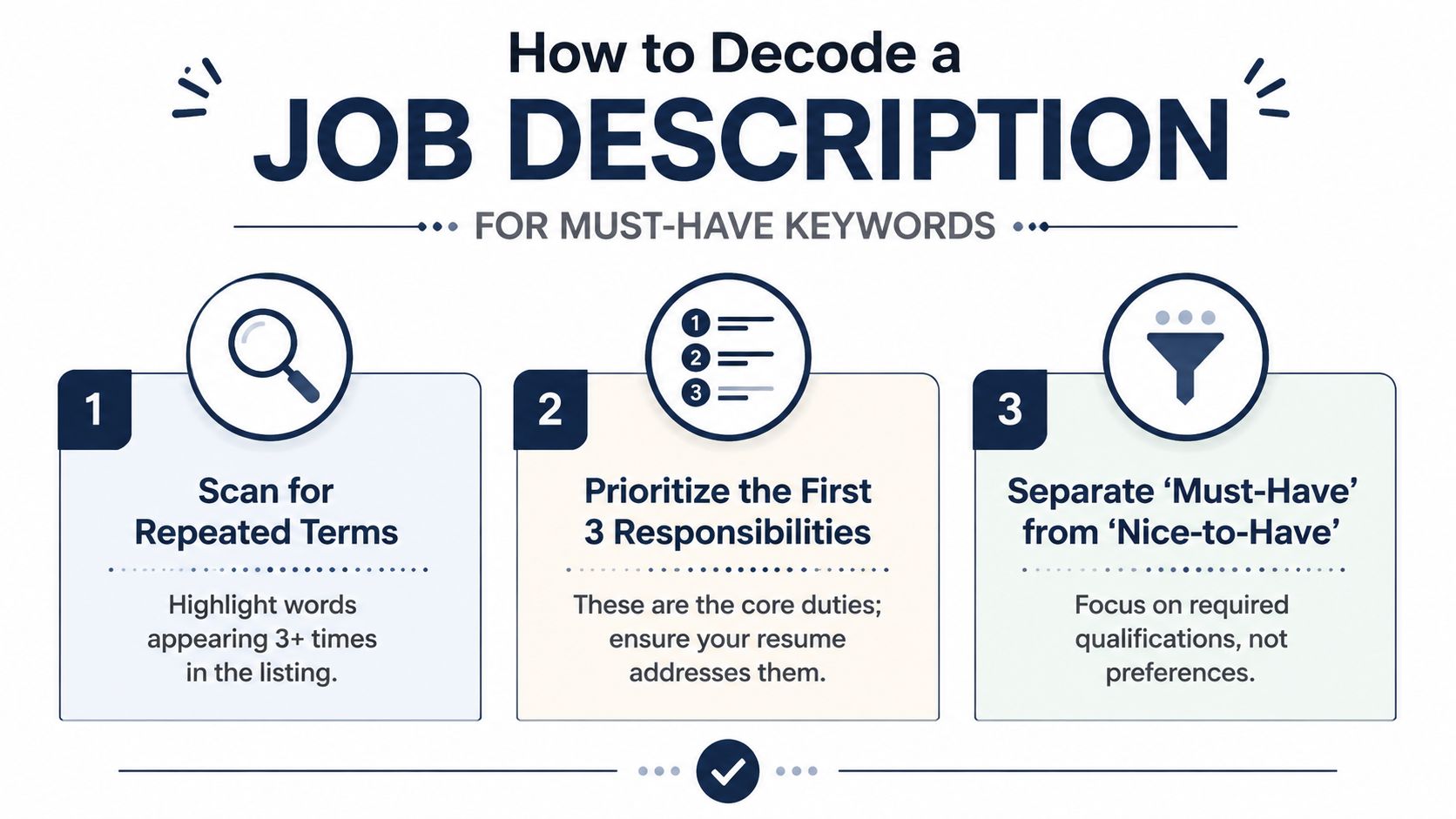
The first signal is repeated language. If a skill, tool, or responsibility shows up more than once, it is probably part of the hiring bar. The University of Arizona guidance recommends highlighting repeated keywords and giving extra attention to the first responsibilities listed, because those early lines often carry the most weight in the posting. A practical workflow from resume-tailoring experts also recommends pulling out 8–12 key terms, identifying 3 must-match requirements, and rewriting only the bullets that support those items. Resume Optimizer Pro
If you want a clean way to sort the language, scan the opening part of the listing and group the terms into three buckets:
- Role-specific skills, for example project management, customer support, data analysis.
- Tools and technologies, for example Salesforce, Excel, Figma, Jira.
- Soft skills or competencies, for example collaboration, communication, ownership.
That three-part split comes from recruiter-oriented tailoring guidance, and it works because it forces you to tie each keyword to evidence in your work history instead of stuffing your resume with buzzwords. SAPly
Separate must-haves from nice-to-haves
Once you have the keywords, decide which ones are required. The top of the posting usually gives this away. Required years of experience, core tools, and the main responsibilities belong in your first pass. Preferred skills can help, but they should not crowd out the basics the employer is screening for.
A useful shortcut is to make a short list of the 3 must-match requirements and then check whether your resume already proves them in the summary, experience section, or skills list. If it does not, that is the gap to close first. If a term appears once in the posting and does not seem central to the role, keep it in mind, but do not force it into every bullet.
For a practical example of how a real listing is structured, look at this senior full-stack engineer job listing template. You can see how much the opening responsibilities and core requirements matter compared with the rest of the page. That is the hierarchy your resume should reflect.
Build a keyword list you can use
By the end of this pass, you should have a compact list of terms that will drive your edits. Do not create a giant laundry list. A focused set of words is easier to mirror naturally, easier to prove, and less likely to make the resume feel mechanical.
A strong job-description read is less about collecting every keyword and more about spotting the few that define the role.
Which Sections to Rewrite and Which to Leave Alone
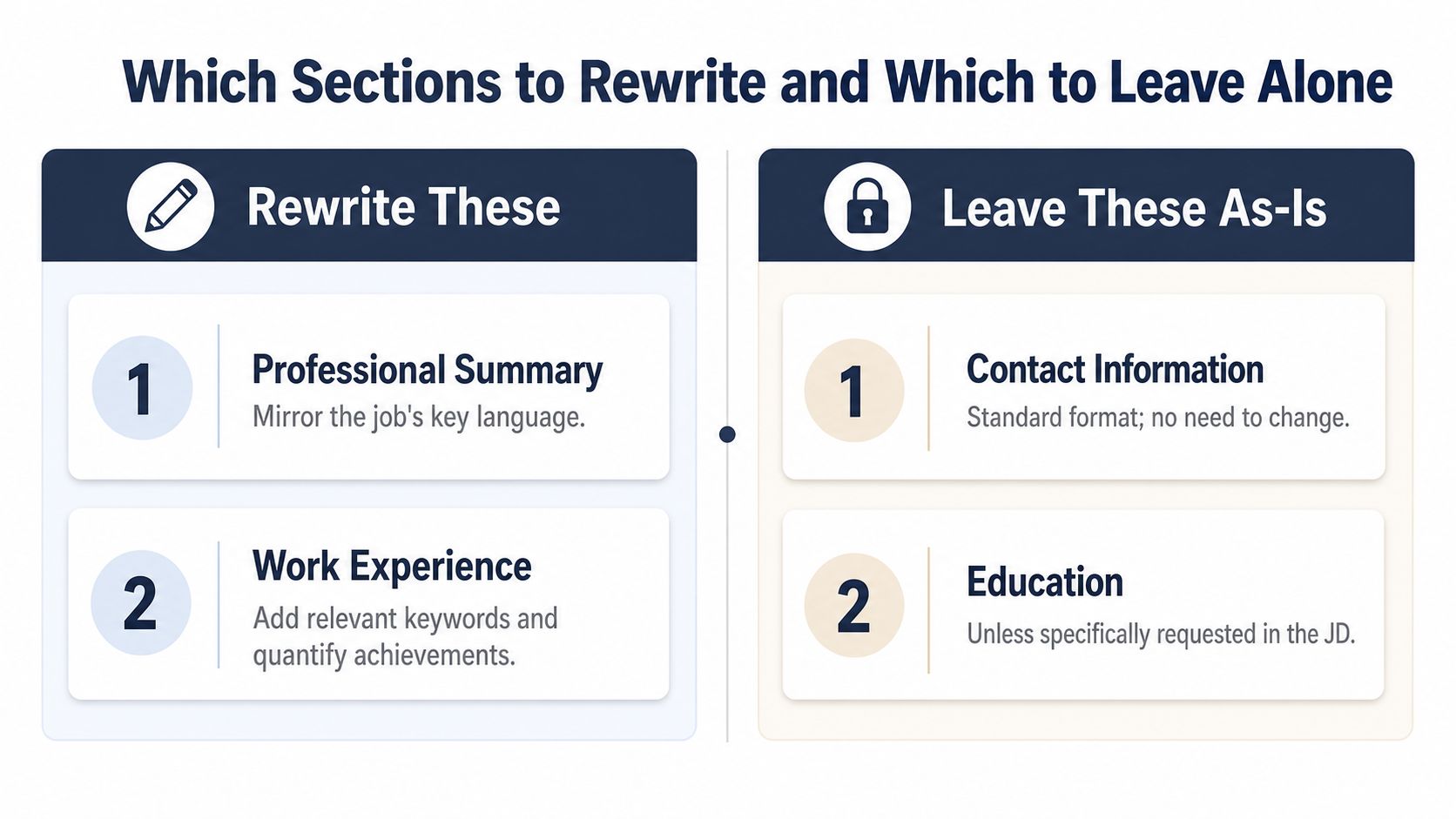
A resume does not need a full rewrite for every application. The parts that matter most are the ones that carry the job match, the summary, the top 3–4 bullets under the most relevant role, and the skills section. Recruiters tend to scan those areas first, and ATS tools compare them closely against the posting. Keep the rest steady unless there is a clear reason to change it. OfferJet AI
Rewrite the summary first
The summary is the fastest place to signal fit. It should echo the job title, or the closest truthful version of it, then front-load the highest-priority skill from the posting. If the role centers on customer success, do not start with a generic line about being a “results-driven professional.” Start with customer success, retention, onboarding, or the specific work the employer is screening for.
Before:
“Operations professional with experience supporting teams, improving processes, and collaborating across departments.”
After:
“Operations coordinator with hands-on experience improving workflows, documenting processes, and supporting cross-functional teams in fast-paced environments.”
The second version works because it uses the employer's vocabulary and shows relevance without pretending the fit is broader than it really is. A candidate who trims the summary this way makes the match obvious in the first few seconds. For a practical framework on building that kind of resume, see an ATS-friendly resume guide.
Reorder the bullets that matter most
The top 3–4 bullets under the most relevant role usually do the heavy lifting. Put the strongest proof first, especially the bullets that line up with the posting's top responsibilities. If the job emphasizes Salesforce, customer support channels, or reporting, those bullets should sit near the top of the role, not get buried under less relevant work.
A good rewrite often keeps the same job history but changes the order and wording of the evidence. Instead of listing every task, lead with the bullets that mirror the job description most closely, then cut anything that does not help the match. Measured results help here because a bullet with a concrete outcome reads like evidence, not filler. Indeed's career advice recommends including measurable results wherever possible for that reason. Indeed career advice
Swap the skills section for the employer's wording
The skills section should stop reading like a loose inventory. It should reflect the language in the job posting. If the role asks for CRM software, use the actual platform you know. If it asks for “project portfolio management” and that matches your experience, use that phrase instead of a softer synonym.
Leave contact information alone. Leave education alone unless the role asks for a specific degree, certification, or recent coursework. Keep the parts that already work, and focus your edits where employers and ATS software are comparing text. That is the 10 to 20 percent worth changing on each application.
Using a Live ATS Match Score to Calibrate Your Edits
Manual tailoring gets you most of the way there, but it's easy to miss a secondary tool, a synonym, or a requirement hidden deeper in the posting. That's where a live match score earns its keep. It gives you a feedback loop while you edit, so you can see whether the resume is getting closer to the target role instead of guessing in the dark.
How the score helps you catch blind spots
A live ATS Role Match score works by comparing your resume against a target job listing, then updating as you change the content. That means you can see whether the summary, bullets, and skills section are lining up with the posting's required language. It's useful for catching gaps that look minor to you but matter to software or recruiters, like a missing tool name, a slightly different job title, or a synonym that doesn't carry the same weight.
GetTheCall is one option in this category. It can import a LinkedIn profile or existing resume, parse a job listing URL, align your experience and skills to required keywords, and show a live match score as edits are made. It also offers a free ATS résumé checker for parsing and keyword issues. GetTheCall ATS résumé checker
Use the score as a calibration tool, not a score to chase
A match score should guide your edits, not control them. If the score is low because you haven't mirrored a required tool or responsibility, fix that. If the score keeps climbing because you've repeated the same phrase four times, stop and ask whether the resume still sounds like a person wrote it.
The best use case is simple. Import your resume, parse the job listing, look at the missing terms, and then rewrite only the parts that change the match in a meaningful way. That often means a summary rewrite, a few bullet changes, and a skills refresh, not a full document rebuild.
The point isn't to maximize keyword density. The point is to make the resume unmistakably relevant while still reading like real work history.
Why real experience should drive the edits
The safest tailoring tools don't invent skills or stretch titles. They map your actual background to the target role and show you where the wording is weak. That matters because a good score is only useful if the resume is still truthful, readable, and defensible in an interview.
A live score gives structure to the process. Instead of wondering whether the resume is “optimized enough,” you can see the effect of each change and stop once the document is clear, specific, and aligned.
When Keyword Optimization Goes Too Far
Tailoring can absolutely backfire when it turns into mechanical repetition. I've seen resumes packed with the right terms that still felt awkward to read, because the writer optimized for software and forgot that a human hiring manager eventually opens the file. Exact phrase matching helps, but only when it sounds natural and stays anchored to real experience.
The line between useful and overfit
A resume starts to feel overfit when every bullet is built around the same phrase, the summary sounds copied from the posting, and the document no longer reflects how the person worked. That's a problem because recruiters don't just look for alignment, they also look for clarity, judgment, and evidence. The strongest resumes use job-description language without sounding as if they were stitched together from it.
The LinkedIn career guidance in the brief points to this tension directly, use exact phrases when they're truthful and relevant, but don't invent experience. That's the right boundary. The resume should sound like the candidate, only sharper and more focused. LinkedIn career content
Quantified bullets keep tailoring honest
One of the best defenses against keyword stuffing is a bullet that starts with a specific action verb and ends with a measurable result. Recruiter-oriented guidance recommends exactly that because it forces the writer to show impact, not just repeat tasks. When a bullet shows what you did and what changed, the keyword sits inside evidence instead of floating as filler.
A weak bullet says, “Responsible for CRM updates and customer support.”
A stronger bullet says, “Used Salesforce to document customer interactions and resolve account issues while supporting daily support requests.”
The second version is better because it explains the work, the tool, and the context. It reads like a real contribution, not a phrase dropped in for search engines.
Tailor differently by seniority and role
Not every resume should be optimized the same way. Early-career candidates often need more clarity and direct language. Mid-career professionals usually need tighter prioritization and stronger proof at the top. Senior candidates need to show judgment, scope, and leadership without piling on keywords until the page feels crowded.
The best test is simple. If the resume still feels easy to scan and the evidence is believable, the tailoring is probably in the right range. If it feels like a mirror of the posting instead of a record of your work, pull it back.
A Realistic Time Budget for Tailoring Every Application
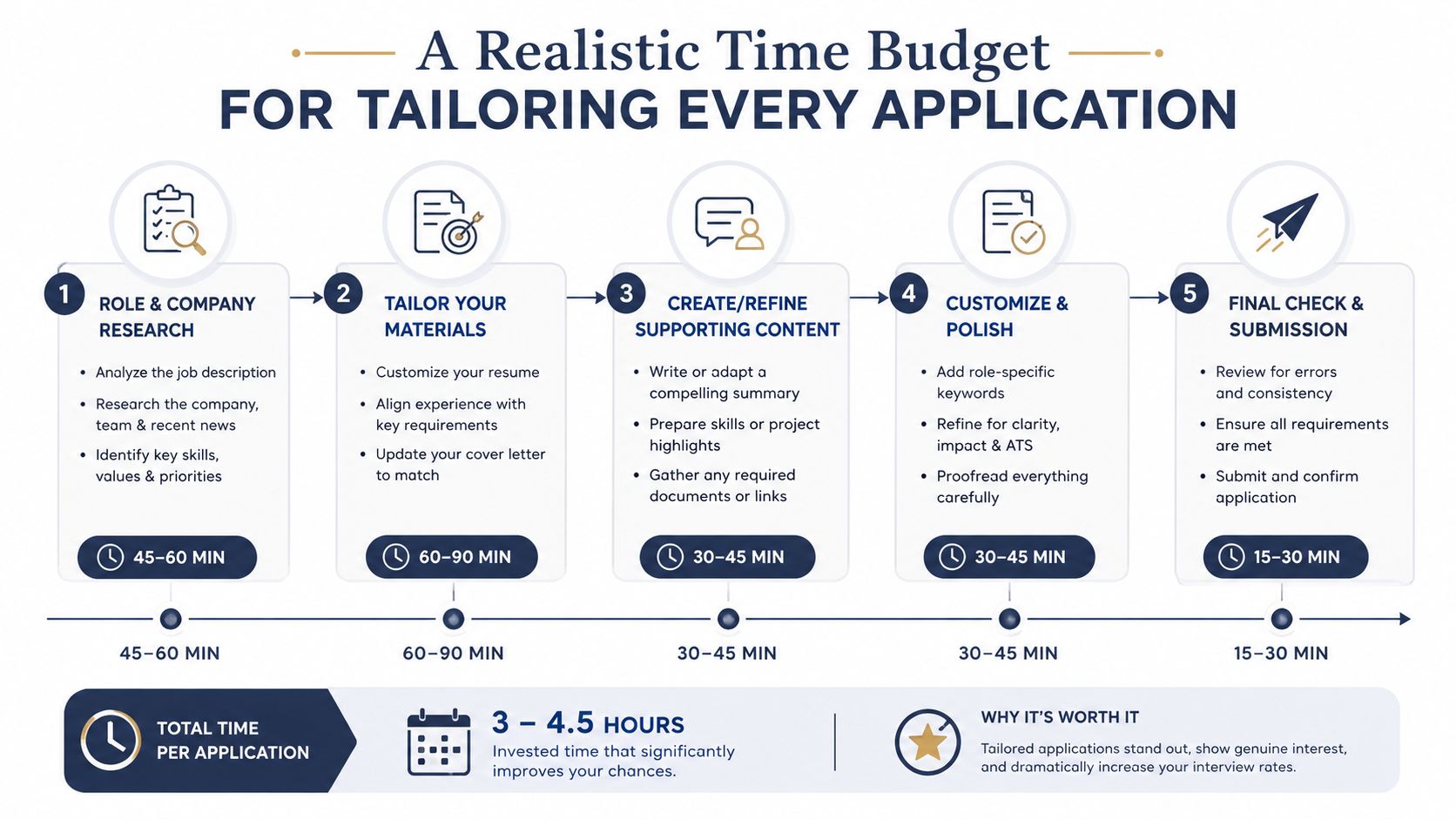
Tailoring gets easier once you stop treating it like a creative rewrite and start treating it like a repeatable workflow. Some practitioners break the process into research, gap assessment, content editing, and quality review, with the largest share of time going to job-description analysis and editing. Other guides compress a fast pass into about 20–30 minutes per application when the master resume is already built and the job is straightforward. Proficiently
A sustainable workflow for real job searches
A simple workflow looks like this. Start with your master resume. Pull the job description into a clean view. Identify the must-have terms and check them against your current document. Then rewrite the summary, adjust the top bullets, and swap the skills section if needed.
That sequence keeps the work focused on the 10–20% that changes from application to application, which is exactly why tailoring doesn't have to eat your whole evening. The point is to adapt the visible surfaces, not rebuild your career history each time.
Where tools help most
Tool-assisted tailoring makes the process more repeatable by automating the parsing and comparison work. A platform can import your profile or resume, read the posting, surface missing keywords, and update the match score while you edit. That shortens the time spent hunting for gaps and gives you a cleaner path from “good enough” to “ready to send.”
Use tools for the parts that are repetitive. Keep the final judgment human. A resume should still read like someone who understands the role and has done similar work.
What to keep after you apply
Keep a master resume with your full range of experience, then save a role-specific version for each job family. That way, you're not starting from zero every time. You're starting from a base that already contains the right material, then trimming and reordering it for the next opening.
Tailoring gets faster with practice because the same pattern shows up again and again. Read the posting closely, match the language accurately, prove the fit where it matters, and stop once the document is clear. That's the part that moves the needle.
If you want a faster way to do this with less guesswork, GetTheCall turns your existing résumé or LinkedIn profile into a job-specific PDF, shows a live match score, and keeps the edits tied to your real experience. It's built for the exact workflow covered here, so you can tailor confidently, check your fit, and submit without overstuffing keywords or starting from scratch every time.