How to Optimize Resume
How to optimize resume. Learn how to optimize your resume for ATS screening and human review. Practical formatting, tailoring, and editing tips that get more

“Use a one-page resume, add the right keywords, and let the ATS do the rest.” That popular advice sounds tidy. It's also incomplete. A resume doesn't face one universal software gatekeeper. It may need to parse correctly, match the job's language, make sense to AI-assisted screening, hold up in an assessment, and catch a recruiter's eye before the next application arrives.
The better way to think about how to optimize a resume is to prepare one clear, truthful document for each stage. You don't need to trick a machine or cram in every phrase from a job ad. You need to make your relevant experience easy to extract, recognize, and verify.
Table of Contents
- Why Optimizing Your Resume Is Not One Decision
- Build an ATS-Friendly Structure That Recruiters Can Read in Seven Seconds
- Read the Job Description Like a Keyword Map
- Rewrite Bullets With the Action-Method-Result Formula
- Prove Skills Without Stuffing Keywords
- Use a Match Score as a Diagnostic, Not a Verdict
- Edit for Clarity and Run a Final Verification Pass
Why Optimizing Your Resume Is Not One Decision
A beautifully designed resume can still be unreadable to software. A plain one can parse perfectly and still give a recruiter zero reason to call. After a few thousand applications, the pattern is hard to miss: resumes rarely fail at one stage. They fail in layers. Optimization is a multi-stage screening problem, and no template choice settles it in a single move.
Automated screening is the norm at large employers. Jobscan's 2025 analysis found that nearly all of the recruiters it surveyed used filters in an ATS or similar system, and its count detected an ATS on 492 of the Fortune 500 companies' job-listing pages (Jobscan's report on ATS use). Employer surveys report the same pattern for AI: most large companies now run generative AI over incoming resumes and use it to source candidates. These tools do different jobs. Parsing software extracts fields, matching algorithms rank you against the vacancy, AI reviewers summarize, assessments test whether you can do the work, and a recruiter skims whatever survives. "Just add keywords" is advice for a hiring process that no longer exists.
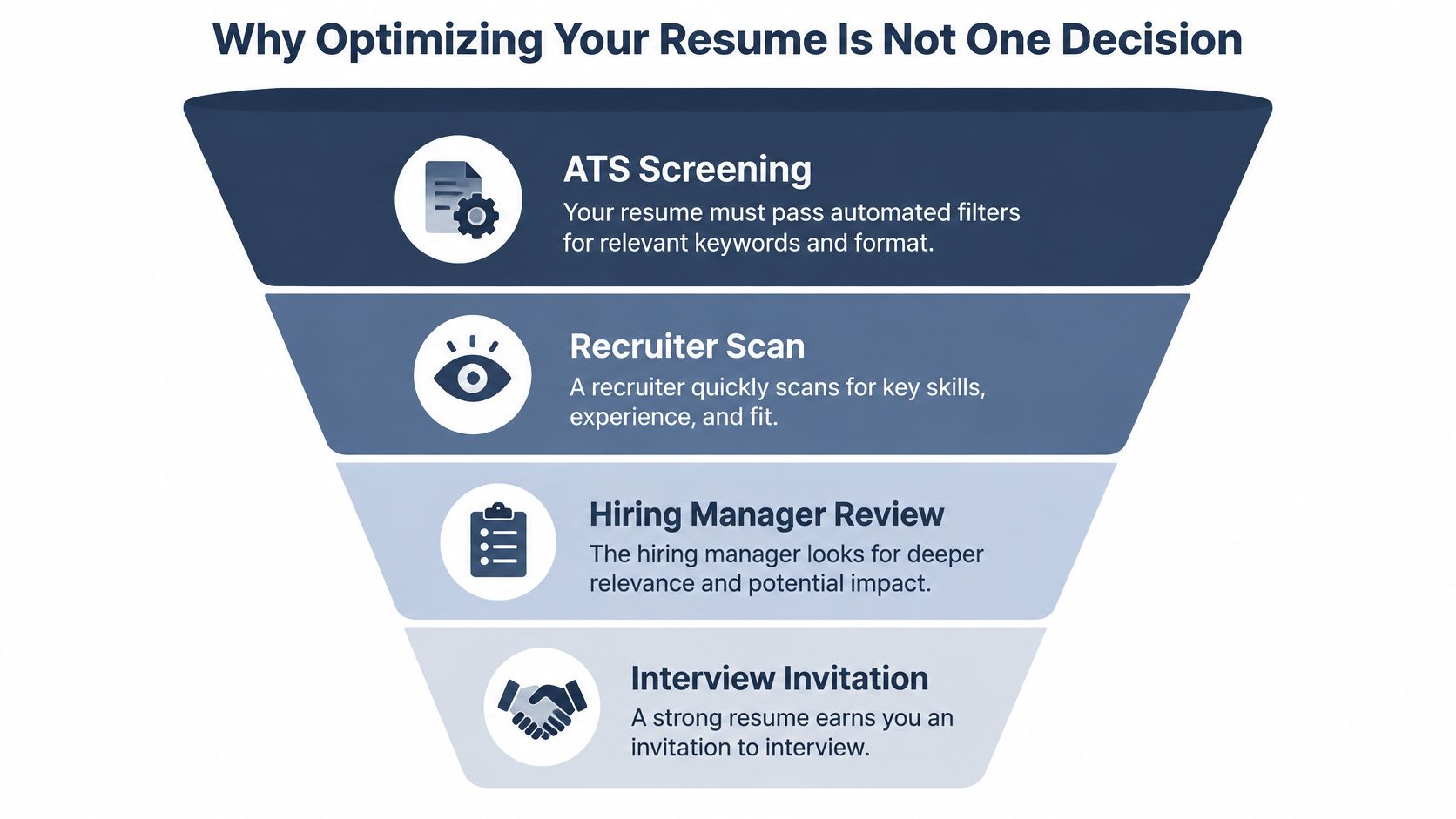
Four stages sit between your resume and an interview:
- Parsing: Can the system extract your name, dates, employers, skills, and qualifications in the right order?
- Matching: Does your experience use relevant language from the vacancy, backed by evidence?
- Assessment: Can you demonstrate the skills the employer tests in an interview, work sample, or skills test?
- Human review: Can a recruiter quickly grasp what you do and why your background fits?
Passing one stage guarantees nothing at the next. Your resume can parse cleanly and still lack proof of a requirement the job lists. It can match every keyword while the bullets read like a list of borrowed phrases. And the sharpest resume on earth cannot make an untrue qualification true.
Practical rule: Stop asking, "Will the ATS reject me?" Ask, "Can every reader, human or otherwise, understand and verify my fit?"
Prepare for each stage in order: make the file readable, tailor the content, back every claim with proof, then edit for the person making a fast decision. That beats treating your resume like a password you're trying to guess.
Build an ATS-Friendly Structure That Recruiters Can Read in Seven Seconds
Give your experience a straightforward layout. A single-column resume with conventional headings is easier for people to follow and less likely to scramble when a system extracts its contents. Keep contact information in the main document body, use consistent dates, and avoid making tables, text boxes, decorative icons, or graphics carry information that should be readable as text. A polished resume doesn't need to look like a restaurant menu.
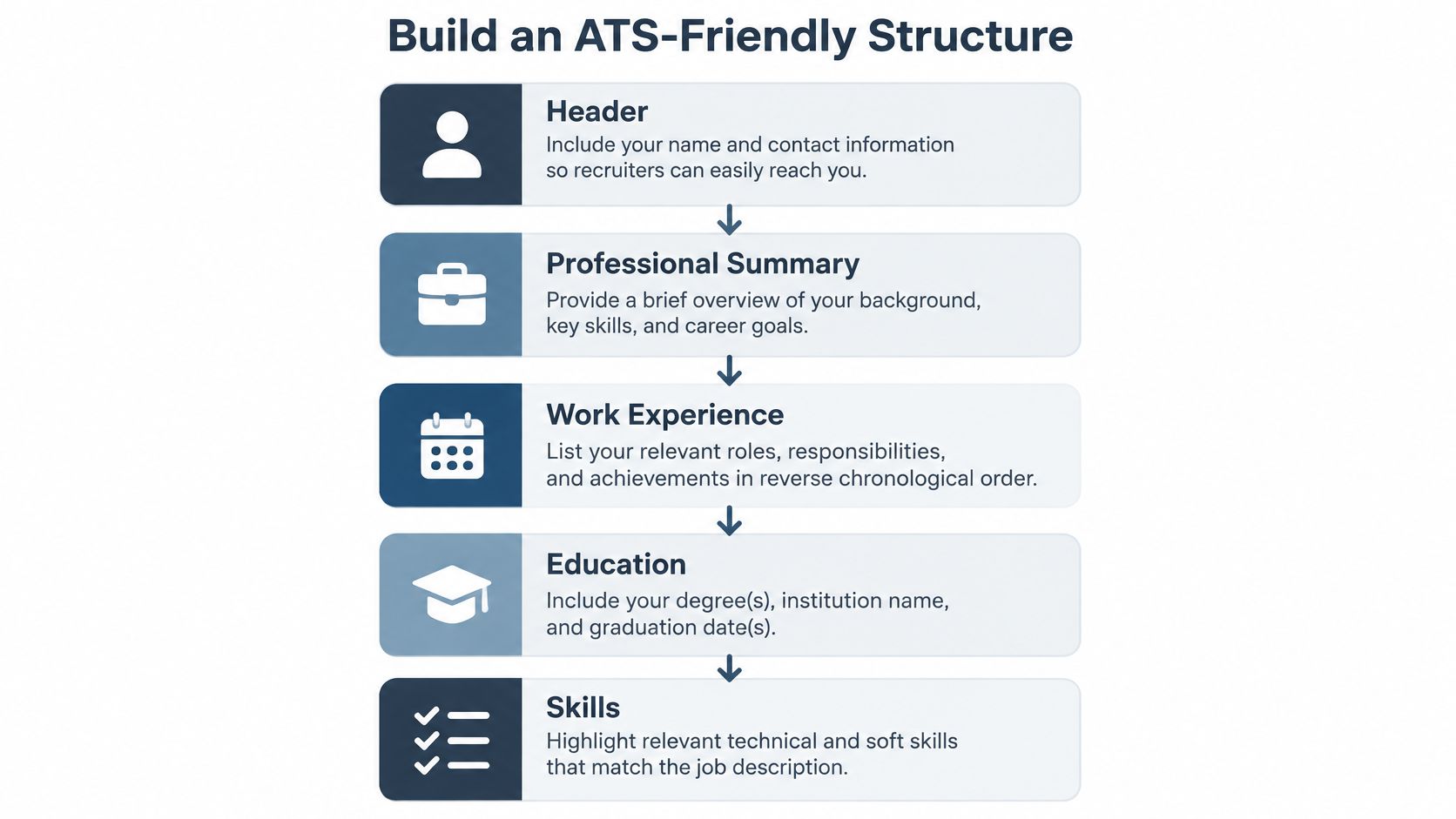
Use recognizable section names such as Professional Summary, Work Experience, Education, Skills, and Certifications. Put your name and contact details at the top, followed by a short professional identity that tells the reader what kind of role you're targeting. Then give work experience the space it deserves, with education and relevant skills easy to find. This guide to ATS-friendly resume formatting offers more detail on building that structure.
Recruiters don't study every line equally during an initial scan. TheLadders' controlled eye-tracking research reported an average initial screen of 7.4 seconds; its analysis found that identity, current and previous titles and employers, dates, and education accounted for about 80% of the initial review (TheLadders' eye-tracking study). That makes consistent placement more valuable than clever design. Keep the most relevant accomplishments near the top of each recent role, especially in the first two bullets.
Here's the difference in practice:
Hard to scan: “Professional | Customer-first leader | Data-driven | Various roles” with dates floating in a side column and skills represented by colored bars.
Easy to scan: “Customer Support Manager” beneath your name, followed by a standard Experience heading, clear employer and title lines, dates in the same place, and specific accomplishment bullets.
The second version tells a person what you do and gives software a cleaner reading path. Before submitting, copy the exported document's text into a plain-text editor. If the dates jump away from the roles or a heading disappears, fix the file rather than hoping the system will guess correctly.
Read the Job Description Like a Keyword Map
Don't start editing from memory. Start with the actual job posting. Read it once for the overall role, then scan it again for repeated skills, tools, credentials, job titles, and responsibility verbs. The repetition matters, but so does the context. A tool listed as essential deserves more attention than a generic sentence about being a “self-starter.”
Sort what you find into three buckets:
- Must-have requirements: Credentials, core tools, or experience the posting clearly treats as necessary.
- Supporting competencies: Capabilities that help explain how you'll perform the role, such as stakeholder communication or analysis.
- Nice-to-have qualifications: Useful extras that shouldn't crowd out your evidence for the essentials.
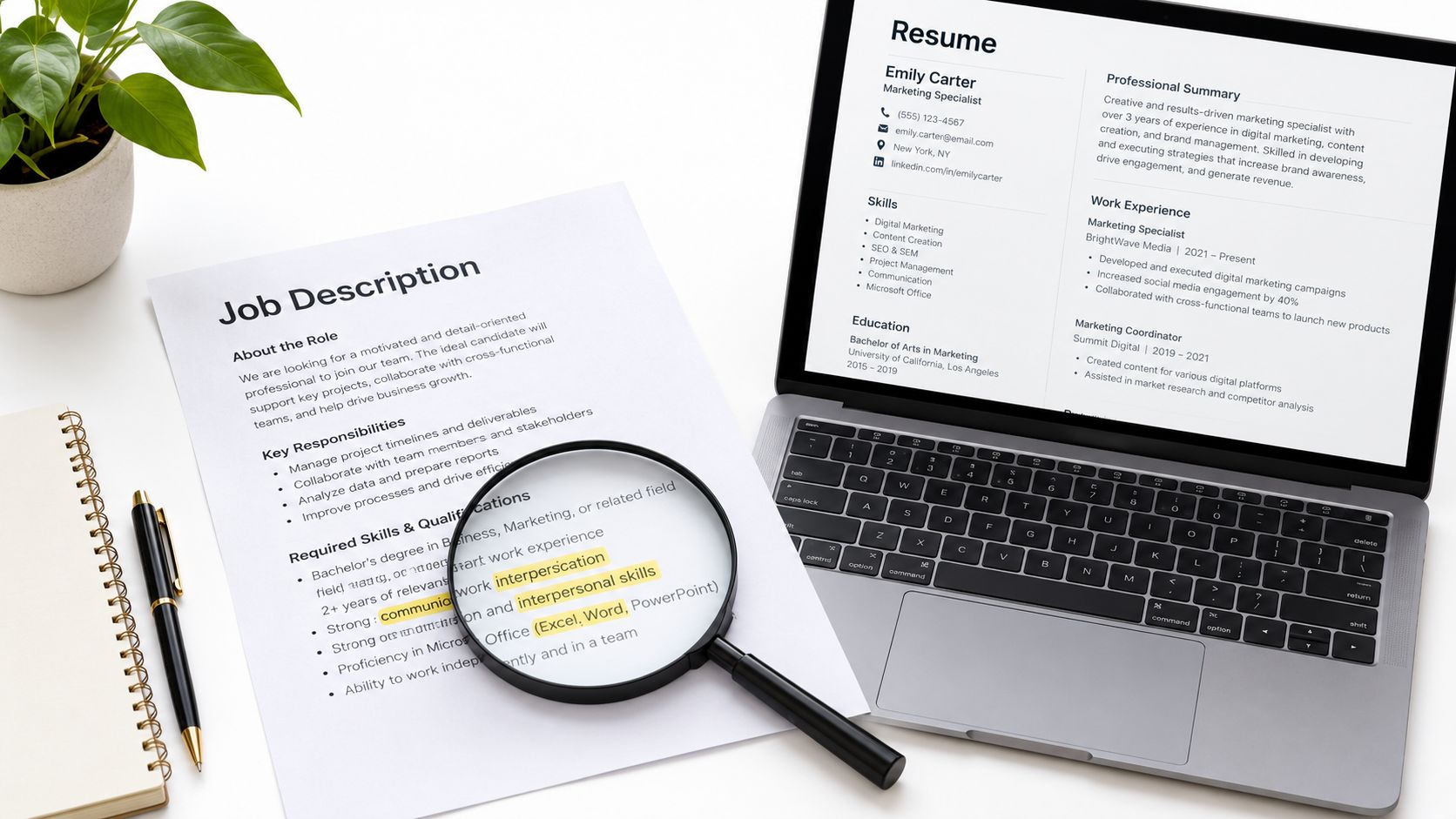
Make a short working list, not a scrapbook of every noun in the posting. For each high-priority term, note where you can prove it in your experience. If the job asks for project planning, for instance, identify a real project you planned and what your contribution involved. If you've used a named software tool, include its name where it naturally belongs. If you haven't used it, don't promote yourself from interested to experienced.
Match the employer's language when it accurately describes your background. If the posting says “client relationship management” and your resume says “customer account support,” consider using both terms where they fit. Singular and plural versions can also matter when they reflect your actual experience. Indeed suggests drawing relevant terms from the posting and using them naturally in the summary, skills, and experience sections; its guidance offers roughly 25–30 relevant keywords as a practical guideline, not permission to repeat them mechanically (Indeed's guide to resume keywords for automated screening).
A useful filter: If a phrase doesn't describe a requirement you meet or evidence you can show, it doesn't belong on your resume.
Keep your prioritized list beside the resume while you edit. For a deeper method, use this guide to tailoring your resume to a specific job description. The point isn't to copy the posting. It's to make the overlap between the role and your real experience obvious.
Rewrite Bullets With the Action-Method-Result Formula
A responsibility tells an employer what your job was supposed to involve. A strong bullet shows what you did, how you did it, and what changed as a result. Use action + method + result as your default structure. The result can be a measurable outcome, but it can also be a concrete improvement in clarity, speed, coordination, quality, or scope.
Start with a plain duty, then ask three questions: What action did I take? What process, tool, or skill did I use? What changed because of it? If the last answer is missing, the bullet may need more detail. If it's missing because the work had no measurable outcome, describe the deliverable or scale instead of inventing a number.
Examples Across Different Career Stages
Graduate:
Before: “Helped with a research project.”
After: “Organized survey responses and summarized recurring themes to help the research team prepare its final presentation.”
The revised version names the work and its purpose without pretending a class project was a corporate transformation.
Mid-career professional:
Before: “Responsible for coordinating internal projects.”
After: “Coordinated project schedules across design and operations, flagged deadline conflicts early, and kept shared deliverables on track.”
The stronger version shows method and scope. If you have a defensible measure of delivery, cost, quality, or time saved, add it. If you don't, the concrete result is still better than “responsible for.”
Career switcher:
Before: “Managed daily operations.”
After: “Mapped recurring customer-service handoffs, documented process gaps, and proposed workflow changes that helped the team resolve requests more consistently.”
The revised bullet makes transferable work easier to recognize for a different target role. It doesn't claim a new job title or technical skill the person hasn't earned.
A recruiter should be able to understand the bullet without translating vague phrases like “strategic thinker,” “results-oriented,” or “excellent communicator.” Replace those labels with an example of what you did. If the experience came from coursework, volunteering, freelance work, a personal project, or caregiving, label the context accurately and describe the relevant contribution.
The “so what?” test: After each bullet, ask what a hiring manager learns about your ability to do this job. If the answer is “they were assigned tasks,” rewrite it.
Prove Skills Without Stuffing Keywords
Repeating a skill is not the same as demonstrating it. A resume can mention "leadership," "communication," and "project management" five times and still tell a recruiter nothing about how you used them. Keyword stacking also tends to collapse the moment someone asks for a real example, or when an employer tests the claim in an assessment.
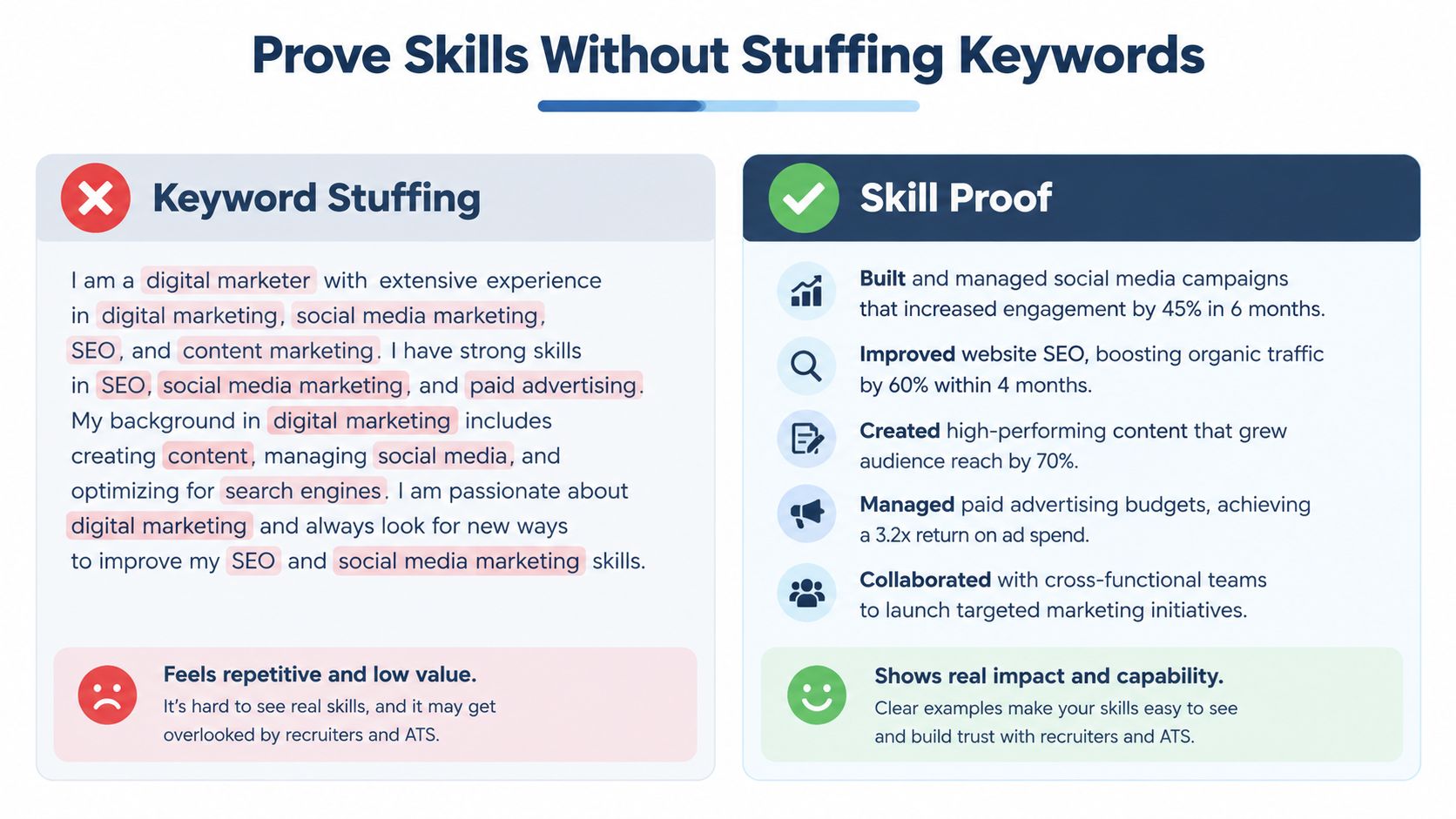
Compare the two approaches:
Stuffed: "Leadership, communication, teamwork, project management, cross-functional collaboration, problem-solving."
Supported: "Coordinated handoffs between customer support and engineering, documented recurring issues, and brought unresolved cases to the team's weekly review."
The second version gives a recruiter context they can judge. It shows collaboration and problem-solving without cramming every term into one sentence. List skills in your dedicated skills section where they help with parsing, then prove the ones that matter inside your experience bullets.
Skills-based hiring raises the stakes here. NACE's 2025 employer survey found that nearly two-thirds of respondents used skills-based hiring for entry-level roles, with screening and interviewing among the main points of application; fewer than 40% screened candidates by GPA (NACE's Job Outlook 2025). And as noted earlier, many employers now run skills tests before they even open your resume, so the document is only one stage of the screening funnel where your claims get checked.
For every must-have skill, run an evidence audit:
- Where have I used it? Identify the role, project, course, volunteer work, or other relevant experience.
- What did I do with it? Name the task, method, tool, or decision.
- What can I verify? Use an outcome, deliverable, scope, or example you could explain in an interview.
This pays off most for graduates, career switchers, and people returning to work. Your title may not match the posting, but a project or responsibility can still show the capability. Make the connection obvious, and never dress an adjacent skill up as hands-on experience you don't have. The same funnel that scans for keywords will put inflated claims under a microscope.
Use a Match Score as a Diagnostic, Not a Verdict
A match score can show that your resume and a job posting aren't speaking the same language. It can't tell you whether you're qualified, whether a recruiter will agree with the score, or whether an employer uses that exact screening method. Treat it as a prompt to inspect the document, not a hiring forecast.
Consider a mid-career operations professional applying for product-management roles. A low match score might point to missing language around roadmaps, user research, prioritization, or product requirements. The useful move isn't to paste all those phrases into a skills list. It's to check whether the candidate has relevant evidence that the resume describes too vaguely.
Perhaps they coordinated feedback from users, documented recurring product issues, or helped teams decide which operational problems to solve first. If those are real parts of their experience, the candidate can revise a bullet to explain the work in terms that match the posting. If the candidate has never conducted user research, adding that phrase just to lift a score creates a claim they can't defend.
Use any scanner or match tool to find gaps, then decide whether each gap is a wording problem or a genuine qualification gap. A tool such as GetTheCall's ATS resume checker can compare a resume with a target role and show a live match score as you edit. Use that feedback to spot missing terminology and review parsing issues. Don't treat the number as a promise of an interview.
The oft-repeated claim that 75% of resumes are automatically rejected doesn't have a reliable study behind it. ATS guidance for applicants recommends matching relevant terms to the posting, but a score remains a diagnostic signal rather than a hiring probability (University of Texas career guidance on applicant tracking systems).
Your test is simple: for every suggested change, can you point to truthful evidence in your background? If yes, make the wording clearer. If not, leave the gap visible and decide whether you can build that experience elsewhere.
Edit for Clarity and Run a Final Verification Pass
A resume that matches a posting can still fail in practice if its PDF scrambles the reading order or its strongest evidence is buried under filler. Set aside a short verification pass before you submit. The aim isn't to make the document clever. It's to make sure the right information survives export and reads clearly to a busy person.
First, copy the final PDF's text into a plain-text editor. Check that your name, headings, job titles, dates, skills, and education appear in the expected order. Indeed notes that columns, tables, text boxes, headers, footers, and graphics can interfere with parsing, and recommends standard section labels and a straightforward structure (Indeed's ATS resume formatting guidance). A text-based PDF or DOCX is usually more useful than a scanned, image-only file.
Then do a human-eyes test. Can someone identify your target role, relevant experience, three capabilities that match the posting, and one quantified outcome within ten seconds? The goal isn't to cram a lifetime of work onto the first screen. It's to make the most relevant evidence easy to spot.
Your Final Review
- Cut filler: Remove generic claims that aren't backed by examples.
- Sharpen verbs: Replace "responsible for" with the action you took.
- Check dates and order: Make sure roles and timelines are consistent and easy to follow.
- Verify the export: Confirm the final file preserves symbols, headings, and reading order.
- Recheck the claims: Every skill and achievement should be something you can explain.
Don't force every resume onto one page. In a 2018 simulated hiring exercise involving 482 hiring professionals, reviewers made 7,712 selections; two-page resumes were chosen in 5,375 selections, or approximately 69.7%, and the advantage varied by seniority. Reviewers also spent an average of 4 minutes 5 seconds on two-page resumes, compared with 2 minutes 24 seconds on one-page resumes (ResumeGo's summary of the hiring simulation). That study doesn't guarantee better interview outcomes, and it isn't a universal rule. Early-career candidates may have enough relevant evidence for one focused page; more experienced candidates can use two when the added content earns its space.
Tailor the resume, verify the file, and make the evidence easy to find. Then stop polishing the margins and submit the application.
If you want help turning your existing resume into a role-specific version, GetTheCall imports a resume or LinkedIn profile, analyzes a job listing, and offers role-specific wording with a live match score. Try it with a real vacancy, review every suggested change for accuracy, and export a version you can stand behind.