How to Link LinkedIn Profile to Resume for More Interviews
Learn how to link LinkedIn profile to resume the right way. Get step-by-step formatting tips, ATS-safe placement advice, and best practices that boost
A 13.5% callback rate was received by applicants with a full LinkedIn profile, compared with 7.9% for those with no profile listed, a 71% higher callback rate. However, a bare-bones profile produced a 7.2% callback rate, slightly below the no-profile baseline, according to the field experiment summarized by Statista's LinkedIn profile analysis. The lesson is direct: learning how to link a LinkedIn profile to a resume isn't just about pasting a URL. The profile behind the link must reinforce your application, survive document parsing, and remain accurate when a recruiter checks it.
Table of Contents
- Why a LinkedIn Link Changes Your Callback Rate
- Creating a Clean Custom LinkedIn URL
- Where to Place the LinkedIn URL on Your Resume
- Situations Where a LinkedIn Link Undermines Your Resume
- Aligning Your Profile and Resume for ATS Screening
- Final Verification Before You Submit
Why a LinkedIn Link Changes Your Callback Rate
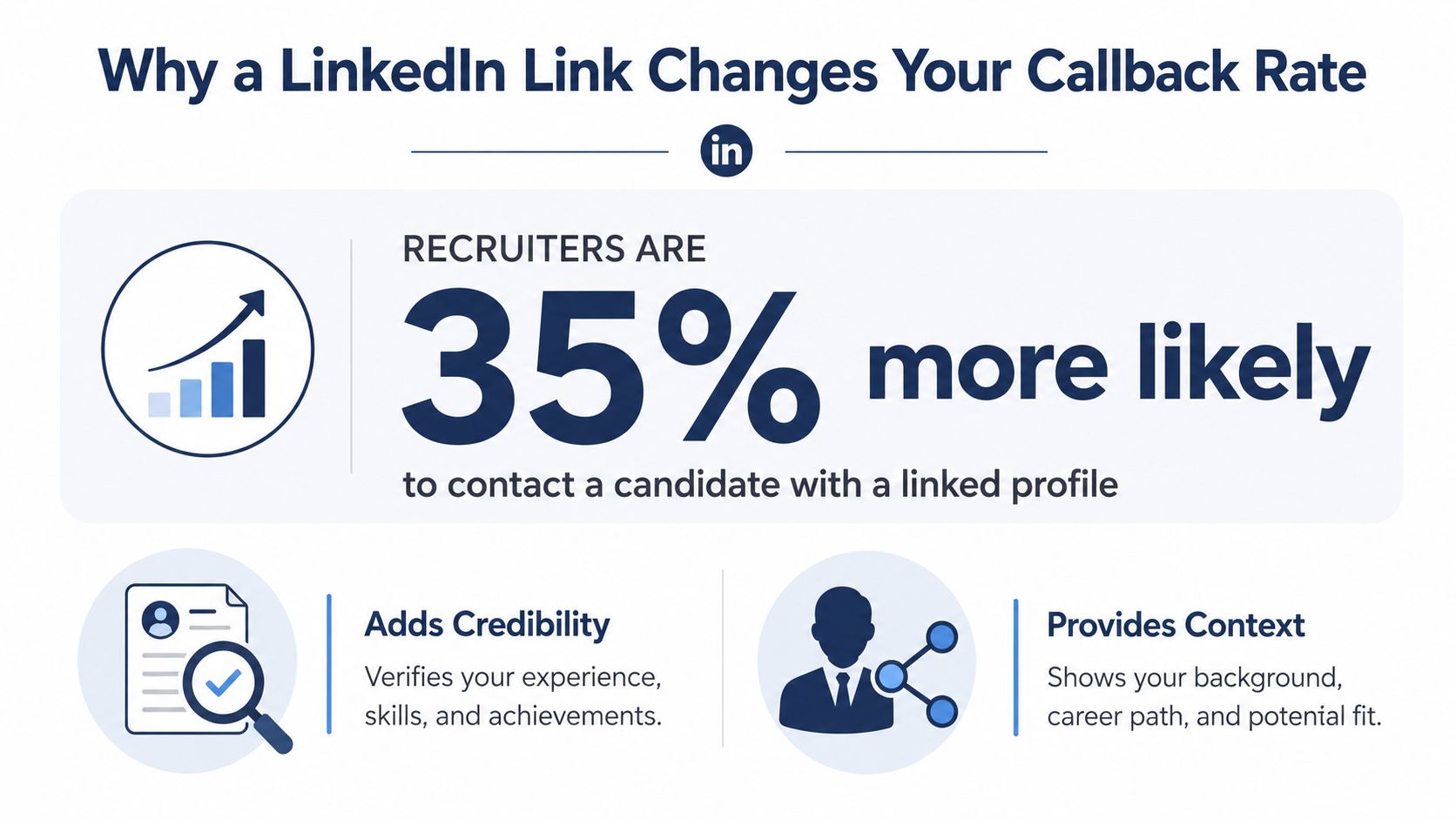
Recruiters are 35 percent more likely to contact candidates with LinkedIn profile links, as shown in the recruiter contact infographic. The URL gives them a fast way to verify employment history, understand the context behind achievements, and compare your professional presentation with the résumé. It functions as supporting evidence, not decorative contact information.
A link helps only when the profile can withstand that review. A thin or outdated page may create doubt, especially when the résumé highlights leadership, technical skills, or a recent promotion that LinkedIn does not mention. Recruiters may read the mismatch as an incomplete application rather than a minor formatting issue.
Treat the profile as supporting evidence
Your résumé remains the sales document for the specific role. LinkedIn can provide more context, but both should agree on the essentials:
- Career history: Match employer names, role titles, and employment dates.
- Professional direction: Keep the headline consistent with the role you are pursuing.
- Skills and accomplishments: Repeat important claims in both places when they accurately reflect your experience.
- Presentation quality: Complete the About, Experience, and Skills sections before inviting a recruiter to inspect them.
Consistency makes the link useful. It lets a recruiter explore a career transition, cross-functional project, or progression through related roles without encountering conflicting information.
The link can also fail technically. Some application systems strip hyperlinks from PDFs, while some ATS tools drop or misread links during parsing. A visible, readable LinkedIn address in the contact area gives the recruiter a fallback if the clickable element disappears. Test the exported PDF by clicking the link and by copying the displayed address into a browser.
Practical rule: Don't link to LinkedIn until the profile makes the same professional promise as the résumé.
Your application strategy matters too. A polished profile can add depth for roles that value public work, recommendations, technical projects, or professional writing. An outdated profile, restricted visibility, or conflicting work history gives the recruiter another reason to question the application. Before formatting the document, tailor your résumé to the job description, then make LinkedIn support that same target. Recheck both documents after any job change so the link does not lead to stale evidence.
Creating a Clean Custom LinkedIn URL
A default LinkedIn address often includes an untidy string of characters. It may still work, but a clean public URL is easier to read, type, print, and remember. A professional format such as linkedin.com/in/yourname keeps the contact block compact and looks intentional.
Edit the public profile address
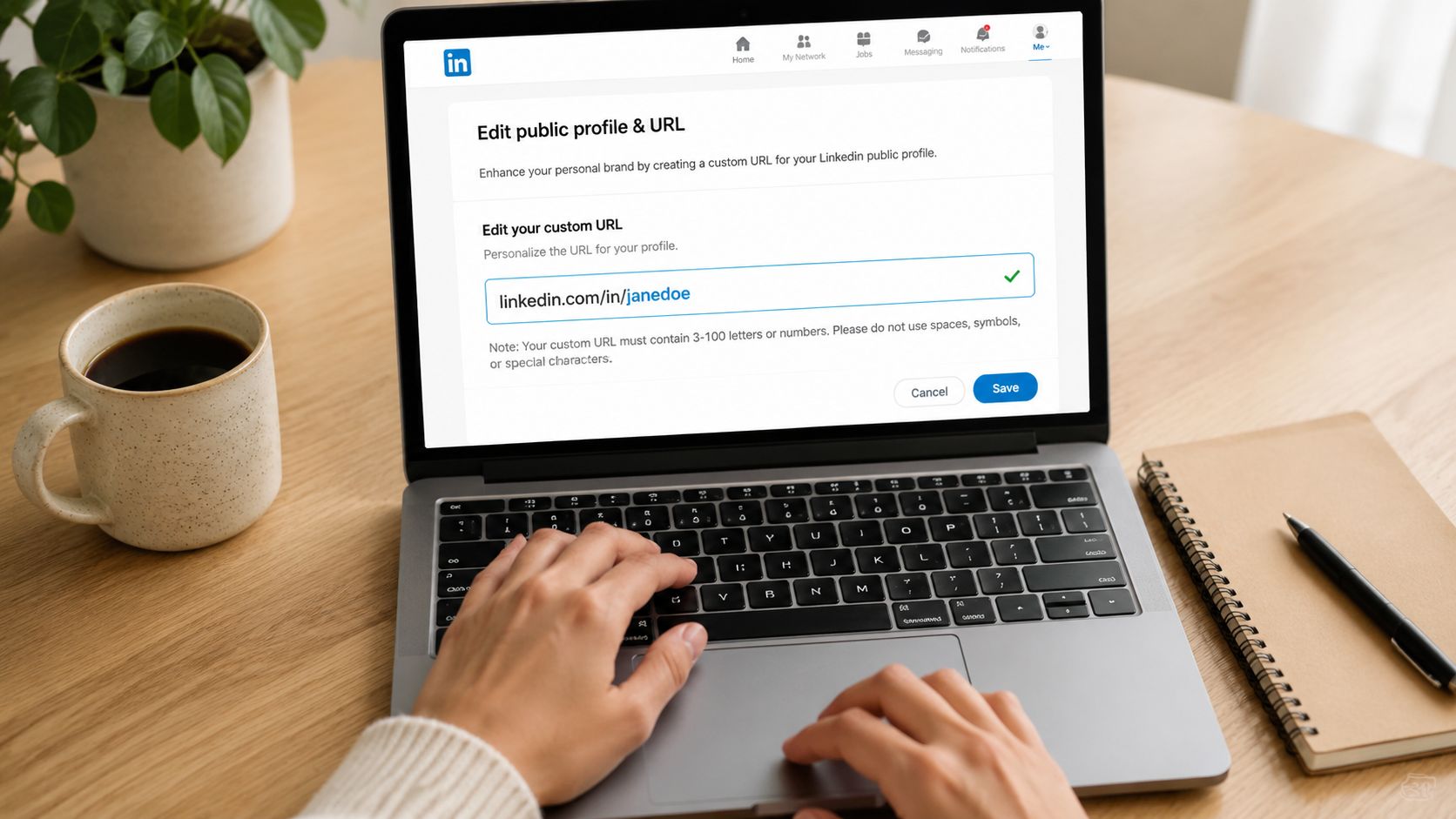
On LinkedIn, open your profile and find the public profile URL editing option. LinkedIn's help guidance says you can customize the final part of the address from the profile page, and mobile instructions route through the Contact section. The exact screen can change, so look for the edit control beside your public profile URL rather than relying on an older menu label.
LinkedIn's published URL rules are specific. The custom portion must be between 3 and 100 characters, and it can't contain spaces, symbols, special characters, or the word “LinkedIn,” according to LinkedIn's public profile URL guidance.
Use this sequence:
- Open the profile URL editor: Start from your public profile page, on desktop or mobile.
- Choose a readable identifier: Try your first and last name, followed by a meaningful professional variation if needed.
- Remove clutter: Avoid random numbers, decorative punctuation, and phrases unrelated to your professional identity.
- Save the change: Copy the finished address directly from LinkedIn instead of typing it from memory.
- Test public access: Open the URL in a private browser window or while signed out to confirm that visitors can view the profile.
If your preferred name is already taken, use a restrained variation. You might combine your middle initial, a professional credential, or a clear industry identifier, as long as the result remains easy to read and follows LinkedIn's character rules. Don't force an awkward abbreviation just to make the URL shorter.
A custom URL is one small part of your professional identity. Keep the name, headline, résumé design, and profile language aligned so the address feels like a natural extension of your professional brand.
Where to Place the LinkedIn URL on Your Resume
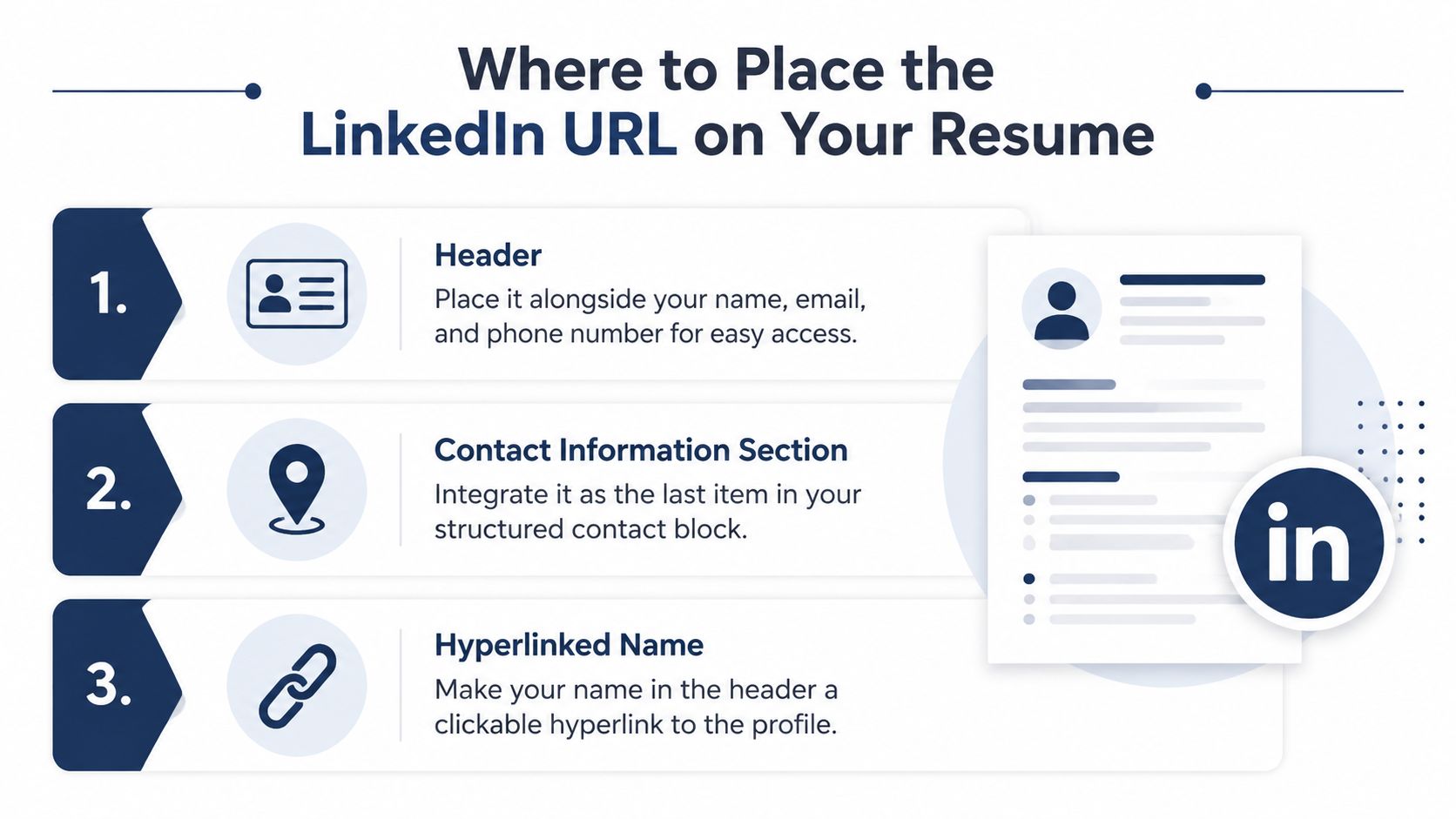
The safest location is the main contact block near the top of the résumé, alongside your name, email address, phone number, and relevant location. Keep this information in the document body. A university ATS guide warns against putting contact details in headers, while other ATS guidance recommends avoiding decorative templates, borders, lines, and symbols that can interfere with parsing.
A clean contact block might look like this:
Jordan Lee | jordan.lee@email.com | 555-555-5555 | linkedin.com/in/jordanlee
You can make the visible URL clickable while keeping the full address readable. That combination handles two different readers. A human can click the link, while an ATS or recruiter can still see and copy the destination if the embedded hyperlink disappears.
Clickable doesn't always mean recoverable
Many résumé editors let you attach a hidden destination to text such as “LinkedIn” or your name. That's convenient, but the visible text may be all that survives when a portal strips hyperlinks, a PDF export loses link metadata, or a parser extracts text without preserving the destination.
Use this safer pattern:
- Visible text:
linkedin.com/in/jordanlee - Embedded destination: The same complete public LinkedIn URL
- Placement: The primary contact block in the résumé body
- Styling: Plain, readable text that doesn't depend on an icon
Avoid placing the only copy of the URL inside a header, footer, image, text box, table, or graphic. LinkedIn's ATS-friendly formatting guidance recommends simple layouts, standard headings, and avoiding tables, graphics, and text boxes. Those design elements can look polished to a person but create missing or scrambled fields for software.
Export and inspect the final file
A Word document may contain a working hyperlink that doesn't survive conversion to PDF. Some PDF exports preserve links correctly, while others retain only the visible label. That's why the readable URL matters even when you expect the recruiter to click.
Open the exported file and test both behaviors. Click the URL, then copy the visible address and paste it into a browser. If either route fails, fix the source document and export again. Don't assume the file is safe because the link worked inside Word or Google Docs.
For most ATS submissions, choose a single-column layout with conventional headings and a contact block in the body. Keep the URL close to your name, but don't let design compress, wrap, or hide it.
Situations Where a LinkedIn Link Undermines Your Resume
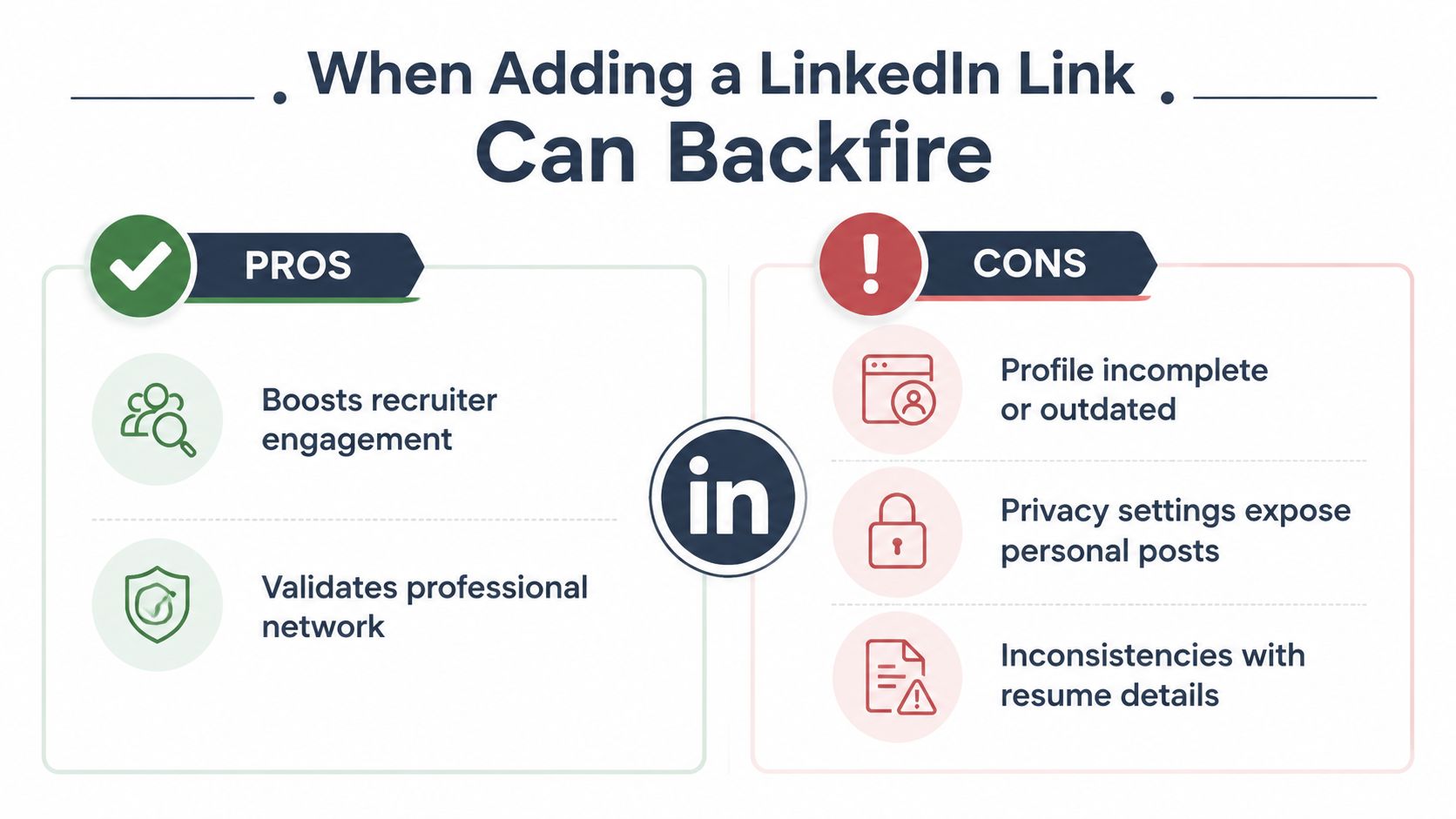
Adding LinkedIn by default is a mistake. Use this rule: include the link only when the profile strengthens or confirms the résumé. If it introduces doubt, update the profile first or omit the link for this application.
Run a consistency audit before deciding. Open the résumé and LinkedIn side by side, then compare the details a recruiter will notice first. A mismatch does not automatically suggest dishonesty, but it adds friction when the application should feel credible. It can also make a recruiter question whether the résumé or profile is the current version.
Run the consistency check
Check for these warning signs:
- Headline mismatch: Your résumé targets product marketing, while your LinkedIn headline still presents you mainly as a general administrator.
- Title mismatch: Your résumé uses a promotion or formal title that LinkedIn does not show.
- Date mismatch: Employment dates differ between the two documents without an obvious explanation.
- Achievement mismatch: The résumé claims ownership of an initiative that the profile does not support.
- Skill mismatch: The résumé emphasizes tools or capabilities missing from the Experience and Skills sections.
- Privacy problems: Public posts, activity, or profile details weaken the professional impression you want to create.
A correct URL pointing to an outdated profile is still a poor résumé link.
The profile can also conflict with the version of the résumé prepared for a specific opening. A career switcher may submit a résumé focused on transferable project management experience while LinkedIn still leads with an older technical identity. That difference can be explained, but unexplained differences force the recruiter to interpret the story.
Decide whether the profile is ready
Choose one of three actions:
- Link it now: The profile is complete, accurate, and aligned with the target role.
- Update it first: The profile is useful but contains stale details, missing achievements, or weak positioning.
- Leave it off temporarily: The profile is incomplete, contradictory, or not ready for public review.
A current, consistent profile gives the URL value. A stale one can weaken the application, as discussed in Four Leaf's LinkedIn résumé guidance. The URL is only the path. The asset is the trustworthy profile behind it.
Aligning Your Profile and Resume for ATS Screening
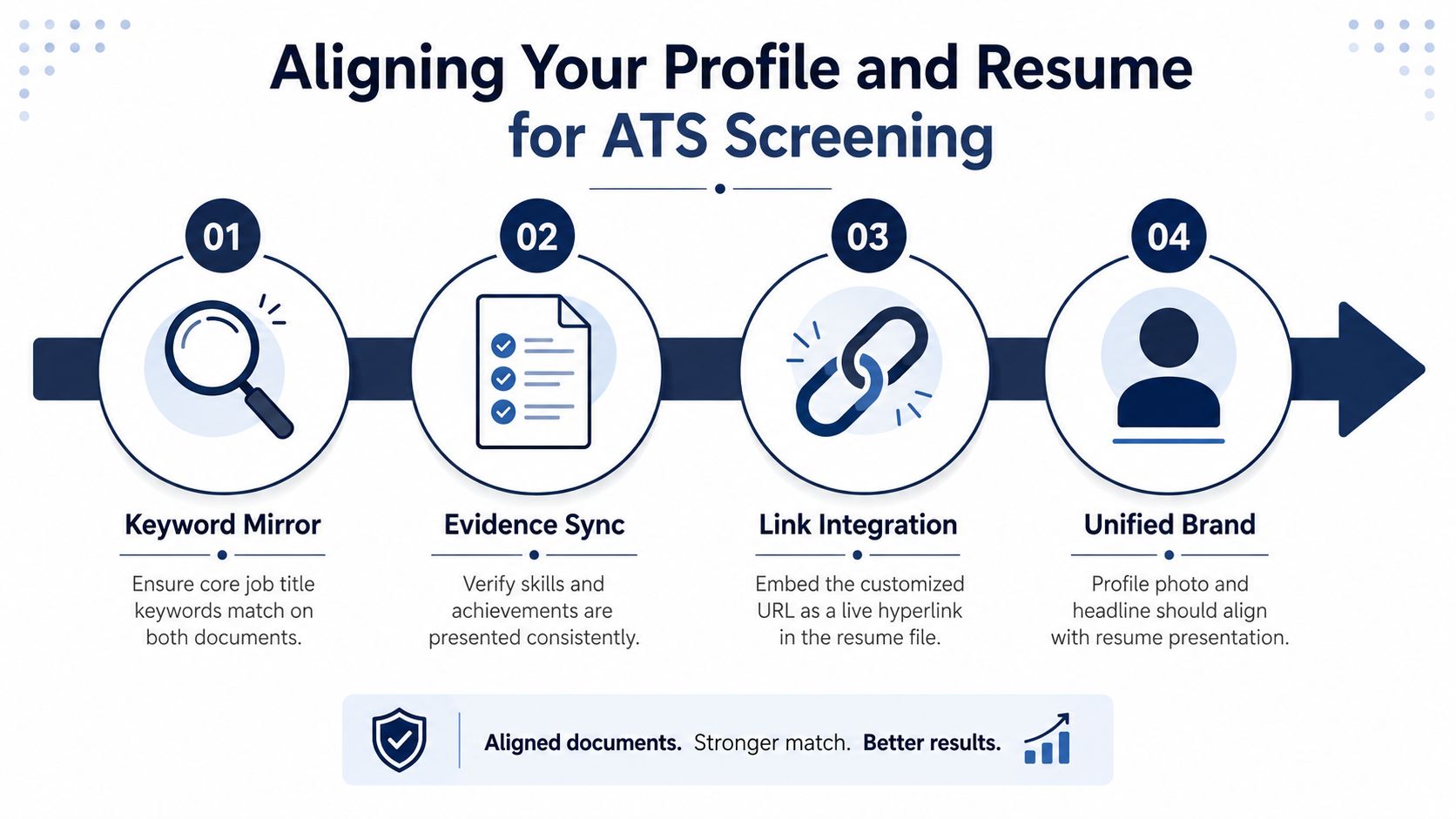
Your LinkedIn profile and résumé need a shared keyword and evidence system, while the résumé remains customized to each vacancy. An ATS may extract the résumé correctly, yet a recruiter can still reject the application if the linked profile tells a different story.
LinkedIn's ATS guidance recommends standard headings and text-based structures because formatting affects what systems can read. Industry sources also report that 98% of Fortune 500 companies use ATS software, while only 15% of résumés pass ATS screening to reach human reviewers, according to Flair's résumé statistics overview.
Build a language map from the vacancy
Start with the target job description and compare several similar postings. Record role titles, tools, capabilities, certifications, and responsibilities that match your background. Use those terms naturally in the résumé summary, early experience bullets, skills section, LinkedIn headline, About section, and Experience entries.
A parallel example makes the standard clear:
- Résumé bullet: “Managed stakeholder communications for a CRM migration, coordinating weekly requirements reviews and resolving implementation issues.”
- LinkedIn Experience entry: “Managed stakeholder communications during a CRM migration. Coordinated weekly requirements reviews with product and operations teams and resolved implementation issues.”
The wording is not identical, but stakeholder communications, CRM migration, and the supporting actions appear in both documents. That consistency helps the recruiter verify the claim without making the profile look copied from the résumé.
Modern semantic parsing uses natural-language processing rather than exact keyword repetition alone. LinkedIn's semantic resume-parsing discussion describes extraction as an interpretation of résumé content, so context matters. “Customer relationship management” in one document and only an unexplained acronym in the other can weaken recognition of the same experience.
Sync evidence, not just vocabulary
Every important skill needs defensible evidence. If LinkedIn lists stakeholder management, the résumé should show the project, responsibility, or result that demonstrates it. Remove keywords you cannot explain in an interview.
Adjusting your resume for each application can significantly impact results. A large job-search dataset cited by Flair found that customized résumés converted to interviews at 5.95%, compared with 2.9% for generic résumés, about a 105% difference, as reported in its résumé statistics overview. Use the employer's terminology where it accurately describes your work, then keep the LinkedIn profile aligned enough to withstand cross-checking.
Final Verification Before You Submit
The exported résumé is the version recruiters and application systems receive. A LinkedIn link that worked in the editable file can break during PDF conversion, upload, or ATS parsing, so test the final file rather than trusting the draft.
Use this final check
- Custom URL: Confirm that the address points to your intended public profile and contains no typo.
- Visible text: Keep the complete readable URL in the contact block.
- Clickable destination: Click the link in the final PDF and verify that it opens the correct profile.
- Copy test: Copy the visible URL from the PDF and paste it into a browser. This exposes missing or broken hyperlink metadata.
- Public view: Open the profile while signed out or in a private browser window. Confirm that a recruiter can access the relevant information.
- Profile consistency: Compare your headline, titles, dates, achievements, and skills with the résumé you are submitting.
- ATS layout: Keep contact information in the document body, not a header or footer, and confirm that the file retains a clean, single-column structure.
- Portal behavior: Some application systems strip hyperlinks from uploaded files. The plain-text address must still be readable.
A visual review is not enough. Run a résumé ATS parsing check to identify dropped contact details, keyword problems, or layout risks, then inspect the PDF yourself. Automated feedback can flag structural issues, but you must confirm that LinkedIn and the résumé present the same truthful work history.
The final setup should be easy to verify: the URL is visible, clickable, readable without clicking, and connected to a profile that supports rather than contradicts your application.
GetTheCall can import a LinkedIn profile or existing résumé, align experience with a target job listing, and export an ATS-ready PDF while showing a live role-match score. Visit GetTheCall to review your résumé, address parsing issues, and prepare the application before submitting.