Free ATS Resume Checker: How to Scan and Fix Issues
Use a free ATS resume checker to find parsing errors and keyword gaps. Learn how to scan your resume, read the results, and fix issues before you apply.
You've spent an evening polishing your resume, submitted it to a promising role, and then heard nothing. The silence leaves an uncomfortable question: did a recruiter reject your experience, or did the application never become readable inside the employer's Applicant Tracking System?
A free ATS resume checker can't guarantee an interview, but it can expose problems you can't see in a normal document preview. It shows whether your resume parses cleanly, whether its language matches the target role, and which changes are worth making before you apply.
Table of Contents
- Why Your Resume Needs an ATS Scan Before You Apply
- Running Your First Free ATS Resume Check
- Understanding Parsing Errors and Keyword Gaps
- Fixing the Most Common ATS Resume Problems
- Building a Repeatable Resume Tailoring Workflow
- Your Next Steps to a Stronger Application
Why Your Resume Needs an ATS Scan Before You Apply
A strong candidate can lose clarity before a recruiter reads a single bullet. Applicant Tracking Systems extract uploaded files and sort details into fields such as work history, education, job titles, and skills. If the software reads those details in the wrong order, drops text, or fails to connect your experience with the job description, your strongest evidence may not appear correctly.
Consider a marketing candidate using an elegant two-column template. Dates and job titles sit on the left, while achievements and skills fill the right. A person can follow the design immediately. A parser may read the right column first, separate dates from employers, or skip some content. The candidate's background remains relevant, but the file presents it poorly.
An ATS scan separates qualification problems from communication problems. It can show that your experience fits the role even when the wording does not. For example, the job description may use “customer relationship management,” while your resume says only “client database work.” The scan may also flag headings, tables, or visual elements that keep software from identifying your sections.
Practical rule: Use an ATS scan to confirm that your real experience is readable and relevant. Do not treat a low match score as permission to claim skills you have not practiced.
The issue affects many applications. A 2026 analysis of 2,417 anonymized ATS scans found formatting issues in 62% of submitted resumes, an average job-specific match score of 58/100, and incorrect parsing in nearly one out of four resumes on enterprise ATS platforms.
Scan before submitting while you can still act on the results. Read the output in order: confirm the parser captured your identity and work history, identify wording gaps against the target role, then fix the highest-impact issue first. A score matters less than knowing which change will make the resume easier for both software and people to understand.
Running Your First Free ATS Resume Check
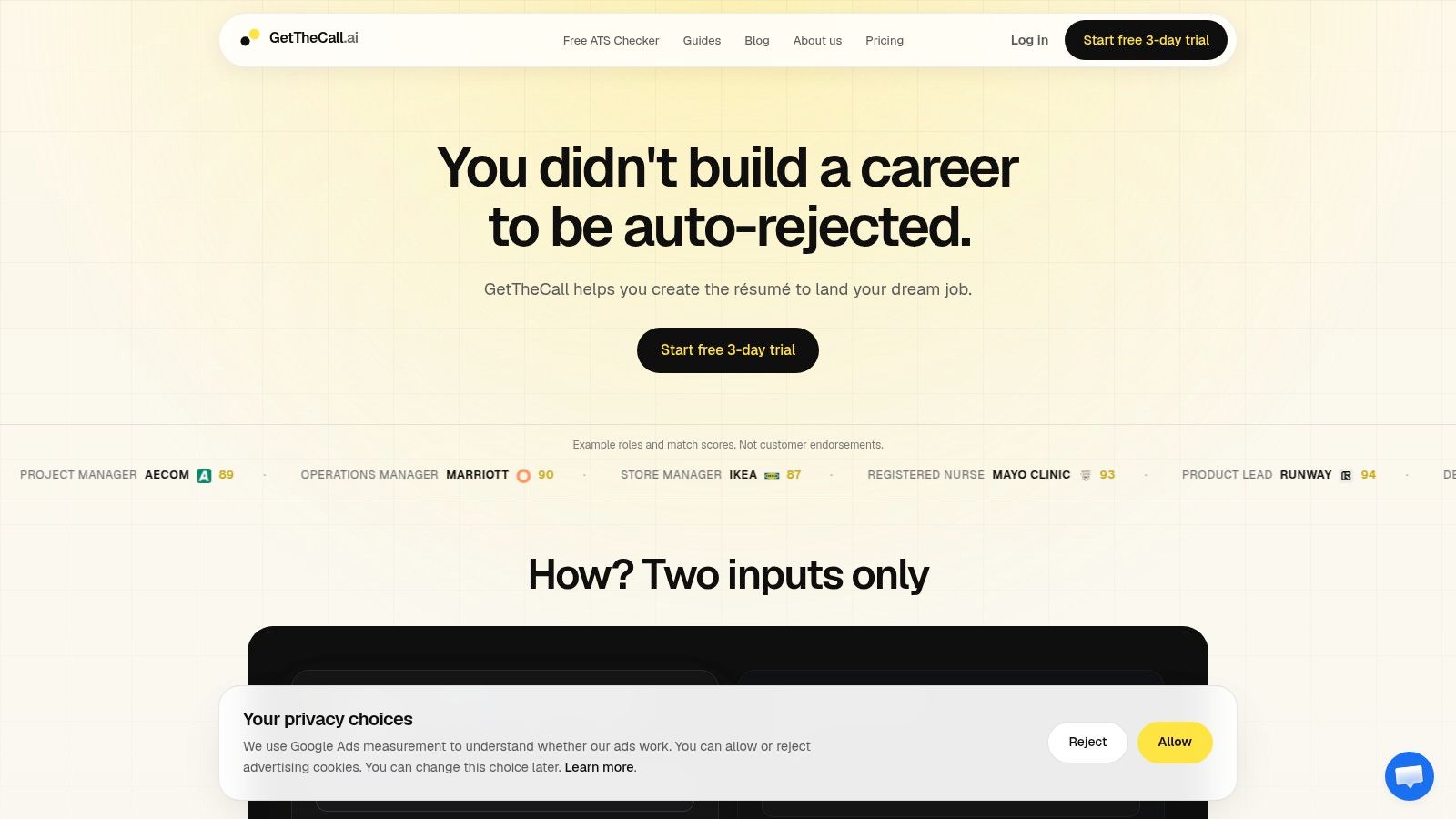
Start with the version you'd submit, not a rough draft. GetTheCall's free ATS resume checker accepts a current PDF or DOCX resume and compares it with a target job listing.
Prepare the right inputs
Upload your resume file. Use the PDF or DOCX you plan to send. Don't upload an image or a screenshot, because the checker needs selectable text to inspect the document's reading order and content.
Add the target listing. Paste the job listing URL when the tool supports it. A specific posting gives the scan meaningful context, including the role's responsibilities, required capabilities, and terminology.
Run the analysis. The checker evaluates the resume against the role rather than giving you only a generic resume grade. That distinction matters because a resume can be well written for one position and poorly aligned with another.
The output should be read as a diagnostic, not a verdict. Start with the parsing results. If your name, employers, dates, job titles, or section content appear incorrectly, fix the structure before spending time on keyword edits. A keyword score is less useful when the system can't reliably identify where your experience belongs.
Next, review the match score and keyword feedback. Separate terms that describe work you've performed from terms that merely sound attractive. Add the first group where it fits naturally, then leave the second group out.
The scan itself is designed to give you a quick starting point, but the value comes from acting on the results. After editing, upload the revised file and compare the new findings inside the same tool.
A short demonstration can make the process easier to follow:
Understanding Parsing Errors and Keyword Gaps
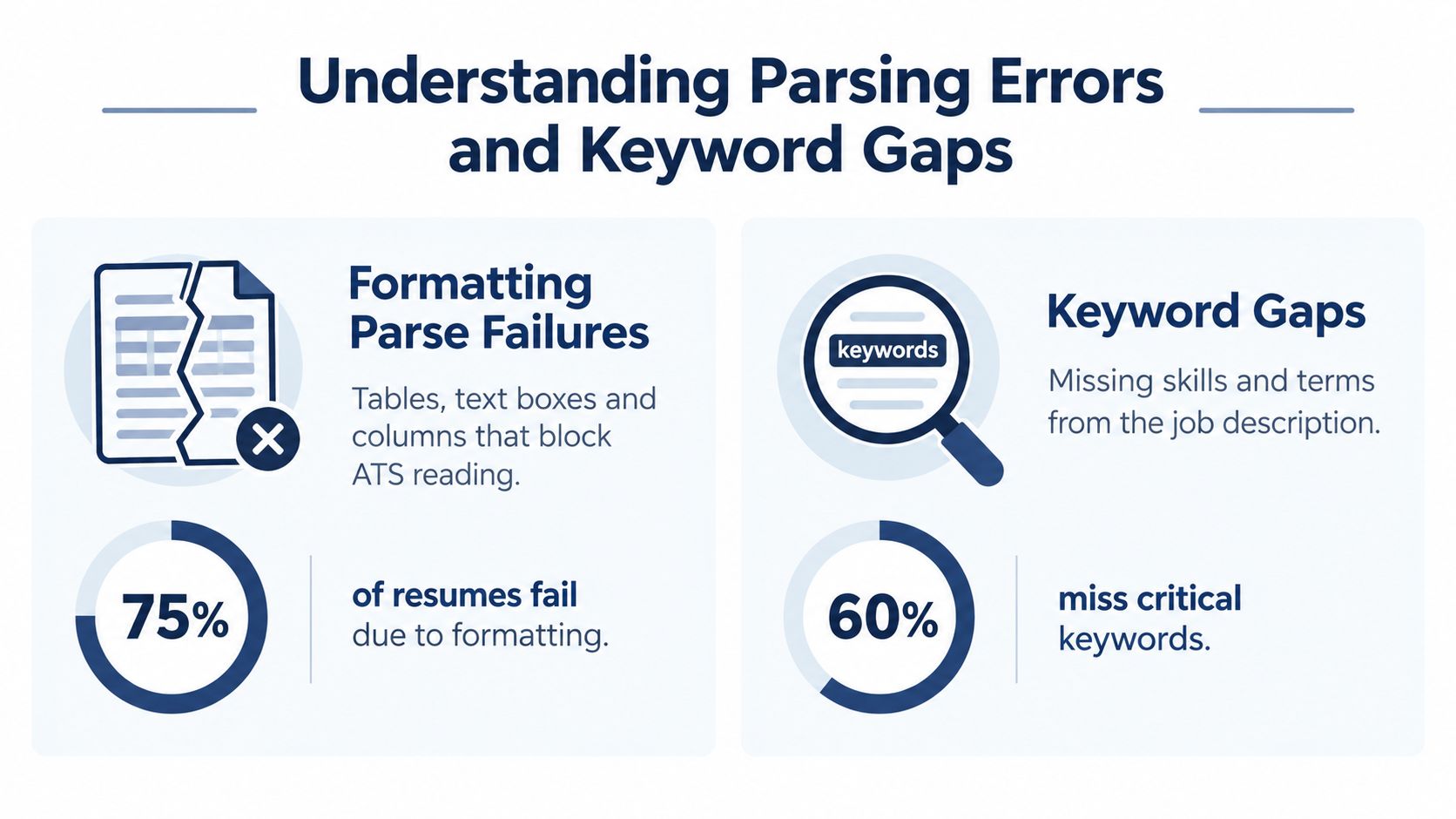
A scan result becomes useful only after you separate parsing errors from keyword gaps. They point to different fixes. Parsing errors mean the system misread or lost content because of layout, document elements, or unclear headings. Keyword gaps mean the resume was readable, but its language did not connect your experience closely enough to the posting.
Fix parsing first. A targeted resume cannot earn credit for evidence that disappears during extraction. Formatting research identifies two-column layouts, tables, and text boxes as recurring causes of failed or incomplete parsing. The ATS scan analysis from 2026 also highlights formatting as a frequent source of trouble.
Read the formatting diagnosis first
Check whether the report flags:
- Tables used to position dates, employers, or skills
- Multiple columns that interrupt reading order
- Text boxes containing achievements or contact details
- Headers and footers holding information the parser needs
- Decorative graphics replacing searchable text
- Unusual headings that hide familiar resume sections
Technical guidance from RankResume reports parse-failure rates of 31% for table-based layouts and 58% for multi-column designs. It also warns that some systems omit text inside text boxes. Review the details in technical ATS formatting guidance from RankResume.
A low score does not automatically reflect weak qualifications. It may show that the software cannot connect your evidence to the role. The 2026 resume diagnostics dataset covering 137,319 real resumes reports an average ATS score of 59.7/100, a median of 60/100, and 88.5% of resumes below its ATS-readiness benchmark of 70/100.
Then examine the keyword gap
Treat missing terms as prompts for verification, not instructions to copy the posting. Ask whether each phrase describes work you have performed. If it does, place the employer's wording naturally in a summary, skills section, or achievement bullet. If it does not, leave it out. Inflated keyword coverage can create a mismatch between the scan and your interview evidence.
MIT Career Advising recommends using job-posting keywords meaningfully and supports a “copy + paste + personalize” approach when your experience matches. Its ATS-friendly resume guidance reinforces the difference between relevant alignment and keyword stuffing. After each edit, rerun the scan and compare which parsing warnings and job-specific gaps changed.
Fixing the Most Common ATS Resume Problems
Fix the structural errors before rewriting content. A parser needs a clean path through the document, and a recruiter needs a document that remains easy to scan after the software has processed it.
Simplify the document structure
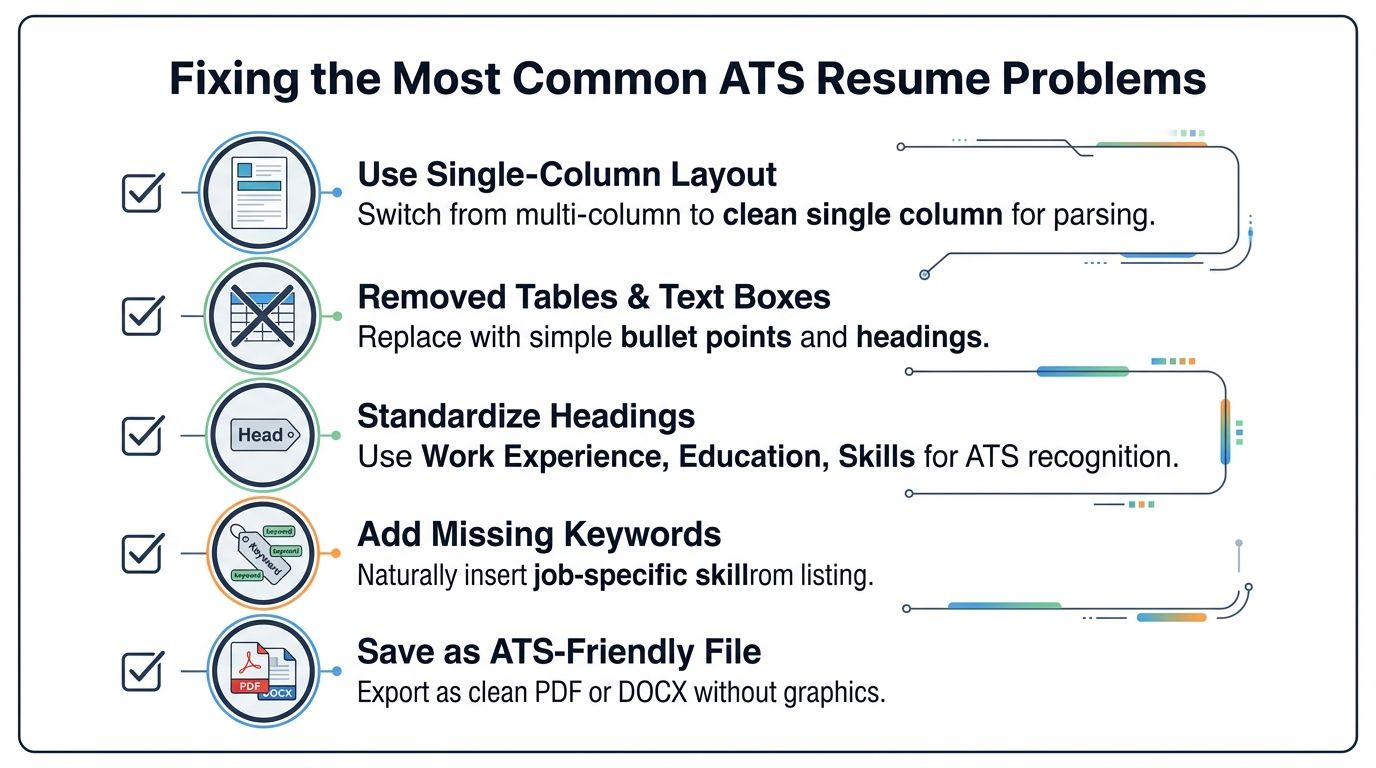
Use a single-column layout with a predictable top-to-bottom reading order. Remove tables used for alignment, text boxes, sidebars, icons, and graphics that carry meaning. Keep your contact details in the main document body rather than placing them only in a header or footer.
Use recognizable section headings such as Summary, Experience, Education, and Skills. Conventional labels help both the parser and the human reader understand what they're looking at. The ATS resume format guidance from ATS Align also emphasizes single-column structures and avoiding tables, graphics, text boxes, and multi-column designs.
A practical rewrite might look like this:
Before
Career highlights placed in a sidebar, with dates and employers separated into a table.
After
Work Experience
Operations Coordinator, Northfield Services
May 2022 to Present
- Coordinated customer onboarding activities across sales and support teams.
- Maintained client records and prepared weekly operational reports.
The second version gives the parser a straightforward sequence: heading, employer, title, dates, and bullets.
Add keywords without changing the truth
Suppose a listing asks for “project scheduling,” “stakeholder communication,” and “Asana.” If you've done that work, make the connection explicit.
Before
- Helped teams stay organized and kept clients updated.
After
- Managed project scheduling in Asana and maintained regular stakeholder communication across client and internal teams.
The second bullet doesn't add a new achievement. It names the tools and activities already implied by the work. If you've used a similar platform but not Asana, don't claim Asana experience. Use the accurate tool name and describe the transferable process.
Choose a stable file format
Save a clean DOCX or text-based PDF that preserves reading order. Avoid exporting a visually elaborate design that turns text into images or rearranges content during conversion. ATS-friendly resume recommendations from JobViability likewise emphasize standard headings and selectable text in DOCX or a clean PDF.
For a focused editing session, use this order:
- Repair layout. Remove columns, tables, text boxes, and decorative elements that contain information.
- Normalize headings. Replace creative labels with familiar section names.
- Clarify evidence. Rewrite vague bullets so the task, skill, and outcome are understandable.
- Insert legitimate terminology. Mirror relevant language from the posting without inventing experience.
- Export and rescan. Confirm that the revised file still parses correctly.
A practical guide to ATS-friendly resumes can help you apply these choices consistently across versions.
Building a Repeatable Resume Tailoring Workflow
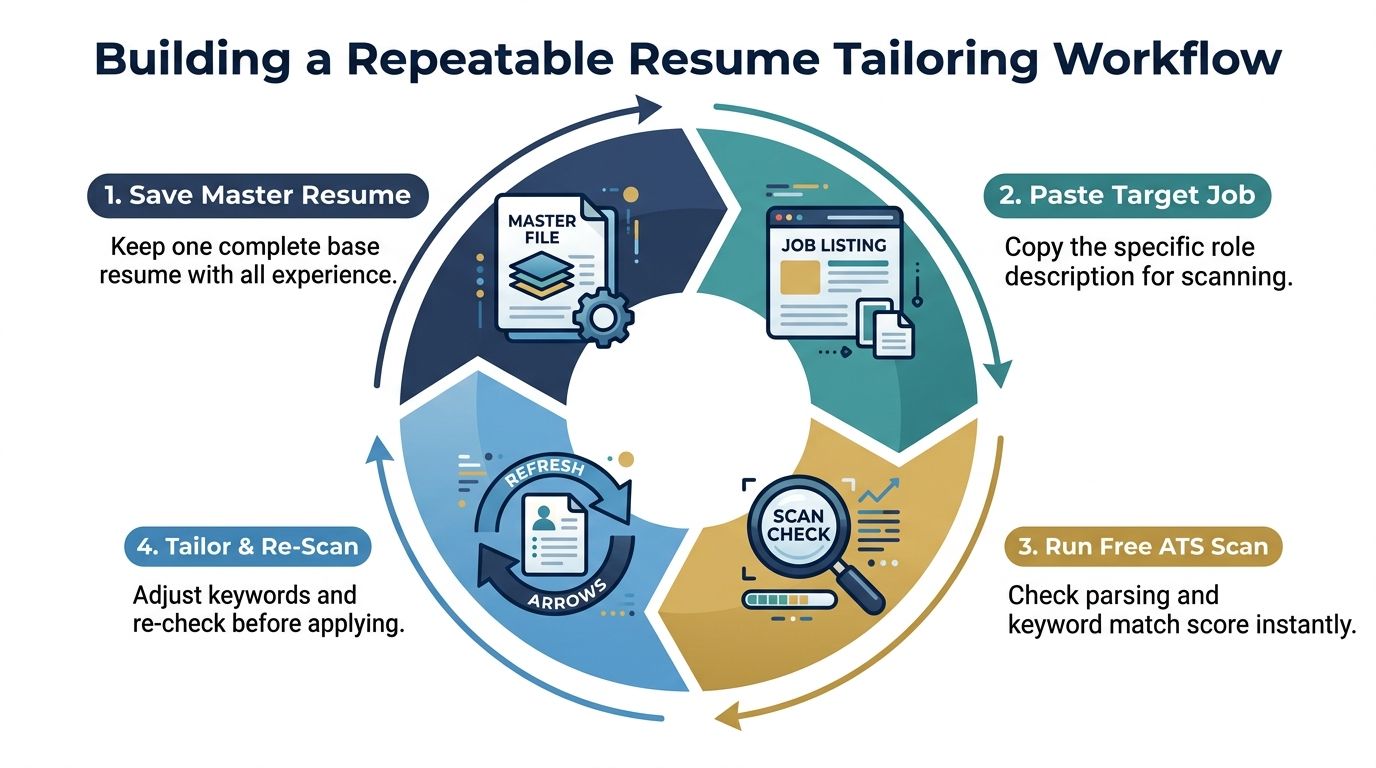
Tailoring works better as a controlled process than as a last-minute rewrite. Keep one complete master resume with every relevant role, project, skill, and accomplishment. Create a job-specific copy from that file, so you're editing deliberately rather than losing useful material from the original.
Use the scan as a decision tool
Start by comparing the posting with your master resume. If the role's core responsibilities align with your background, tailor the version. If the scan exposes only a few terminology gaps and no serious parsing problems, make focused changes rather than rebuilding the entire document.
For roles with a weak match, ask why. You may be missing a required capability, or your experience may be described in different language. Those are not the same situation. The first calls for judgment about fit. The second calls for clearer wording.
A useful workflow looks like this:
- Save the master resume. Keep a complete source document that you won't submit directly.
- Paste the target listing. Use the exact role description, not a generic title or search phrase.
- Run the scan. Record parsing warnings, keyword gaps, and the match score.
- Tailor and rescan. Make only defensible changes, then check the revised file again.
Free checkers often provide limited usage or generic advice, and publicly visible free tiers commonly cap scans at 1 to 5 per week or month, according to independent coverage of ATS checker tools. That makes prioritization important. Don't spend every available scan testing tiny wording changes for one application.
A score is useful when it helps you choose the next edit. It's not useful when it becomes the only goal.
Aim for sufficient alignment, clean parsing, and natural writing. A resume that repeats a term unnaturally may satisfy a narrow checker while weakening the impression it makes on a recruiter. Use the resume tailoring workflow guide to keep the process focused on the role and your actual experience.
Track each application in a simple spreadsheet with the employer, role, resume version, scan findings, and submission date. Over time, you'll recognize recurring problems, and tailoring will become faster without turning every application into a full rewrite.
Your Next Steps to a Stronger Application
A stronger ATS result usually comes from a few disciplined choices: scan the actual file before applying, fix parsing problems before chasing keywords, and tailor language to the specific job. Your experience doesn't need to change. The document needs to present that experience in a form software can read and a person can trust.
Run the revised resume through the same checker again, then inspect the extracted content yourself. Confirm that job titles, dates, employers, headings, and bullets appear in the correct order. If the document reads cleanly and the remaining suggestions would require exaggeration, stop editing and apply.
GetTheCall lets you upload a PDF, DOC, or DOCX resume, analyze a target listing, and review ATS-focused feedback on parsing and keyword alignment. Visit GetTheCall to run a free scan, make targeted changes, and prepare a clearer job-specific application.