Data Entry Resume Skills: 8 to List and Prove in 2026
Learn the 8 data entry resume skills recruiters scan for, from typing speed and Excel to CRM platforms and data privacy, with bullet examples.
You sent the same generic résumé to twenty data entry postings, and the inbox stayed quiet. The work was real. The problem is that the skills were buried, unquantified, or worded differently from the listing.
Nearly 80% of HR professionals begin résumé review with work experience, while only 6.7% start with the skills section, according to a NovoResume HR survey. A skills line that never shows up inside a bullet rarely gets a second look. A separate NovoResume review of résumé statistics reports that 82% of HR professionals use an ATS during screening, and that the often-repeated claim that 75% of résumés are automatically rejected has no published underlying study. Recruiter reporting cited there also puts AI use in recruiting technology at 65% in 2025, up from 63% in 2024 and 58% in 2023.
That is why data entry resume skills have to do two jobs at once. They have to match the posting's language, and they have to prove the work with a number. The eight skills below are the ones I look for first. Each one comes with a résumé-ready bullet, a seniority note, and the keyword phrasing an ATS is likely to match.
Table of Contents
- 1. Typing Speed and Accuracy
- 2. Microsoft Excel and Spreadsheet Management
- 3. Attention to Detail and Quality Control
- 4. Database Software Proficiency (Access and SQL Basics)
- 5. CRM and Business Software Data Entry
- 6. Data Validation and Cleaning
- 7. Confidentiality and Data Privacy Compliance
- 8. Time Management and High-Volume Productivity
- How the Eight Data Entry Skills Compare at a Glance
- Turning This Skill List Into a Résumé That Gets Interviews
1. Typing Speed and Accuracy
A fast test score only helps when the entries are clean. Hiring teams look for a recently measured typing speed paired with an accuracy rate, because incorrect codes or mismatched fields create rework. In transcription and medical-records roles, a transposed digit can affect a claim or a chart.
The 2022 BLS occupational profile for data entry keyers provides occupational information about data entry keyers. For your résumé, use a score from a recent timed test and name the test if you can. For example, 72 WPM at 98.5% accuracy gives a clearer picture than “fast typist.”
ATS phrasing: Typing Speed, Words Per Minute (WPM), Accuracy Rate, 10-Key Data Entry, Alphanumeric Data Entry.
Replace a vague skills line with a concrete bullet:
Entered alphanumeric records at 72 WPM with 98.5% accuracy on a recent timed test, while maintaining daily production without an increase in correction requests.
Seniority note: Entry candidates should put the measured speed and accuracy in Skills or beneath their most relevant role. Mid-level candidates can include the score, then emphasize their work volume. Senior and lead candidates should keep WPM in Skills and use their experience bullets to show audits, coaching, or backlog control.
Write the score as plain text, not a skill bar. State speed and accuracy together, such as 65 WPM at 99% accuracy, and refresh an outdated result on a typing test before applying.

2. Microsoft Excel and Spreadsheet Management
Typing values into cells is the floor, not the job. Recruiters want sort, filter, validation, and a summary someone else can reuse. That is what moves a clerk toward administrative and analyst-adjacent work.
Functions that move you up
Name the features. "Proficient in Excel" is what hundreds of other files already say.
- Data validation and conditional formatting: Stop bad codes before they land in the sheet.
- XLOOKUP or VLOOKUP: Match IDs across two files before a migration.
- Pivot tables: Replace a weekly copy-paste report with one refresh.
Use both Microsoft Excel and Excel so a scanner catches either form. A published ATS-simulator comparison reported a 93% parsing success rate for résumés with standard formatting, against 65% for non-optimized versions, and tied the gap to tables, columns, and decorative elements. Keep the functions in readable text. The ATS-friendly résumé guide shows a layout parsers can follow.
ATS phrasing: Microsoft Excel, Excel Data Validation, Pivot Tables, XLOOKUP, Conditional Formatting.
Bullet: Built a weekly order summary with pivot tables in Microsoft Excel, replacing manual totals and cutting the time the team spent rebuilding the same report.
Seniority note: Entry roles should show validation, sorting, and filtering on a real file. Mid-level roles should tie XLOOKUP or pivots to time saved or fewer mismatches. Senior and lead roles should show a template, a written SOP, or training other people on the workbook.
This short walkthrough is the level of lookup and summary work worth naming on the résumé.
A Microsoft or LinkedIn Learning course belongs under Education or Certifications, not as a substitute for the bullet.
3. Attention to Detail and Quality Control
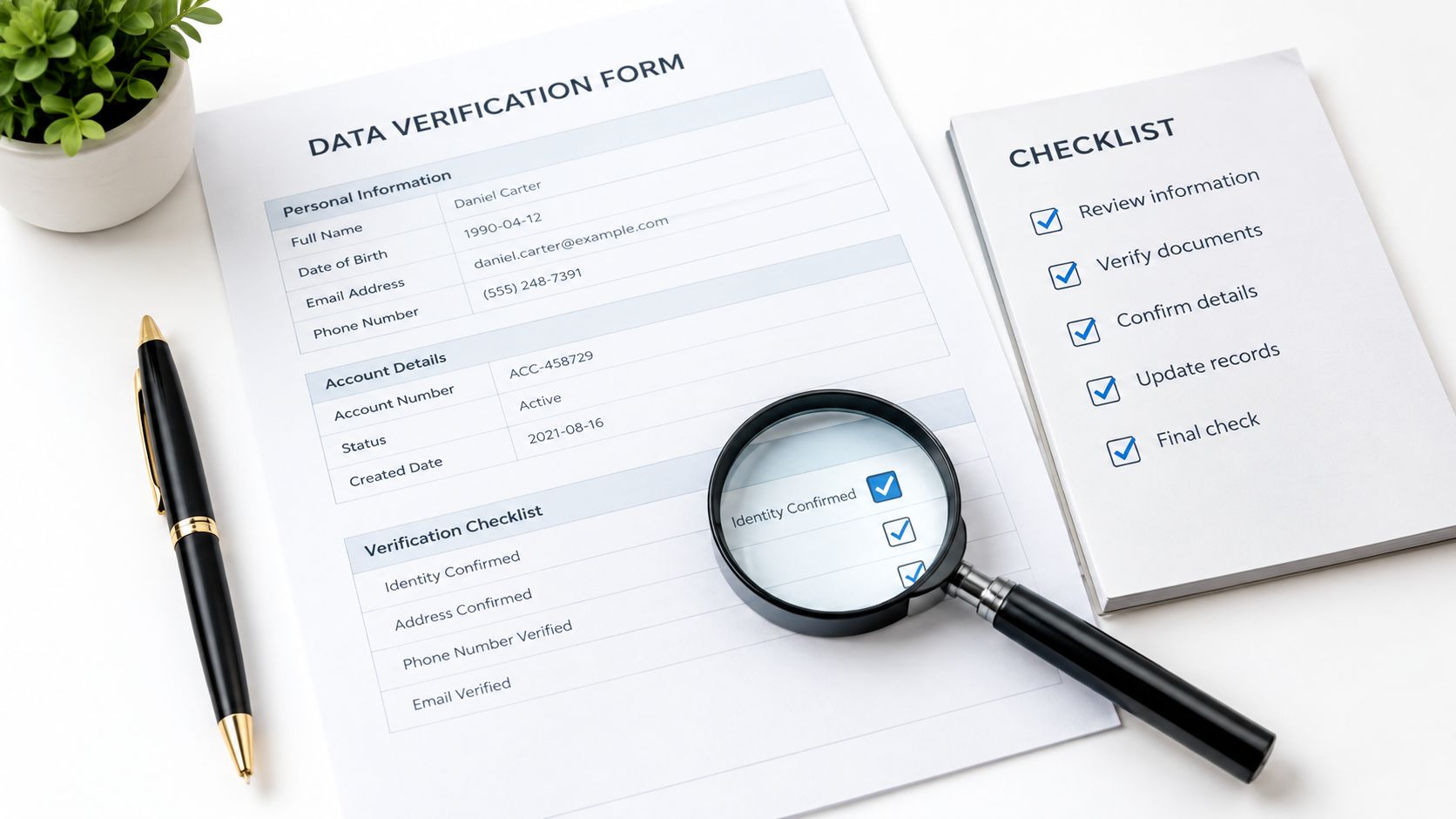
Quality control means comparing entries with source documents, checking for duplicates, resolving discrepancies, reviewing completeness, and verifying corrections. These checks matter in finance, healthcare, and legal work, where an incorrect field can send a payment or record to the wrong person.
The Bureau of Labor Statistics describes data entry keyers as workers who operate keyboard entry devices, verify data, and prepare materials for output. A résumé bullet that only says “entered data” leaves out verification. Show the check you performed, such as matching fields against source documents or resolving exceptions, and name the process terms that fit your work: records reconciliation, exception handling, and SOP compliance.
Replace the adjective with a metric
“Detail-oriented” is hard to assess without evidence. Use a figure you can explain and support, such as records handled per week, an accuracy rate based on an audit, or a measured reduction in backlog. Avoid claiming perfect accuracy unless an audit backs it up. Keep the result tied to the check: what you reviewed, what you corrected, and how the work was measured.
ATS phrasing: Data Verification, Quality Control, Record Accuracy, Error Correction, Document Review.
Bullet: Entered and verified customer records against source documents, correcting discrepancies before database submission and documenting accuracy results from quality checks.
Seniority note: Entry candidates should describe a second-pass check on their own work. Mid-level candidates can show a checklist used to reduce missing-field returns. Senior and lead candidates should describe an audit method adopted by other team members.
Use a free ATS résumé checker to check whether “data verification” appears in your experience section, where it is supported by an example. Be ready to explain in an interview how you catch an unexpected error.
4. Database Software Proficiency (Access and SQL Basics)
Many postings now expect you inside a database, not only a spreadsheet. Microsoft Access is still common in small and mid-sized offices. Basic SQL (Structured Query Language) matters because a short query can find duplicates faster than scrolling.
Applicant tracking systems extract structured entities such as skills and certifications before they match you to a posting, which is what semantic résumé-parsing research on named-entity recognition describes. "Access" buried in a text box or a column is easier to lose than the same word under a plain Technical Skills heading.
What to claim, and what to skip
List SQL only if you can talk through a basic query in an interview. "Familiar with databases" fails that test. A true claim sounds like a form you built or a SELECT you used to audit a table.
ATS phrasing: Microsoft Access, Database Entry, SQL, Data Maintenance, Record Validation.
Bullet: Built an Access intake form with field limits that blocked invalid values, and wrote simple SELECT queries to locate duplicate customer records before they were merged.
Seniority note: Entry candidates can lead with accurate form entry and field checks inside a database someone else designed. Mid-level candidates should show a form, a query, or a cleanup they owned. Senior and lead candidates should show standards for naming, audit trails, or how new clerks were trained on the tables.
Codecademy, W3Schools, and Microsoft Learn are enough to learn a basic SELECT if you have only clicked through forms. Put the tool in its own Technical Skills block, next to the bullet that proves it.
A clean desk setup is not the skill. The screen that shows the table is.

5. CRM and Business Software Data Entry
Salesforce, HubSpot, QuickBooks, and ERP systems such as SAP each have their own fields and workflows. Employers need people who can enter and update records accurately, follow required steps, and keep entries usable for the next person.
Name the platform you have used. A specific tool in a relevant accomplishment is stronger evidence than a list of software logos. Mirror the employer's wording when it accurately describes your work. If you maintained customer records in Salesforce, say so; do not relabel general data entry as CRM work.
Mirror the platform name
Group tools by the work you performed. For example, Salesforce lead updates show CRM experience, while transaction entry and reconciliation demonstrate accounting software skills. Only name a platform when you can describe the task you completed in it.
- CRM: Salesforce lead and contact updates, duplicate merges, required-field checks.
- Accounting: QuickBooks transaction entry and reconciliation.
- ERP: SAP or a similar system, with the specific record-creation task named.
If a posting asks for HubSpot but your résumé says only “CRM software,” tailor the wording to reflect your actual experience. This guide to tailoring a résumé to a job description explains how to align résumé language with a role.
ATS phrasing: CRM Data Entry, Salesforce, Data Maintenance, Records Management, QuickBooks.
Bullet: Maintained Salesforce lead records for the sales team, reduced duplicate contacts through a structured cleanup, and logged exceptions for supervisor review.
Seniority note: Entry-level applicants should name the platform and the type of records handled, using a real volume if they can support it. Mid-level applicants should highlight a cleanup or reconciliation and its result. Senior and lead candidates can show how they set naming conventions, manage permissions, or preserve audit trails during a migration.
For each skill, pair the platform name with a task that proves you used it. Salesforce Trailhead and HubSpot Academy offer certificates for people who already know the work and want to formalize their platform knowledge. List only systems you can use independently.
6. Data Validation and Cleaning
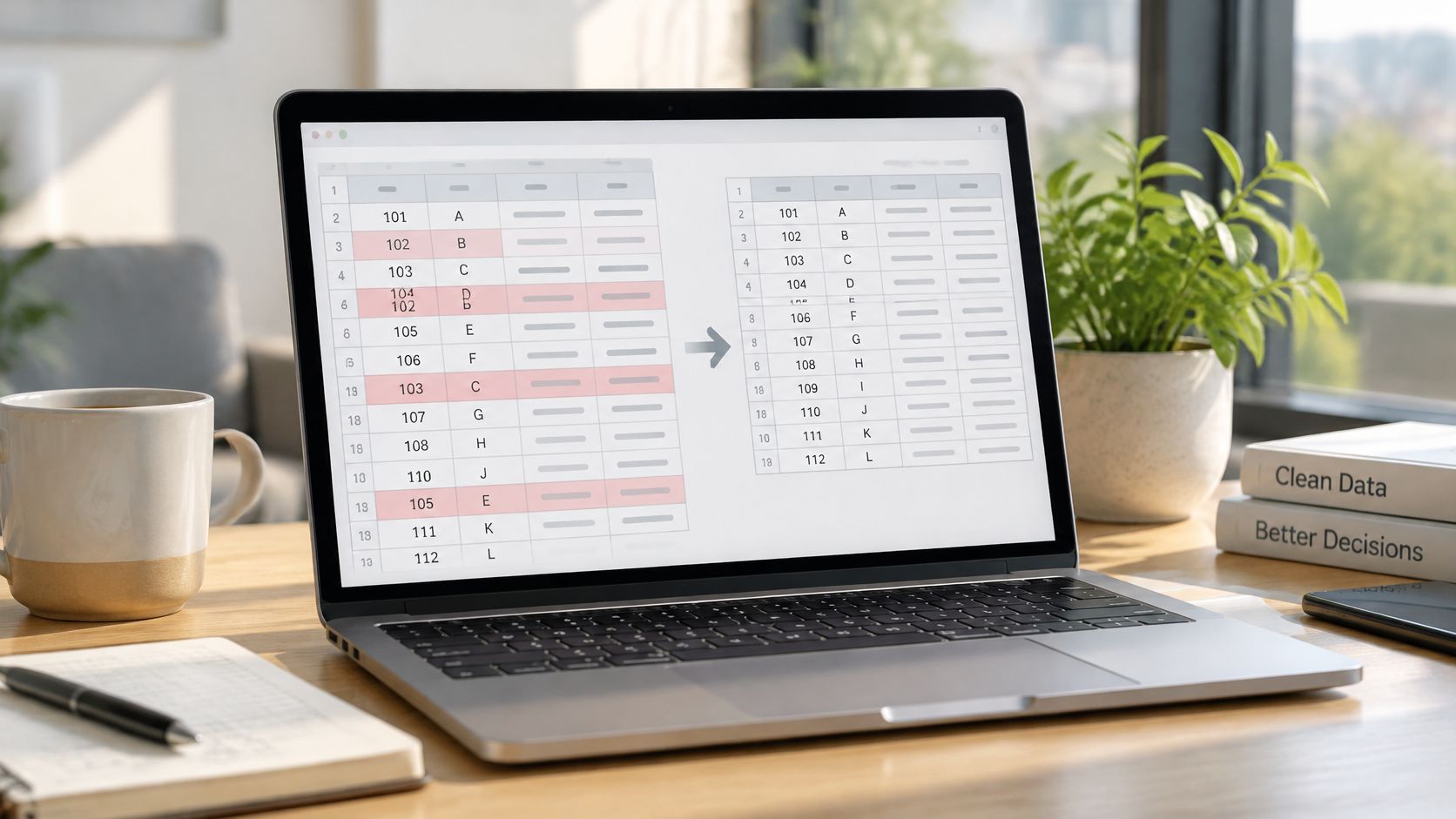
Validation and cleaning sit above straight keying. You check completeness and consistency, standardize dates, addresses, and phone numbers, remove duplicates, and flag outliers. A person who only types is easier to automate than a person who leaves a file other teams can trust.
Say a specialist inherits a contact export the week before a mail drop. Raw rows mix "St" and "Street," repeat the same person three times, and leave product codes blank. The useful résumé story is what changed, and that the changes were written down so someone else could audit them.
Proof that cleaning paid off
Quantify the file, not your personality. "Reduced duplicate records," "corrected incomplete entries," or "unresolved rows dropped after validation rules" all beat "strong data skills." Use the search terms hiring managers type when they look for candidates.
ATS phrasing: Data Cleansing, Data Validation, Data Normalization, Data Quality, Duplicate Detection.
Bullet: Standardized address and phone fields and removed duplicate contacts from a campaign file, documenting each change so the cleanup stayed auditable.
Seniority note: Entry candidates should show a checklist and a before-and-after on one file. Mid-level candidates should show validation rules that stopped bad codes at entry. Senior and lead candidates, and anyone aiming between data entry and analysis, should show the rule set, the exception log, and who signed off.
Highlight this block when the posting mentions reporting, CRM hygiene, or quality assurance. It is the skill that separates a typist from someone who protects the downstream report.
7. Confidentiality and Data Privacy Compliance
You will see personal details, pay data, health information, and legal documents. Employers are not only buying keystrokes. They are deciding who can sit with records that create legal and reputational risk.
Name the rule that governed your work. In U.S. healthcare that is often HIPAA. For an employer handling EU personal data it may be GDPR. Cardholder environments sometimes expect PCI DSS awareness. Internal access rules count too, if you can describe them without exposing the data.
What belongs on the page
Keep the bullet about your behavior, never about a real patient, account, or case.
- Training: List HIPAA, GDPR awareness, or PCI awareness under Certifications when you completed it.
- Handling: Say you followed secure access, minimum necessary, and no local copies.
- Scope: Match the mention to the industry on the posting, instead of listing every framework you have heard of.
ATS phrasing: Confidential Data Handling, HIPAA, Data Privacy, GDPR, Information Security.
Bullet: Handled confidential patient records under HIPAA guidelines, using approved access only and completing required privacy training before production work.
Seniority note: Entry candidates should show training plus day-to-day handling. Mid-level candidates should show how they escalated a discrepancy without emailing sensitive details in the clear. Senior and lead candidates should show how they enforced the SOP, including access reviews or coaching when someone bypassed it.
A shield icon is not proof. The protocol is.

Never paste sample records, account numbers, or patient details onto the résumé to "show" the work. The duty is the evidence.
8. Time Management and High-Volume Productivity
Quotas, batch cutoffs, and shifting priorities are the normal week. Managers look for steady output and a clear signal when a deadline is at risk. That signal matters more in remote and freelance work, where nobody can see your desk.
The BLS-derived outlook for data entry keyers projects employment to fall by about 25.5% between 2024 and 2034, from about 131,800 jobs to 98,200, while still producing roughly 7,700 openings a year, mostly from replacement rather than growth. Volume plus judgment is what keeps you in that replacement pool as routine keying gets automated.
Occupational summaries based on U.S. labor statistics put typical preparation at a high school diploma or equivalent, with short-term on-the-job training, and report projected median annual pay of about $39,850 for 2024, according to SalaryByOccupation's data entry outlook. A quota line with no accuracy figure looks cheap next to that bar. Pair them.
ATS phrasing: High-Volume Processing, Time Management, Turnaround Time, Backlog Reduction, Deadline Management.
Bullet: Processed 300+ forms per shift and cleared a multi-week backlog on schedule, while holding accuracy steady and flagging at-risk batches before the cutoff.
Seniority note: Entry candidates should show records per shift or per day next to an accuracy rate. Mid-level candidates should show a backlog they reordered and finished. Senior and lead candidates should show how they set the queue, used a board such as Asana or Trello, and told a manager early when volume and quality were about to conflict.
Borrow the posting's own words for deadlines and volume. That is the match, not a second generic "multitasker" line.
How the Eight Data Entry Skills Compare at a Glance
| Item | Typical Benchmark | Best Seniority Fit | Strongest Résumé Proof | Main Risk |
|---|---|---|---|---|
| Typing Speed and Accuracy | 50–75 WPM; 95%–99%+ accuracy | Entry-level to all levels | Recent timed test score showing both speed and accuracy | Speed may come at the expense of accuracy |
| Microsoft Excel and Spreadsheet Management | No universal benchmark; proficiency depends on required functions and tools | Entry-level to mid-level | Specific Excel features used and measurable time saved or errors reduced | Basic skills may not stand out |
| Attention to Detail and Quality Control | No universal benchmark; demonstrate accuracy or error reduction | Entry-level to senior | Accuracy metrics or a verification process with measurable results | Vague claims are difficult to verify |
| Database Software Proficiency (Access and SQL Basics) | No universal benchmark; basic queries and record management | Mid-level or technical entry-level | Examples of queries, forms, or database audits completed | Skills may be overstated or queries may damage records |
| CRM and Business Software Data Entry | No universal benchmark; relevant platform experience | Entry-level to mid-level | Named platforms, record volume, and data cleanup results | Listing platforms without meaningful experience |
| Data Validation and Cleaning | No universal benchmark; quantify records corrected or duplicates removed | Mid-level to senior | Measurable improvements in data quality or validation rules created | Overcorrecting can remove valid information |
| Confidentiality and Data Privacy Compliance | No universal benchmark; relevant training and policy adherence | Entry-level to senior, especially in regulated fields | Relevant certification and experience handling confidential records | Compliance mistakes can have serious consequences |
| Time Management and High-Volume Productivity | No universal benchmark; show output alongside accuracy | Entry-level to senior | Records processed or backlog cleared while maintaining accuracy | Speed pressure can increase errors |
Turning This Skill List Into a Résumé That Gets Interviews
Do not paste all eight skills into every application. Pick the three to five the posting actually repeats. If the ad is Excel, invoices, and a daily quota, lead with spreadsheet functions, validation, and throughput. If it is Salesforce and duplicate control, lead with the CRM and the cleanup. Leave SQL off the file when you cannot explain a basic query.
Match the platform and the keyword to the listing's wording. "Database updates" will not reliably stand in for "CRM data entry" or "data validation" if that is the phrase in the ad. Put the phrase inside the bullet, next to a number you can defend: records per week, an accuracy rate, a backlog cleared, or unresolved rows reduced. Duties without a figure read like a job description you copied.
The same discipline fixes the format. Plain headings, real tool names, and no skill bars give a parser a clean sequence. Then read the experience section the way a recruiter does, first, and ask whether each chosen skill shows up as work rather than as a label.
Tools can shorten the mechanical part. GetTheCall can take your existing résumé or LinkedIn history, read a target posting, and show a live ATS Role Match score while you edit, so the tailoring takes minutes rather than a fresh draft for every employer. It does not invent jobs you did not do. You still choose the honest metric.
Here is the next step I would take this week. Open one live posting. Rewrite two bullets with the patterns above: one for the tool they named, one for volume plus accuracy or a quality check. Then send that version, not the generic file you have been reusing.
GetTheCall turns a LinkedIn profile or an existing résumé into an ATS-ready, job-specific PDF, lining your real data entry resume skills up with the posting's keywords and a live match score. It is built for people who are tired of rewriting the same clerk résumé by hand for every listing. Visit GetTheCall and run one target job before you apply again.