10 Computer Skill Resume Examples by Role
Build a stronger computer skill resume with 10 examples organized by proficiency and role, from office tools to programming, data, cloud, and Agile.

“Computer literate” and “good with technology” sound harmless on a resume, but they rarely help a recruiter understand what you can do. A strong computer skill resume names the tool, explains how you use it, connects it to the target role, and supports it with a task, project, or outcome. “Excel” becomes more useful when you write “Microsoft Excel, PivotTables, and automated monthly reporting.” “Project management software” becomes clearer when you name Jira, Asana, or Monday.com and describe the workflow you handled.
That specificity matters because ATS platforms parse resumes into fields such as skills, job titles, dates, and education. Standard headings and machine-readable text help the system identify those details before a recruiter reviews the document, as explained in this guide to resume keyword parsing. The examples below move from formatting and everyday productivity to collaboration, data, cloud platforms, coding, version control, and Agile delivery. List only skills you can discuss, demonstrate in a work sample, or explain in an interview.
Table of Contents
- 1. ATS-Optimized Resume Formatting
- 2. Keyword Extraction and Job-Specific Tailoring
- 3. Microsoft Office Suite Proficiency
- 4. Google Workspace and Cloud Collaboration Tools
- 5. Data Analysis and Visualization
- 6. SQL and Database Management
- 7. Cloud Platform Knowledge
- 8. Version Control Systems
- 9. Programming Languages
- 10. Project Management and Agile Methodologies
- Computer Skills Resume: 10-Point Comparison
- Turn Your Skills List Into Evidence of Fit
1. ATS-Optimized Resume Formatting
An ATS can reject a well-designed resume if it cannot read the text. Formatting is therefore a computer skill with visible evidence: you configure a document so software can identify your experience, education, and skills, while a recruiter can scan the same content quickly. A widely cited benchmark reports that approximately 97% of Fortune 500 companies use ATS software to screen resumes for keywords. The underlying resume analysis is available from HR Future.
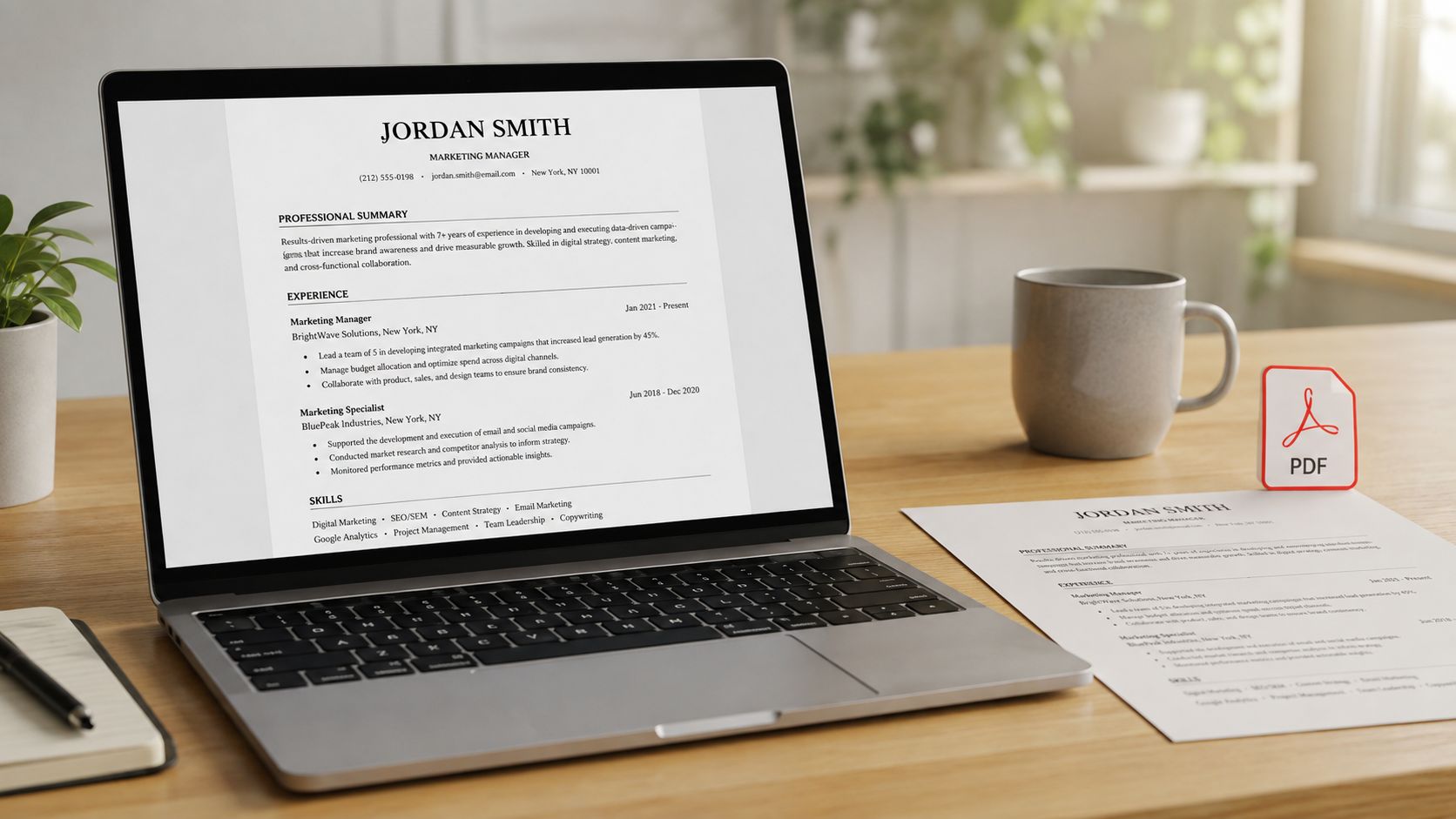
Use standard headings such as Experience, Education, and Skills. Place important details in the main document rather than headers or footers, and confirm that the text can be selected and copied. A resume saved as an image may look polished, but an ATS may read it as an empty page.
What to show on your resume
Let the document demonstrate the skill through these choices:
- Simple structure: Use one column, ordinary bullet points, and clear section breaks.
- Readable text: Choose familiar fonts such as Arial, Calibri, or Times New Roman.
- Machine-readable content: Remove logos, graphics, skill bars, image-based text, and decorative infographics.
- Flexible file handling: Keep PDF and DOCX versions available for different application instructions.
Certain tests reported about 93% parsing accuracy for single-column layouts versus 86% for two-column layouts. They also found a 4% parsing failure rate for plain DOCX files compared with 18% for PDF files, according to resume format research from OneHour Digital. Treat these results as guidance, not a guarantee. Follow the employer's requested format first, then check that columns, icons, and design elements have not hidden or rearranged text. A final review with this ATS-friendly resume guide can catch those problems before submission.
2. Keyword Extraction and Job-Specific Tailoring
A strong computer skills section reflects the job's evidence needs, not the entire job description. Employers may search for Microsoft Excel, Power BI, SQL, Salesforce, or a named cloud platform. “Technical proficiency” is too broad to show how you would work.
Read the posting twice. On the first pass, mark named tools, methods, and responsibilities. On the second, sort them into three groups: required skills, repeated preferences, and useful extras. Give the required and repeated terms more space, then connect each one to a task you have completed.
The kind of evidence depends on the skill:
- Productivity: name the document, spreadsheet, or presentation task you handled.
- Collaboration: show how you used shared files, communication tools, or workflow systems with others.
- Data: identify the report, dashboard, query, or analysis you produced.
- Infrastructure: specify the platform, environment, or setup you configured.
- Development: name the language, framework, repository, or feature you built.
- Delivery: describe planning, sprint, backlog, testing, or release work you performed.
For example, a posting that requests data visualization calls for a project entry such as “Built a Power BI dashboard from monthly sales data,” if that accurately describes your work. A request for stakeholder management may fit “Coordinated reporting requirements with sales and finance teams.” Mention sprint planning, backlog work, or Scrum collaboration only when you performed those tasks.
Match terms without stuffing keywords
Modern ATS platforms can use natural language processing and semantic analysis. One cited benchmark reports 91% precision for NLP and semantic systems versus 67% for legacy keyword-only systems, as discussed by SkillSyncer. Treat that finding as context, not a reason to repeat the same term unnaturally.
Use the employer's wording where it matches your experience. Include an acronym and its spelled-out form when appropriate, such as SQL and Structured Query Language. Choose proficiency claims you can prove through a project, work sample, or specific responsibility. Do not add a platform just because it appears repeatedly in the posting.
Compare several similar postings to spot recurring language, then tailor the final version to the target role. A job description resume tailoring guide can help organize that comparison without turning your resume into a copied keyword inventory.
3. Microsoft Office Suite Proficiency
Microsoft Office belongs in the productivity evidence category. The name alone says little, so connect each application to a task an employer can recognize. Word may support shared reports, Excel may organize or analyze information, and PowerPoint may turn findings into a clear recommendation.
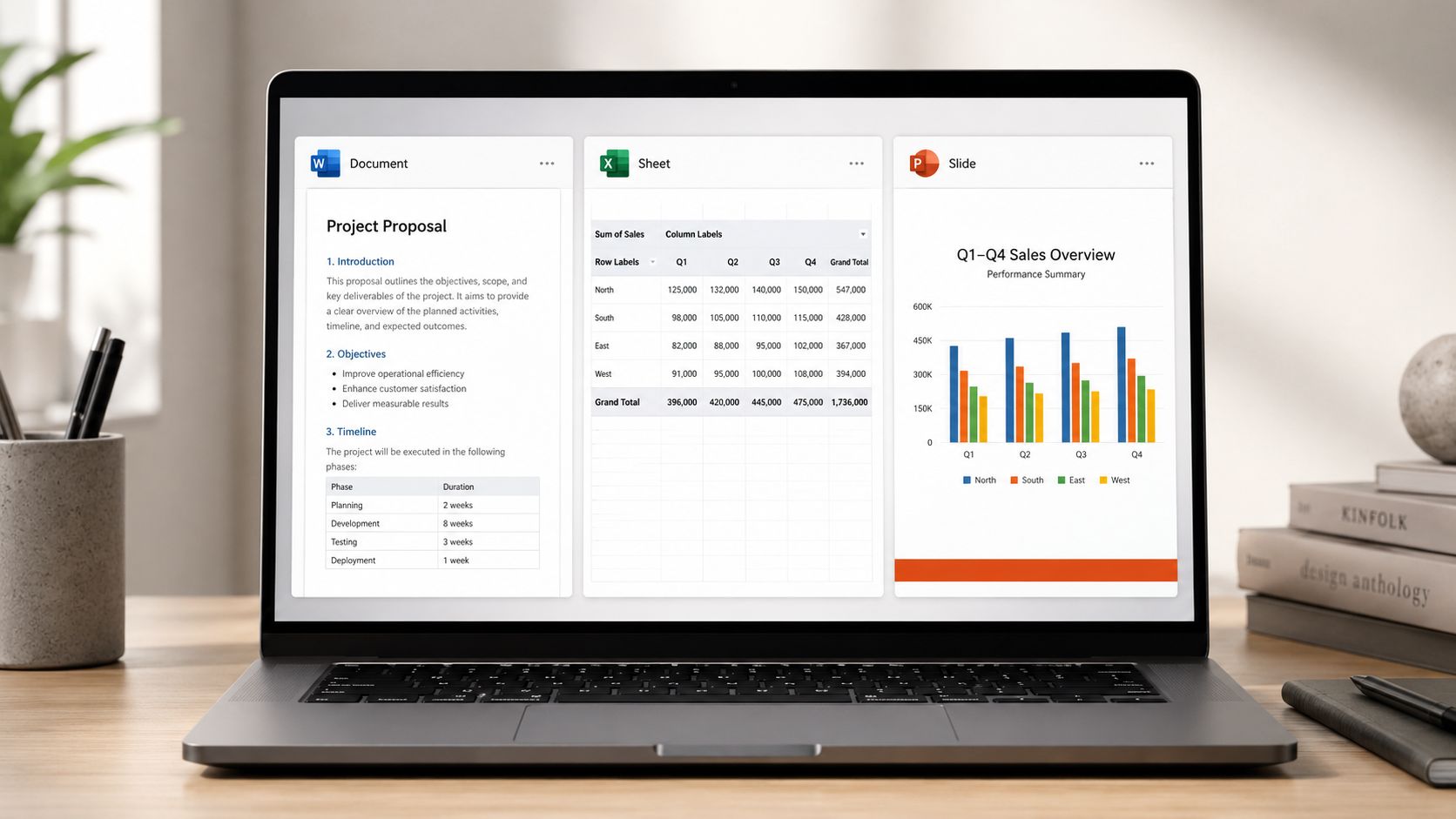
Use features that match the target role and that you can demonstrate:
- Microsoft Word: Track Changes, styles, templates, mail merge, or document formatting for preparing and revising shared documents.
- Microsoft Excel: formulas, PivotTables, conditional formatting, Power Query, financial modeling, or macros, but only when you can explain how you used them.
- Microsoft PowerPoint: charts, concise slide structure, and data-driven presentations that help an audience understand a recommendation.
A skills entry can be compact:
Microsoft Excel, PivotTables, conditional formatting, and monthly reporting automation
The experience section should show the workflow:
Built a monthly sales report in Microsoft Excel using PivotTables and conditional formatting, then presented the findings in PowerPoint for team review.
This bullet identifies the tools, the features, the output, and the audience. It provides stronger evidence than a broad claim such as “Microsoft Office proficiency.”
Choose the proficiency label from what you can prove. Use intermediate if you complete common tasks independently but need help with advanced features. Use advanced if you can troubleshoot, automate, or design repeatable workflows. Reserve “expert” for skills you could demonstrate comfortably in a practical test.
Microsoft 365 may also involve shared editing and comments. Include those details when collaboration formed part of your work, and tailor the emphasis to the role. A reporting position may need Excel evidence, while an administrative role may give equal weight to Word, scheduling documents, and presentation preparation.
4. Google Workspace and Cloud Collaboration Tools
Google Workspace demonstrates how you manage shared work, not just whether you recognize Docs or Sheets. Its evidence appears in file organization, permissions, comments, version history, and real-time editing. These tools support browser-based collaboration, remote work, and access to current documents.
Start with the work product you can explain:
Google Sheets, project tracking, data validation, conditional formatting, and shared permissions
This entry suggests a complete workflow. You can build a tracker, keep entries consistent, and decide who may view or edit the file. A stronger experience bullet could read:
Maintained a shared project tracker in Google Sheets with formulas, data validation, and conditional formatting, then organized related documentation in Google Drive.
Your role may call for different proof:
- Google Docs: Edited process guides using comments, suggestions, and collaborative review.
- Google Drive: Structured team folders and controlled sharing permissions for working documents.
- Google Slides: Prepared project updates that connected spreadsheet information with a clear presentation.
- Google Meet, Gmail, or Google Calendar: Supported remote meetings, scheduling, or customer communication when those tasks matched the position.
Add-ons and integrations belong on the resume only when you used them to connect documents, forms, calendars, or reporting tools. Naming a feature without describing its purpose is weaker than showing the workflow it supported.
Choose a proficiency label that matches your evidence. Functional fits document editing and file uploads. Intermediate fits independent work with formulas, sharing settings, and collaborative review. Use advanced only when you can configure access, manage shared drives, troubleshoot issues, or support a remote team. Tailor the emphasis to the role, since an administrative position may value scheduling and document control more than spreadsheet formulas.
5. Data Analysis and Visualization
A dashboard alone is weak resume evidence. Employers need to see how you turned a question into a usable explanation. Tableau and Power BI support dashboards and reports, while Python, R, and SQL can help clean, query, and analyze data. Group these tools by the evidence they produce, not as disconnected badges.
A marketing candidate might write:
Power BI, dashboard development, data modeling, and campaign reporting
Then show the workflow:
Built a Power BI report that combined campaign and customer data, then summarized audience patterns for the marketing planning meeting.
A junior analyst could write:
Cleaned a public dataset in Python with pandas and created Tableau visualizations to explain regional sales patterns.
A convincing entry usually connects four pieces:
- Tool: Tableau, Power BI, Python, R, or SQL.
- Data task: Cleaning, joining, filtering, modeling, or segmenting.
- Communication task: Dashboard, report, presentation, or written explanation.
- Decision context: The question the analysis helped answer.
Use the level you can defend. If you work independently in Tableau but have only followed Power BI tutorials, list Tableau and describe the completed work. A public-dataset portfolio project can show your process when paid work has not provided a relevant example.
The audience also matters. For an analyst role, explain how you checked results and identified limitations. For marketing or operations, connect the output to campaign planning, customer segments, or resource decisions. Tailoring the skill this way shows fit without claiming expertise you cannot demonstrate.
A chart should support the explanation, much like a map helps someone choose a route. Employers want to know whether you can identify what matters and explain findings to people who do not work in analytics. After reviewing the dashboard example, this data visualization video offers another practical reference.
6. SQL and Database Management
SQL is useful far beyond software engineering. Analysts use it to extract and summarize data, marketers use it to segment customers, and operations professionals use it to investigate activity across systems. A credible SQL entry names what you can do, such as filtering records, joining tables, grouping results, or creating a repeatable report.
Instead of writing:
SQL, advanced
try:
SQL, SELECT queries, JOINs, GROUP BY, filtering, and reporting
Then support it with a bullet:
Wrote SQL queries using JOINs and GROUP BY to combine customer and transaction data for audience analysis.
That sentence gives an interviewer a useful starting point. They can ask why you selected a particular join, how you handled duplicate records, or how you checked the results.
Show how you think
SQL proficiency isn't only about remembering syntax. You should be able to explain the question behind a query, identify which tables contain the needed fields, and describe how you validated the output. Readable queries also matter when another person needs to review or maintain your work.
Practice with public datasets or learning environments such as HackerRank, LeetCode, or Mode's SQL tutorial. When you list a dialect, include it only if you used it, such as PostgreSQL, MySQL, BigQuery, or T-SQL. If your work involved Snowflake, name the platform and the relevant workflow in your Snowflake-focused resume.
For an entry-level resume, a project can be enough:
Queried a public retail dataset with SQL, grouped purchases by product category, and documented the findings in a short report.
Don't claim database administration if you've only written queries. Database management can involve schema design, permissions, performance, backups, or stored procedures. Match the label to your actual experience.
7. Cloud Platform Knowledge
Cloud knowledge can appear on a technical resume, a data resume, or a business resume that works closely with infrastructure teams. AWS, Azure, and Google Cloud provide services for computing, storage, databases, deployment, monitoring, and access control. Naming only “cloud computing” is too broad for most applications.
A more useful entry might be:
AWS, EC2, S3, Lambda, IAM, and CloudWatch
Or:
Azure, Azure Data Factory, data pipelines, and cloud storage
Describe a hands-on environment
Your example should make the level of use clear:
Deployed a small web application on AWS EC2, stored application files in S3, and reviewed access permissions through IAM.
That statement differs from:
Studied AWS services through online courses.
Both may belong on a resume, but they communicate different proficiency levels. Use coursework or hands-on project when you haven't used the platform in paid employment. If you completed a certification, list the certification separately and don't imply professional delivery experience.
Start with core concepts such as compute, storage, databases, networking, identity, and security. Then choose a project you can explain from setup through troubleshooting. You might build a small data pipeline with Azure Data Factory, deploy a serverless function with AWS Lambda, or publish an application through Google Cloud. The project matters because it gives you something concrete to discuss.
Cloud skills also involve responsibility. Mention access controls, logging, deployment steps, or cost awareness when those were part of your work. Don't list every service you've encountered in a tutorial. A focused entry that you can defend is more useful than a long cloud inventory.
8. Version Control Systems
Git records changes to files and supports collaborative development. GitHub, GitLab, and Bitbucket host repositories where teams review code, manage branches, document projects, and coordinate changes. For software engineers, Git is a core expectation. For analysts and data professionals, it can also demonstrate that you understand reproducible, reviewable work.
A strong entry goes beyond the product name:
Git and GitHub, branching, pull requests, code review, repository documentation, and release history
You can support it with a project bullet:
Maintained a GitHub repository for a Python data-cleaning project, using branches for revisions and a README to explain setup and usage.
Make the repository part of the proof
A public repository should be easy to inspect. Include a clear README, explain what the project does, identify dependencies, and remove credentials or private data. Commit messages should help another person understand why a change was made.
Useful evidence includes:
- Branching: Created separate branches for features or experiments.
- Pull requests: Submitted changes for review and responded to feedback.
- Documentation: Added README files, setup instructions, and usage examples.
- History: Maintained a clear record of meaningful changes.
You don't need to claim open-source experience if you haven't contributed to an open-source project. A personal project, class assignment, or internal repository can still show the workflow. Link to GitHub only when the profile supports the claim. A nearly empty account won't strengthen the application.
If you're applying for a nontechnical role, Git may belong under a project rather than near the top of the skills section. The right placement depends on whether the role needs version-controlled code or values familiarity with collaborative digital work.
9. Programming Languages
Programming languages should reflect the role you're targeting and the problems you've solved. Python often appears in data analysis and automation work, JavaScript is common in web development, and Java or C++ may support enterprise and systems projects. The language itself matters less than your ability to apply it thoughtfully.
Use a focused format:
Python, pandas, NumPy, data cleaning, automation, and API work
Or:
JavaScript, React, HTML, CSS, and interactive web applications
Let projects establish your level
A candidate with limited professional experience can write:
Built a Python script to clean recurring spreadsheet exports and produce a consistent reporting file.
A web developer might write:
Developed an interactive JavaScript application with React, documented the setup process, and managed revisions with Git.
These examples show application rather than passive familiarity. If you've only completed tutorials, say coursework, practice projects, or foundational knowledge. Don't label yourself advanced because you can follow a guided exercise.
Depth generally beats breadth. One language used across several complete projects is easier to defend than a list of many languages with no evidence. You should understand the basics of data structures, testing, debugging, and readable code for the role you want. Technical interviews may explore those areas even when the job posting emphasizes a specific language.
Organize languages by relevance. A data candidate might lead with Python and SQL. A front-end candidate might lead with JavaScript, TypeScript, HTML, and CSS. A systems candidate might emphasize C++ or Java. Frameworks and libraries belong beside the language only when you've used them in a project or professional workflow.
10. Project Management and Agile Methodologies
Digital delivery skills sit between software, collaboration, and execution. Agile, Scrum, and Kanban describe ways teams organize work, while Jira, Asana, Monday.com, and Azure DevOps provide places to track tasks, backlogs, issues, and documentation. These tools matter in technology, product, operations, marketing, and other cross-functional environments.
Avoid a bare entry such as:
Agile, Jira, project management
Use the context that makes the claim credible:
Used Jira to refine user stories, track sprint work, and document acceptance criteria during cross-functional product delivery.
Or:
Maintained an Asana project board, assigned tasks, monitored dependencies, and prepared weekly status updates for stakeholders.
Explain your participation
Agile experience can include sprint planning, backlog refinement, daily standups, retrospectives, Kanban board maintenance, user-story writing, or release coordination. You don't need to call yourself a Scrum Master if you participated as a developer, analyst, designer, coordinator, or product partner.
Describe the ceremony and your responsibility:
- Sprint planning: Helped break larger work into actionable stories.
- Backlog refinement: Clarified requirements and identified dependencies.
- Daily coordination: Shared progress, risks, and blockers with the team.
- Retrospectives: Contributed observations and supported process improvements.
- Delivery tracking: Updated Jira or Azure DevOps records through completion.
Use proficiency labels carefully. Familiarity may fit someone who has attended Agile ceremonies. Working proficiency may fit someone who regularly managed tickets, stories, or boards. Advanced should be reserved for people who can explain how they adapted a process, handled competing priorities, and supported delivery across roles.
Computer Skills Resume: 10-Point Comparison
| Item | 🔄 Implementation Complexity | ⚡ Resource Requirements | 📊 Expected Outcomes | 💡 Ideal Use Cases | ⭐ Key Advantages |
|---|---|---|---|---|---|
| ATS-Optimized Resume Formatting | Low–Medium, rule-based tweaks, learn ATS quirks | Low, time to reformat; free ATS checkers | High, increases pass-through to human reviewers | Broad job applications, high-volume submissions | Improves visibility; simple to implement; reduces technical rejections |
| Keyword Extraction and Job-Specific Tailoring | Medium, analysis and careful wording per posting | Medium, time per application; keyword tools help | High, boosts ATS match score and recruiter search rank | Targeted roles where match matters | Demonstrates role fit; raises callback rates when done well |
| Microsoft Office Suite Proficiency | Low–Medium, basic tasks easy, advanced features require practice | Low, widely available software/training | Medium, expected baseline; supports many tasks | Corporate, admin, reporting, documentation roles | Universally recognized; transferable; supports resume and workplace tasks |
| Google Workspace and Cloud Collaboration Tools | Low, browser-based, intuitive collaboration workflows | Low, internet access and free accounts | Medium, signals cloud collaboration readiness | Remote-first teams, startups, tech companies | Real-time collaboration; easy sharing; strong SaaS integrations |
| Data Analysis and Visualization (Tableau, Power BI, Python) | High, tool mastery + analytical thinking required | Medium–High, licenses, compute, datasets, training time | High, drives decisions; strong measurable impact | Data teams, analytics, marketing, operations, leadership reporting | Turns raw data into actionable insights; high market demand |
| SQL and Database Management | Medium, basics quick to learn; advanced tuning harder | Low–Medium, practice DBs and learning platforms | High, foundational for data extraction and reporting | BI, analytics, data engineering, marketing analytics | Portable core skill; enables precise data queries and reporting |
| Cloud Platform Knowledge (AWS, Azure, GCP) | High, broad ecosystem and constant updates | Medium–High, cloud accounts, labs, possible costs, certs | High, strong demand for cloud-capable candidates | DevOps, cloud engineering, data pipelines, infrastructure roles | Enables scalable architectures; validated by certifications |
| Version Control Systems (Git and GitHub) | Medium, conceptual + workflow skills; CLI optional | Low, free platforms and projects to practice on | High, essential for collaborative code and reproducible work | Software engineers, data scientists, any code contributors | Tracks history, enables collaboration, public portfolio visibility |
| Programming Languages (Python, JavaScript, Java, C++) | High, depth required for employability | High, time, tooling, projects, practice environments | High, unlocks technical roles and higher compensation | Software development, data science, systems programming | Enables building products/automation; strong career leverage |
| Project Management and Agile Methodologies | Medium, learn ceremonies and adapt to team practice | Low–Medium, tools (Jira), optional certs, team experience | Medium–High, improves delivery predictability and team coordination | Product teams, engineering, operations, cross-functional projects | Promotes iterative delivery, stakeholder alignment, improved productivity |
Turn Your Skills List Into Evidence of Fit
A computer skill resume works best when every important entry answers a simple question: How did you use this tool in a situation the employer understands? Start by choosing skills that appear in the target role. Then group them by relevance, not by every application you've ever opened. A marketing analyst might lead with Excel, Power BI, SQL, Google Analytics, and Salesforce. An administrative candidate may need Outlook, Word, Excel, Google Workspace, scheduling tools, and document management instead.
Next, label proficiency clearly. You don't need to use a rating system if the evidence is clear. “Microsoft Excel, PivotTables, and monthly reporting” communicates more than “Excel, advanced.” If you do use labels, make sure you can explain what each level means. Basic may mean you complete routine tasks independently. Intermediate may mean you build repeatable workflows and troubleshoot common issues. Advanced may mean you automate, configure, optimize, or guide others.
Attach each important skill to a tool, task, project, or outcome. Put the named tool in the Skills section so a parser can find it, then place the strongest proof in your summary or experience bullets. For example, list SQL in Technical Skills and write a bullet about joining customer and transaction tables. List GitHub and link to a repository with a useful README. List Power BI and describe the report you built and the question it helped answer.
Don't add every application you've used once. A long list can dilute your strongest qualifications and create interview risks. Employers may ask you to explain a tool, reproduce a workflow, or discuss a project decision. Remove anything you can't defend, and replace broad labels such as “CRM software” with the actual platform, such as Salesforce or HubSpot, when that reflects your experience.
Your resume also needs to survive the mechanical part of screening. ATS platforms may parse contact information, job titles, dates, skills, and education into separate fields, so clear headings, selectable text, and uncomplicated layouts matter. One resume research summary reported that 97.8% of Fortune 500 companies used ATS by 2025, while Workday accounted for 39% of Fortune 500 ATS deployments, illustrating how standardized automated screening has become across large employers. Those figures appear in OneHour Digital's ATS statistics summary, which also discusses how formatting can affect parsing.
Before sending an application, compare the resume with the job listing one more time. Confirm that the most relevant tools appear in the employer's language, that your bullets show real use, and that the file opens as selectable text. GetTheCall can import a LinkedIn profile or a PDF, DOC, or DOCX file, analyze a job listing, suggest role-specific alignment based on your existing experience, and show a live Role Match score while you edit. It can also help organize computer skills into an ATS-ready PDF, but you still need to review every suggestion for accuracy.
Don't send one static resume everywhere. For your next application, remove unrelated tools, move the strongest matching skills higher, add one proof-focused bullet, and check the finished document before submission.
GetTheCall can import your LinkedIn profile or existing resume, analyze a target job listing, and help align your verified computer skills with the role. Visit GetTheCall to review your resume, check its ATS readiness, and create a more focused version for your next application.