How to Check Resume ATS Score and Improve It
Learn how to check resume ATS score, interpret the results, and make focused edits that improve keyword alignment, parsing, and job-specific fit.
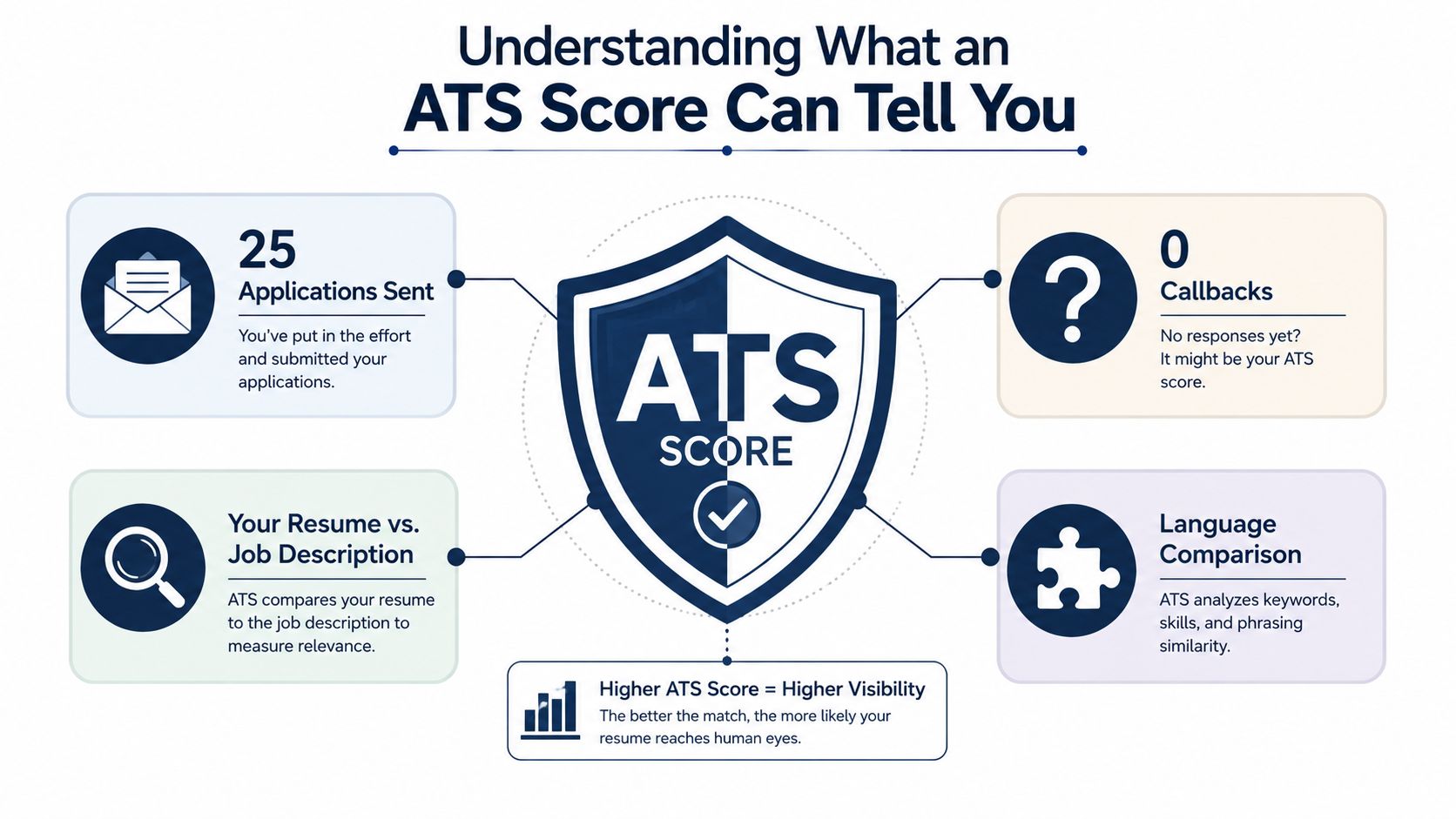
You've crafted a résumé for a role you fit, submitted it, and then watched the silence stretch across several applications. After applying to 25 roles with no callbacks, it's natural to wonder whether an ATS score is blocking you before a recruiter ever sees your work. The useful response isn't to stuff your résumé with every phrase in the job ad. It's to make the document readable to software, then translate your real experience into the language of that specific role.
That distinction matters because an ATS score is a diagnostic signal, not a hiring prediction. A strong process checks structure, terminology, relevance, and evidence in that order. It helps you find communication gaps without turning your résumé into a collection of unsupported keywords.
Table of Contents
- Understanding What an ATS Score Can Tell You
- Preparing Your Source Résumé and Target Job
- Running Your First ATS Score Check
- Reading the Gaps Behind the Score
- Editing and Rescoring for Better Alignment
- Avoiding False Confidence and Misleading Advice
- Completing Your Final Application Check
Understanding What an ATS Score Can Tell You
An ATS score compares your résumé with a specific job description. It looks for signals such as recognizable sections, relevant terminology, and role-related skills. It doesn't decide whether you're impressive, trustworthy, or likely to succeed on a team.
A useful score check reveals three different things:
- Parseability: Can the system identify your name, dates, job titles, employers, education, and skills without mixing or losing information?
- Keyword alignment: Does your résumé use the important terms from the posting, including tools, responsibilities, certifications, and role titles?
- Relevance density: Do those terms appear in meaningful descriptions of work, rather than sitting in an isolated list with no supporting context?
The distinction between a score and a hiring outcome is important. One 2026 benchmark reported that 98% of Fortune 500 companies use an applicant tracking system, while its analysis also said 92% of those systems don't auto-reject résumés. The same report found that 51% of résumés scored below 50 out of 100 before optimization, and that 52% of job-description keywords were missing from the average résumé. See the ATS statistics and benchmark methodology for the reported figures.
Practical rule: Treat the score as a map of communication gaps, not a verdict on your career.
A score can't measure culture fit, judgment, seniority, leadership quality, or whether your accomplishments are credible. Start with one target role, prepare a clean source résumé, run a baseline scan, and interpret the results before editing.
Preparing Your Source Résumé and Target Job
A résumé check works like a translation exercise with two inputs. The file must be easy for software to read, and the content must use accurate language that matches the role. Start with a source résumé containing your complete, verified career history. You can remove less relevant material for a specific application later.
Choose a clean DOCX or plain-text PDF with standard headings such as Summary, Experience, Skills, and Education. Keep date formats consistent. Remove tables, multiple columns, decorative graphics, text boxes, headers, and footers that can disrupt reading order. One industry guide reports that difficult layouts can reduce extraction quality, with DOCX and single-column formats performing better than PDF and two-column designs in its comparison. Its ATS filtering and keyword-screening guidance explains why format and layout belong in the first check.
LinkedIn import can save typing, yet imported content may contain noisy sections, duplicate descriptions, or broad skills that do not fit the target role. Review every line. Your source document should describe only work you have performed.
Build the job input carefully
Copy the complete posting into a separate document. Mark required and preferred skills, responsibilities, qualifications, tools, and repeated phrases. A shortened job-board preview may omit useful context, so use the full listing when it is available. This guide to tailoring a résumé to a job description can help you connect verified experience with the employer's wording.
Before scoring, confirm that:
- The résumé is readable: Standard headings and consistent dates are present.
- The experience is accurate: Every role, skill, and achievement is supported by your background.
- The job is specific: The complete posting matches the role you want.
- The file is clean: Tables, columns, graphics, and scanned pages are removed.

Running Your First ATS Score Check
Run the first scan before changing the résumé. That untouched result gives you a baseline for judging whether later edits improve communication or merely change the tool's output.
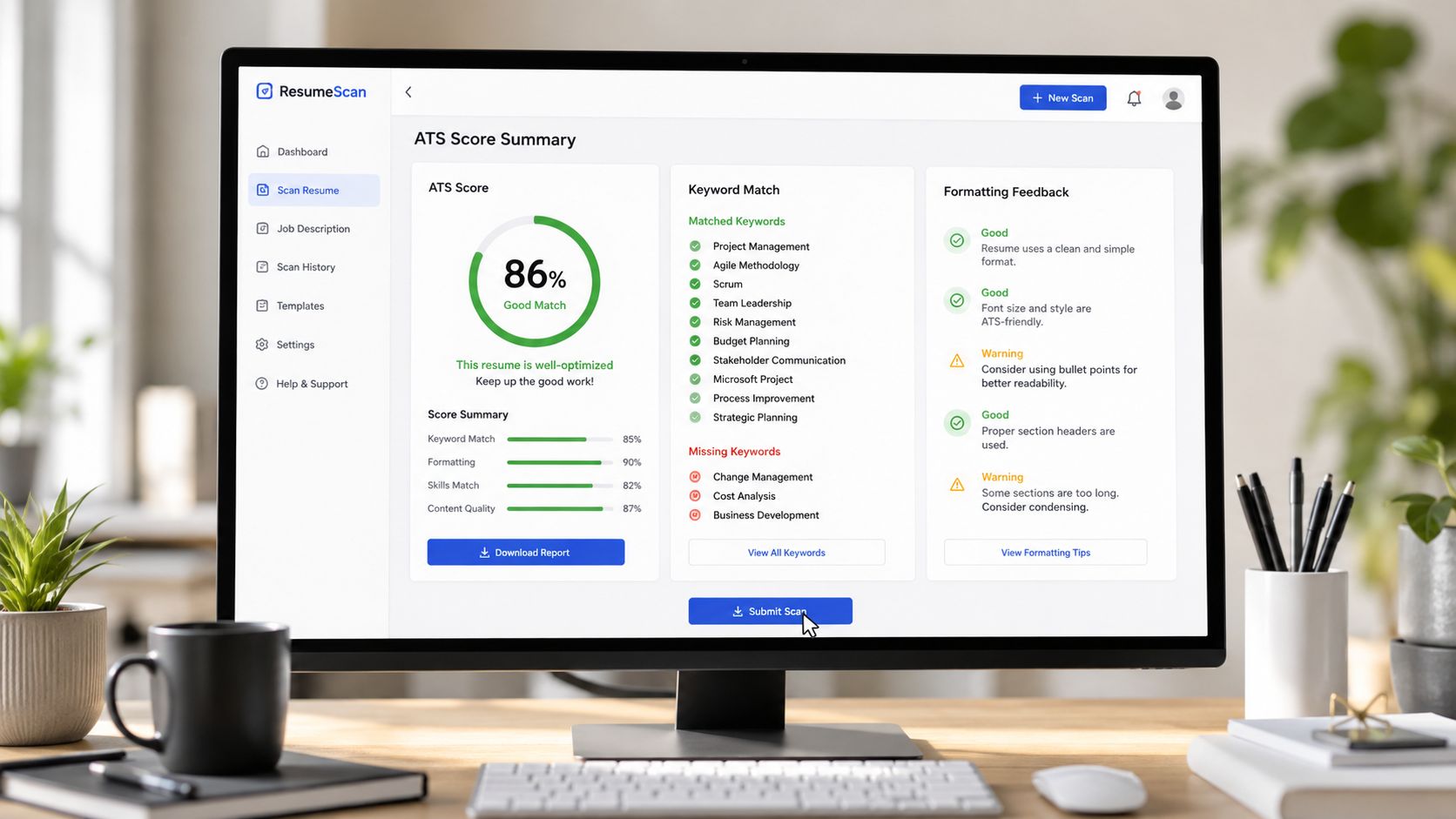
Attach the source résumé and paste the complete target job description. If the tool requests a role title, choose the closest accurate match. Submit the scan, then save the report and record the tool, date, résumé version, and job input.
Review three outputs:
- The overall match score: Use it as a comparison signal, not a hiring prediction.
- Missing or weak terms: Check whether they point to absent skills, title variations, tools, or responsibilities.
- Parseability warnings: Look for unreadable dates, empty sections, misplaced contact details, or content the system failed to extract.
Treat the résumé as a translation document with two jobs. First, its structure must let the parser extract each section and entry. Then, its wording should connect verified experience with the target role's language. A score becomes actionable when it helps identify which part of that translation failed.
A 62% score with strong coverage of required skills is more actionable than an 82% score inflated by scattered buzzwords the posting barely uses. Scores reflect the tool's weighting, the job description, the file, and the parser. Compare versions only when those inputs are documented and held consistent.
One 2026 screening study reported an average score of 59.8 out of 100 across 109,672 résumés, while its audit found that 70 out of 100 was commonly treated as ATS-ready. Those figures describe benchmark conditions, not a universal employer rule. Review the 2026 ATS résumé screening study for its reported methodology and interpretation.
The first scan should answer one practical question: what prevents this résumé from clearly communicating its fit for this posting? The cause may involve structure, terminology, relevance, or evidence. Identify the cause before editing, so each revision remains truthful and job-specific.
For a direct scan workflow, use the ATS résumé checker and preserve the initial results for comparison.
Reading the Gaps Behind the Score
A flagged keyword isn't automatically an instruction to add that word. Sort every warning into one of four categories before you touch the résumé.
| Gap Type | Typical Signal | Fix Approach |
|---|---|---|
| Formatting | A section, date, or job entry is missing or scrambled | Replace tables, columns, unusual headers, and complex layouts with readable structure |
| Terminology | Your experience uses a different phrase from the posting | Map the employer's wording to your real experience |
| Relevance | The posting asks for work your résumé doesn't demonstrate | Add relevant verified experience, or accept that this role may not be a close match |
| Evidence | A claim names a skill without showing how you used it | Strengthen the bullet with accurate scope, method, result, or context |
Formatting comes first because a parser can't match content it can't extract. If your employment dates sit in a text box or your skills appear in a side column, rewriting the bullets won't solve the underlying problem.
Terminology gaps are more subtle. A résumé might say “managed social accounts,” while the posting uses “owned multi-channel social media management.” If you planned content, coordinated publishing, monitored channels, and made decisions across several platforms, that wording can be a truthful translation. If you only scheduled occasional posts for one account, the broader phrase would exaggerate your scope.
This is why ATS optimization is a translation problem, not a keyword-density contest. A 2026 scan of 10,000 résumés reported a median score of 62 out of 100 and identified a common failure: exact-match keywords were missing even though related experience appeared in the work history. The 2026 résumé rejection analysis frames the issue around phrasing and title normalization rather than adding more terms.
Evidence gaps require a different response. If a posting asks for customer support analytics, repeating “customer support analytics” several times is weaker than describing the reports you built, the questions you answered, and the decisions your analysis supported. Add context only when you can defend it in an interview.
Editing and Rescoring for Better Alignment
Use a controlled edit loop. Change one category at a time, rescore, and note what happened. That approach keeps you from confusing a formatting repair with a keyword improvement.
Repair the document before rewriting it
First, remove anything that can block extraction. Convert a multi-column layout to a single column, replace decorative section names with familiar headings, and check whether dates and employers appear in a predictable order. Guidance on ATS-friendly résumé structure can help you review the document's basic architecture before you revise the wording.
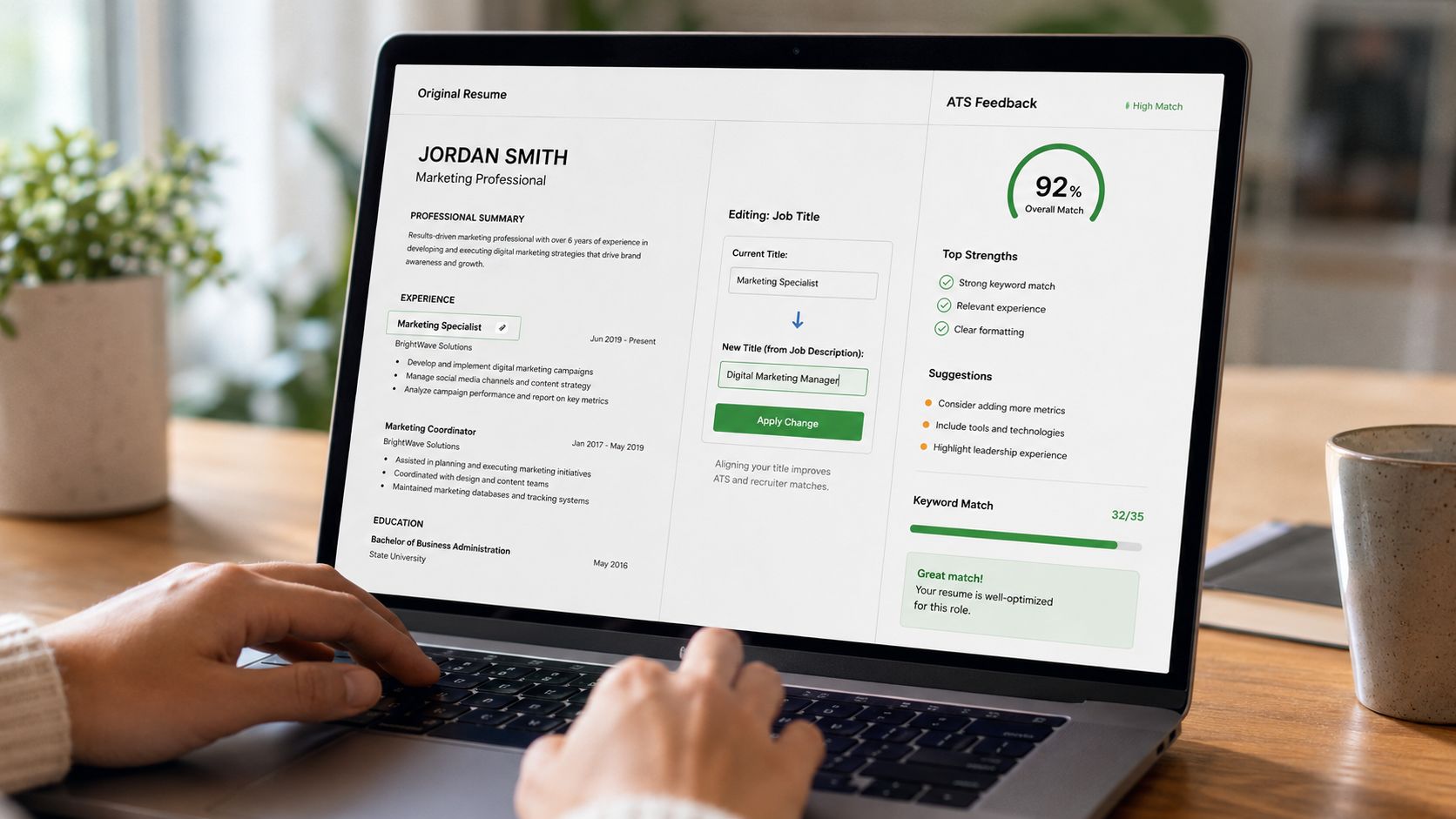
Next, normalize titles and skills where accuracy allows. If your official title was “Client Success Specialist,” but you performed work that clearly matches “Customer Success Manager,” don't replace the official title. You can preserve the formal title and add a clarifying descriptor, such as “Client Success Specialist, Customer Success Operations,” if that accurately reflects your responsibilities.
Strengthen proof, not keyword volume
Rewrite bullets so the skill appears in a real work statement. For example, “analyzed support data” is less informative than “analyzed weekly support tickets to identify recurring product issues and inform escalation priorities.” Don't add a quantity, result, or tool unless you can verify it from your records.
Then rescore the updated file against the same posting. Compare the baseline score, missing terms, parseability warnings, and keyword coverage changes. A score that barely moves may indicate that the remaining gaps concern experience you don't have, not wording you failed to include.
A second 2026 analysis reported an average résumé match of 57.6% against job descriptions and described 70% as a typical passing threshold. Its findings also repeated that 51% of résumés scored below 50 out of 100 before optimization. You can consult the ATS-focused résumé analysis for those reported benchmarks, while remembering that a checker's threshold isn't the employer's guaranteed rule.
Continue the loop only while the edits remain truthful and job-relevant. Stop when the score plateaus, the required language is represented naturally, and the document still reads well to a person.
Avoiding False Confidence and Misleading Advice
A high score can create the wrong kind of confidence. Some tools reward repeated terms even when the résumé offers no evidence, and advice that says to mirror every phrase can push you into claims you can't support.
Recruiter screening often depends on keyword filters, but the terms still need context. One screening-behavior summary reports that 99.7% of recruiters use keyword filters in their ATS, with 76.4% filtering by skills and 59.7% filtering by education. The same source also reports that 52% of job-description keywords are missing from the average résumé, which supports careful alignment, not indiscriminate stuffing. Review the recruiter keyword-filtering findings for the stated figures.
Use four safeguards:
- Verify every new phrase: Confirm that it describes work you performed.
- Reject inflated scope: Don't turn exposure into ownership or participation into leadership.
- Question tool certainty: Different platforms weight formatting and terminology differently.
- Read as a recruiter: Check whether the document proves the match in natural language.
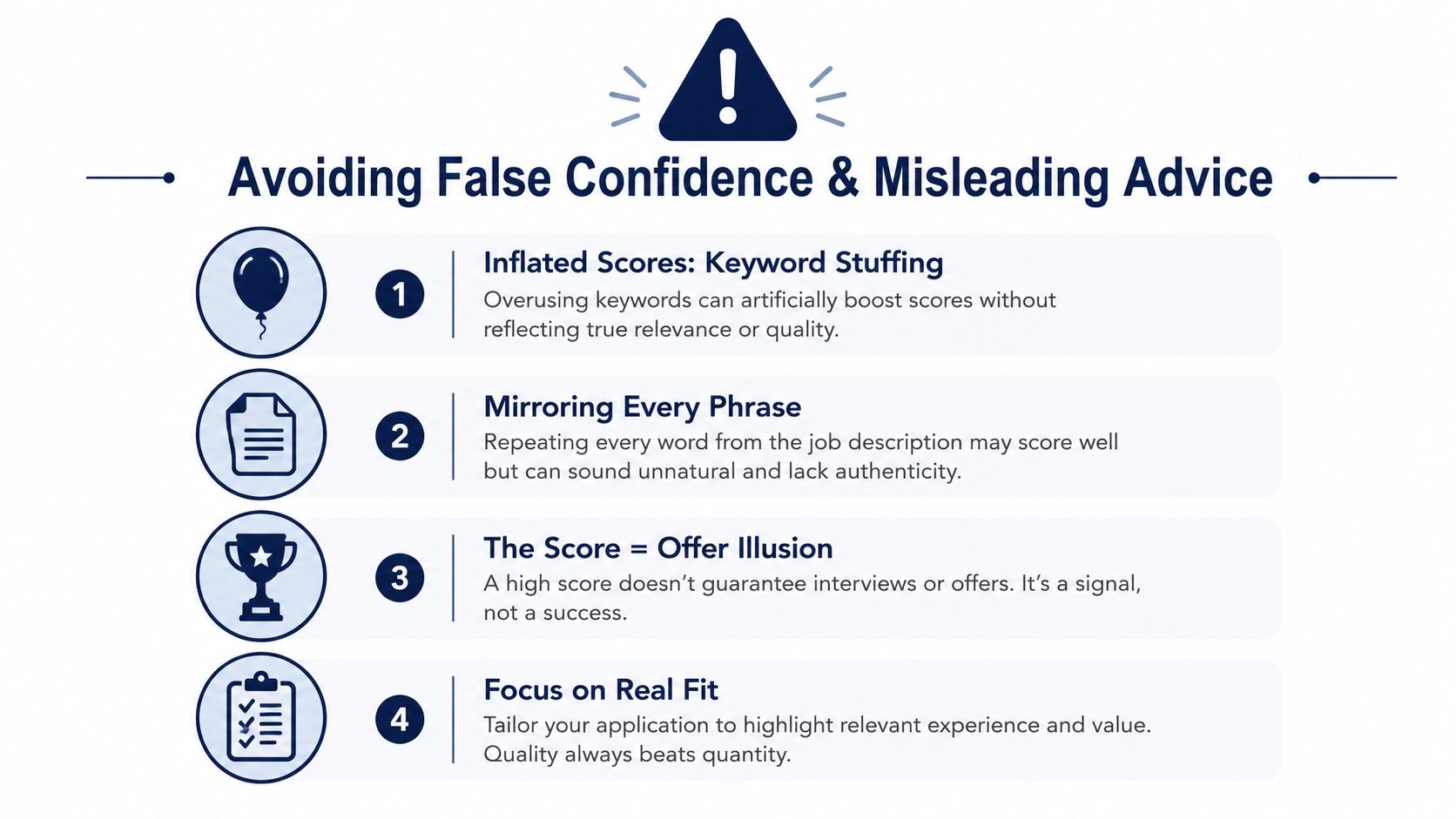
A score can't test whether you'll answer an interview question with sincerity. Fabricated skills may improve a dashboard while creating an obvious problem during a phone screen. The right target is a résumé that survives both machine extraction and human scrutiny.
Completing Your Final Application Check
Your last review should follow a fixed sequence, not a final glance at the percentage.
Parse-check
Open the exported file in a viewer that reflects how the application system will receive it. Confirm that section headings, dates, employer names, bullets, and contact details remain readable after conversion. Use a text-based PDF, not a scanned image, and check that the text can be selected and copied.
Accuracy-audit
Cross-reference every claim against a source document, project record, portfolio, or your own verified history. Remove wording that implies a certification, tool proficiency, management responsibility, or outcome you can't defend.
Relevance-trim
Delete or shorten unrelated roles and skills that distract from the target position. Don't erase important experience to chase a score, but give the strongest space to work that demonstrates the posting's requirements.
Consistency-pass
Make sure your name, contact details, and LinkedIn URL render identically across pages. Check date formatting, title formatting, punctuation, and tense. Small inconsistencies can make a résumé feel unfinished even when the content is strong.
Finish with the order that matters: parse-check, accuracy-audit, relevance-trim, consistency-pass, final PDF export. Make this a professional habit for each target role, not a one-time repair. A thoughtful, truthful résumé is more valuable than a numerically perfect document filled with claims you can't support.
If you want to check readability and role alignment in one workflow, GetTheCall can import a LinkedIn profile or existing résumé, compare it with a target job listing, and provide live match feedback while you edit. Use the result as a diagnostic, then submit the version that best represents your verified experience.