Best Resume Builder Tools Worth Your Time in 2026
Find the best resume builder for your job search. Compare ATS optimization, tailoring, pricing, and ease of use, with picks for every type of candidate.

Most advice about the best resume builder starts in the wrong place. It compares color palettes, template libraries, and how “modern” a document looks on screen. That's a poor test. A beautiful resume that loses its headings, dates, or skills when an applicant tracking system reads it is just an attractive way to disappear.
Applicant tracking systems are now a standard part of hiring infrastructure. A 2025 review found ATS technology on 492 of the 500 Fortune 500 career sites, or 98.4%, while 99.7% of surveyed recruiters used filters in an ATS or comparable system to identify interview candidates, according to Jobscan's State of the Job Search report. That doesn't mean every system automatically rejects a resume. It does mean your file has to be searchable, structured, and relevant before a person decides whether it sounds credible.
The right builder should therefore do three things well: preserve your real experience, adapt it to the specific vacancy, and export a file that both software and humans can read. Templates matter, but they're third on my list. The picks below are based on parsing safety and tailoring discipline, not decorative headers.
Table of Contents
- The Real Job of a Resume Builder in 2026
- Five Criteria That Actually Matter When You Compare Resume Builders
- How the Main Resume Builder Categories Stack Up
- ATS Optimization Beyond the Marketing Claims
- AI Assistance Without Losing Your Voice
- Matching the Right Builder to Your Situation
- Honest Picks for Every Type of Job Seeker
The Real Job of a Resume Builder in 2026
A resume builder isn't primarily a design app. In 2026, its real job is to turn your career history into a structured, machine-readable document that retains its meaning when it passes through an employer's hiring software.
That distinction matters because candidates often treat a resume as a single finished artifact. They polish one master version, change the filename, and send it everywhere. That approach may have worked when a recruiter manually reviewed every application. It performs poorly in high-volume digital hiring, where systems may extract your job titles, employers, dates, education, and skills before a recruiter sees anything.
The hiring environment also rewards repeated adaptation. LinkedIn's published platform statistics, summarized in Snov.io's 2025 LinkedIn statistics compilation, report more than 45 million weekly visitors to LinkedIn Jobs and more than 10,000 applications submitted every minute. The same source reports that postings mentioning artificial intelligence received 17% more applications over the preceding two years than postings without those references. In that environment, a generic resume competes against documents written around the exact vocabulary of each opening.
Structure comes before styling
A template-first builder asks, “What should this resume look like?” A serious builder asks, “What information must remain intact after parsing, and what evidence does this role require?”
That means conventional headings such as Experience, Education, and Skills. It means clear dates, recognizable job titles, standard fonts, and a logical reading order. It also means avoiding visual tricks that force a parser to guess which text belongs to which section.
A recruiter still needs to like the document. Machine readability isn't an excuse for an ugly or lifeless resume. The best output uses restrained typography, useful spacing, and strong prioritization without hiding content inside graphics, columns, or decorative containers.
Practical rule: If the resume looks impressive only when viewed as a designed page, the builder has optimized the wrong layer.
The builder should reduce translation work
Your experience is the source material. The vacancy is the target language. A useful resume builder helps connect the two without changing the facts.
For example, a candidate may have “customer onboarding” experience while a target listing repeatedly uses “implementation,” “client enablement,” and “cross-functional delivery.” A good workflow identifies that relationship, then helps the candidate describe genuine experience with terminology the employer uses. It shouldn't add a tool, title, achievement, or qualification the candidate never had.
That is why the picks later in this article depend on ATS-safe structure, job-specific tailoring, verified source content, and export fidelity. The prettiest header bar won't win the comparison. A builder that preserves your meaning and makes every application relevant will.
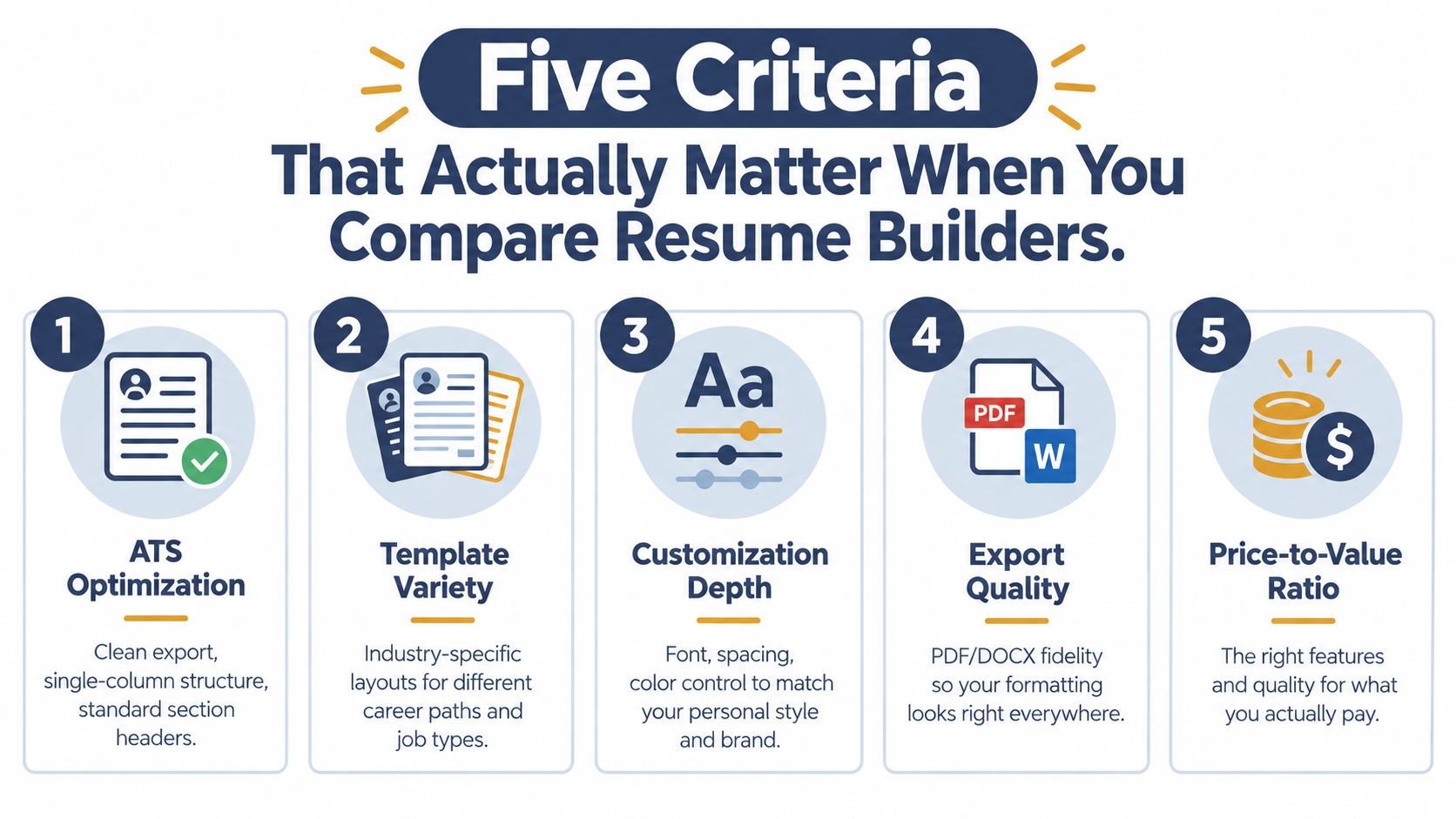
Five Criteria That Actually Matter When You Compare Resume Builders
Judge every builder against five practical questions. Don't let a large template gallery distract you from them.
1. ATS optimization
Look for a clean export, a single-column structure, standard section headings, and a readable text order. Avoid tables, graphics, text boxes, and complex columns unless you've tested the resulting file carefully.
ATS software may extract contact details, job titles, employers, dates, education, and skills into structured fields. Workable's explanation of how ATS reads resumes recommends text-based documents and warns that headers, footers, tables, and columns can interfere with parsing. The builder should make the safe structure the default, not bury it among risky “creative” templates.
2. Job-specific tailoring
A useful tool should make it easy to create a version for a real vacancy. It should identify required skills, responsibilities, and terminology, then help you connect those requirements to evidence already present in your background.
The University of Illinois Chicago's ATS guidance makes the point plainly: a one-size-fits-all resume doesn't work well with applicant tracking systems. A score can help, but it's only directional. The goal isn't to repeat a keyword until the document sounds synthetic. The goal is to show relevant proof in the employer's language.
3. Source import
Starting from a blank page is unnecessary for most applicants. The builder should support a LinkedIn import, PDF upload, DOC or DOCX upload, and existing resume parsing. Above all, it should map imported fields correctly instead of forcing you to repair every date and job title manually.
Import is especially useful for career switchers and people returning to work. Their challenge is usually not a lack of information. It's selecting and reframing the right information for the target role.
4. Export quality
A polished editor is irrelevant if the downloaded file changes the reading order. Test whether the output preserves headings, dates, employers, titles, and skills when copied into a plain-text reader.
You want practical export choices, including DOCX, selectable-text PDF, and plain-text compatibility where appropriate. Portland Community College's ATS guide warns that image-based resumes and difficult-to-extract PDFs can fail during conversion. A PDF should be a real text document, not a screenshot of one.
5. Pricing transparency
Check what the free tier lets you do. Can you export the file, or only edit it? Are essential downloads locked? Does a short trial become a recurring subscription? Is there a lifetime option or a clearly defined access period?
Templates and design libraries don't belong in the top five criteria. They're useful, but surface polish is less predictive than content relevance and parseable structure.
How the Main Resume Builder Categories Stack Up
The market breaks into four broad groups. Each solves a different problem, and each has a predictable failure mode.
| Builder Category | ATS Optimization | Tailoring | Source Import | Export Quality | Pricing |
|---|---|---|---|---|---|
| Template-first tools, such as Canva and Word templates | Often inconsistent, especially with columns and graphics | Usually manual | Basic, depending on the source file | Depends heavily on the user's export settings | Often accessible at first, but features vary |
| AI-generative builders, such as Rezi, Kickresume, and Teal | Can be strong, but depends on template and export configuration | Usually available through prompts or job descriptions | Commonly supports uploads or profile data | Requires testing for formatting and unsupported claims | Commonly split between free drafting and paid exports |
| LinkedIn-import tools | Convenient starting point, but imported structure needs review | Usually available after import | Strong for LinkedIn, variable for documents | Cleanup and reformatting may be necessary | Often limited at the free level |
| Tailoring-first tools, anchored by GetTheCall | Built around structured content and role alignment | Core workflow, not an optional extra | LinkedIn, PDF, DOC, and DOCX workflows | Designed for submission-ready output, but still worth validating | Free access plus a defined paid option, depending on features |
Template-first tools
Canva and standard Word templates offer the fastest route to a visually distinctive page. They're useful when you need complete control over spacing or want to create a portfolio-style document for a human reader.
The failure comes when design takes over the information architecture. Two columns, icons, skill bars, text boxes, and decorative side panels can scramble the order in which software extracts content. Tailoring also stays manual, so candidates often duplicate the same resume across unrelated vacancies.
Verdict: Choose this category for a simple first draft or a design-sensitive human audience, but only if you can enforce a conservative structure yourself.
AI-generative builders
Rezi, Kickresume, and Teal can speed up drafting and suggest role-specific language. They're particularly useful when you know what you did but struggle to express it in concise bullets.
The risk is unsupported content. A prompt can encourage inflated results, invented metrics, or generic claims that sound plausible but collapse under an interview question. Export quality also varies, especially when an editor uses design elements that don't survive DOCX or PDF conversion.
Verdict: Good for acceleration, not automatic truth. Treat every generated line as a suggestion requiring approval.
LinkedIn-import tools
These tools remove the blank-page problem. Importing a profile gives you a usable history of roles, dates, descriptions, and skills, which is helpful when your existing documents are outdated.
The weakness is that LinkedIn content wasn't necessarily written for a particular vacancy. It can also contain inconsistent formatting, duplicated phrases, or broad descriptions that need significant cleanup. Import is a starting point, not tailoring.
Verdict: Best for rebuilding a neglected resume quickly, provided you rewrite the imported material around a target role.
Tailoring-first builders
This category treats each application as a separate output. The job description determines what evidence gets priority, while the source profile or resume limits suggestions to claims you can defend.
That approach addresses the underlying problem with a master resume. You don't need every accomplishment in every application. You need the right accomplishments, described clearly, with terminology that matches the role without stuffing.
Verdict: The strongest fit for career switchers, active applicants, and anyone applying to roles with materially different requirements.
ATS Optimization Beyond the Marketing Claims
“ATS-friendly” is not a technical explanation. It's a label, and many builders apply it to templates that still create extraction problems.
An ATS typically turns a resume into structured fields. It looks for recognizable text such as your name, contact details, employers, titles, dates, education, and skills. The safer document has a clear hierarchy, conventional headings, one predictable reading path, and selectable text. It doesn't ask software to interpret a chart, follow a decorative sidebar, or reconstruct a sentence split across columns.
The format test
A true DOCX file and a flattened PDF aren't equivalent. A DOCX generally keeps text available to document parsers, while a PDF may contain text in a difficult order or as an image. Grafiati's review of ATS literature describes parser risks linked to formatting complexity, file type, tables, graphics, nonstandard fonts, and multi-column layouts.
That doesn't make every PDF unsafe. A properly exported, selectable-text PDF can work well. The point is to test the actual file rather than trusting the builder's badge.
| Builder Type | Default Export | Layout Risk | Parsing Safety | Verdict |
|---|---|---|---|---|
| Template-first | PDF or DOCX, depending on the template | High when users choose columns, icons, or text boxes | Variable | Safe only with conservative formatting |
| AI-generative | PDF and sometimes DOCX | Medium to high, depending on the editor | Requires export validation | Useful, but inspect the file and claims |
| LinkedIn-import | PDF or edited document | Medium because imported structure may need cleanup | Good starting point after review | Fast source capture, not automatic compliance |
| Tailoring-first | ATS-oriented PDF and editable source workflow | Lower when templates use standard structure | Stronger when text is validated after export | Best fit for role-specific applications |
Run a simple check before submitting. Open the exported file, select all text, paste it into a plain-text editor, and inspect the order. Your name should appear first, headings should stay attached to their content, dates should remain near the correct roles, and skills shouldn't vanish. Then compare the result against the employer's requested format.
For a second check, use an ATS resume checker to identify parsing and keyword issues before you apply. Don't treat its score as a hiring probability. Use it to find missing evidence, broken structure, or wording that doesn't reflect the posting.
AI Assistance Without Losing Your Voice
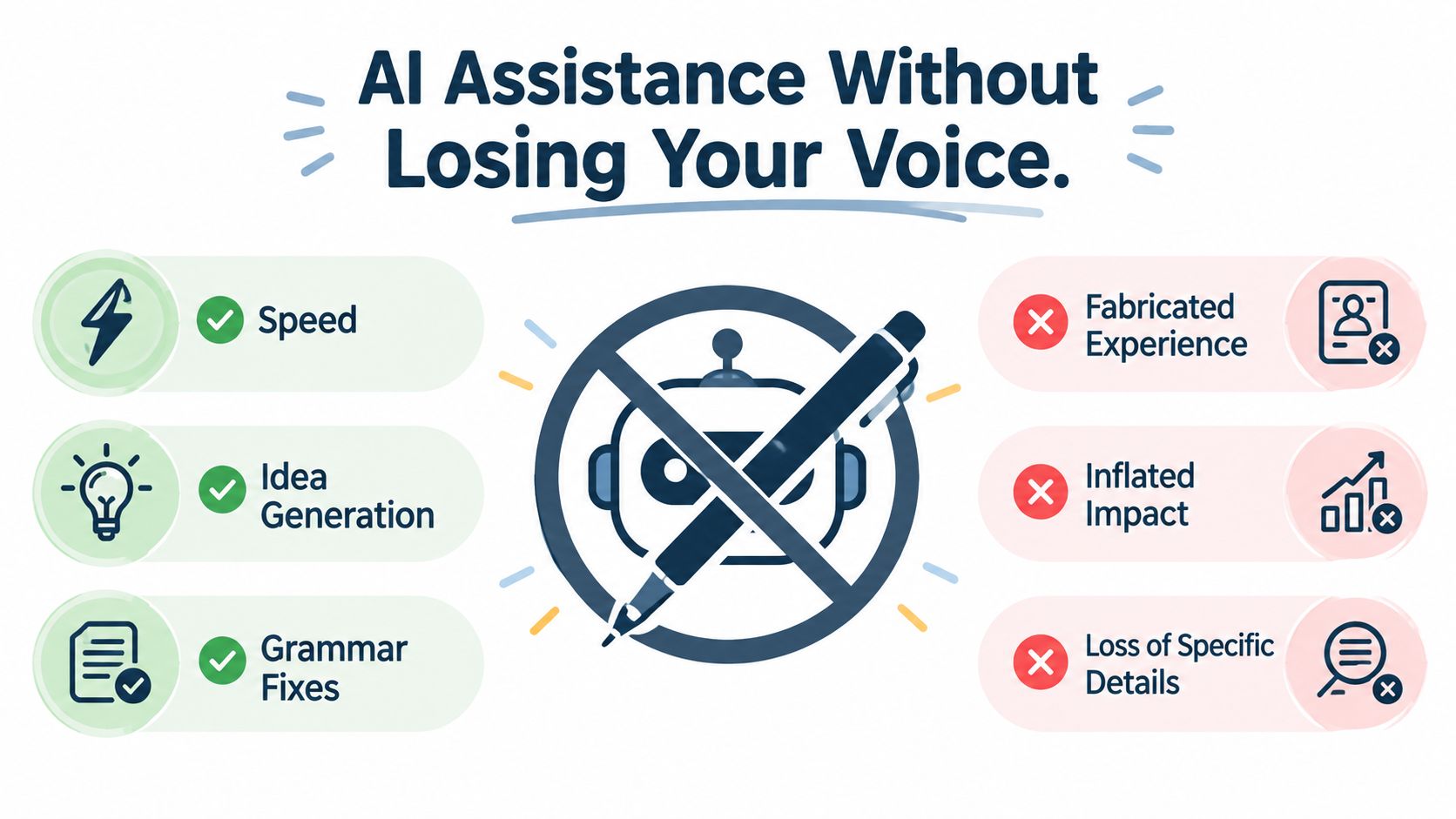
AI is useful when it reduces blank-page friction. It becomes dangerous when it replaces your judgment.
The common failures are easy to spot after a few interviews. A tool invents a metric because the bullet sounds stronger with one. It turns “supported a migration” into “led a transformational migration.” It replaces a specific accomplishment with a polished sentence that could describe anyone in the industry.
A 2025 survey of 600 U.S. hiring managers found that 19.6% would reject a resume or cover letter they believed was AI-generated, while 33.5% said they could identify AI-generated material in under 20 seconds, according to TopResume's AI in hiring survey. The same source reports that 62% of employers considered uncustomized AI-generated resumes more likely to be rejected, based on responses from 925 U.S. HR workers.
What responsible assistance looks like
A trustworthy builder grounds suggestions in your imported profile, existing resume, or answers. It should let you approve each change and make unsupported claims easy to identify.
Look for these controls:
- Evidence grounding: Every bullet should trace back to an employer, project, skill, or responsibility you supplied.
- Claim control: The tool shouldn't invent employers, degrees, certifications, job titles, or performance results.
- Role alignment: Suggestions should reflect the target posting without repeating the same keyword unnaturally.
- Voice preservation: The final bullet should sound like a precise version of you, not a generic corporate narrator.
- Transparent editing: You should be able to see what changed and reject wording that overstates your contribution.
A match score can help you prioritize edits, but it shouldn't become a target to game. Exact job-language alignment is valuable when it accurately describes your work. Keyword stuffing makes the resume harder for a recruiter to trust and harder for you to discuss in an interview.
For candidates starting with a LinkedIn profile, this LinkedIn-to-resume workflow is a sensible model: use the profile as verified source material, then edit the result for the vacancy and your own voice.
A short demonstration can make the distinction clearer:
The strongest AI resume builder may produce less text. It should remove repetition, surface relevant evidence, and sharpen language without manufacturing a more impressive career.
Matching the Right Builder to Your Situation
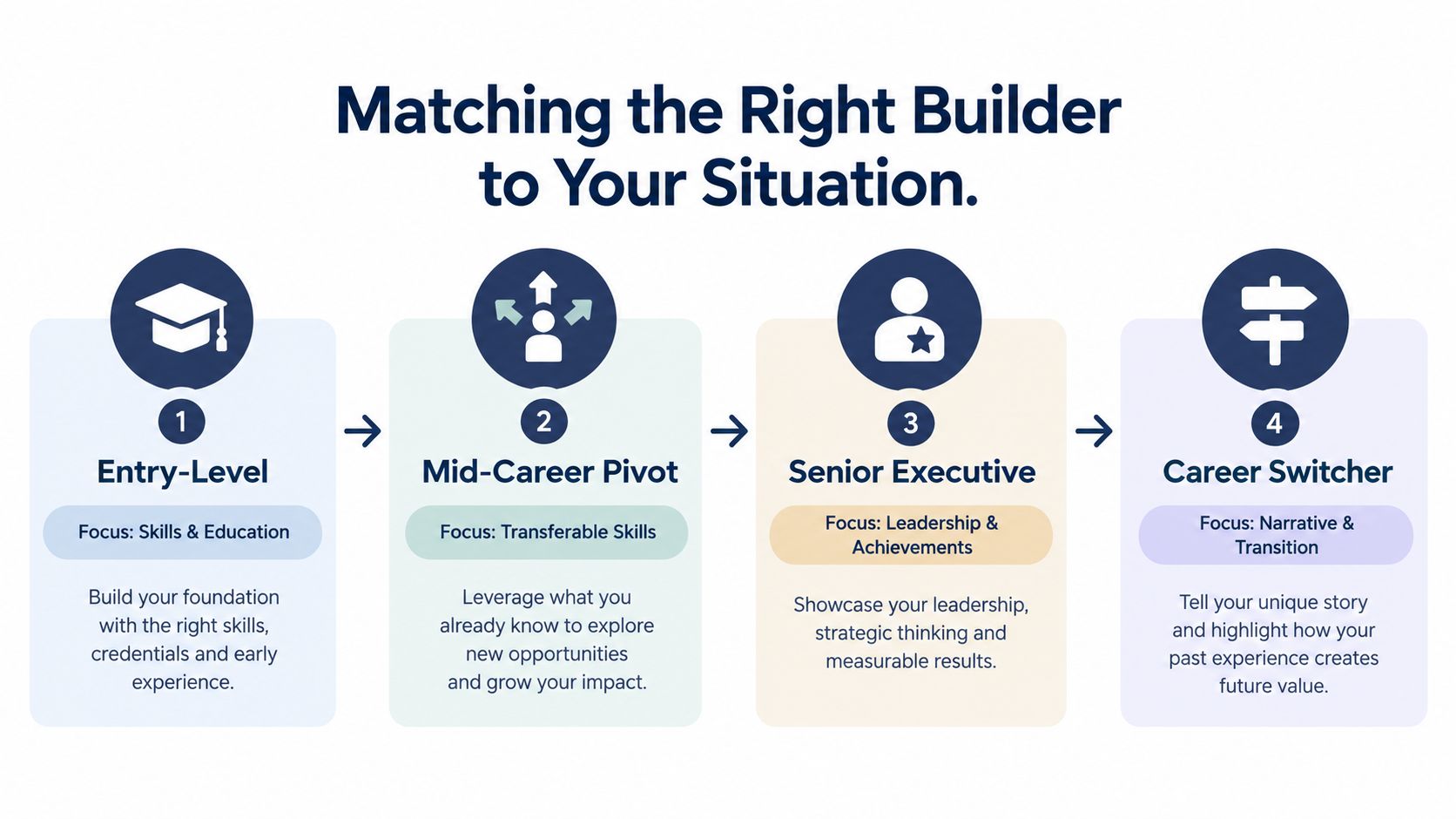
A first-job candidate and a senior executive have opposite resume problems. One needs credible structure with limited experience. The other needs ruthless selection from a long record. Giving both the same template solves neither problem.
First job
A recent graduate often has education, projects, internships, volunteer work, and skills but limited formal employment. A free template-based tool such as Google Docs or Canva can work if the candidate chooses one column, removes graphics, and manually mirrors relevant terminology from the posting.
The builder shouldn't invent impact. It should help organize evidence, clarify project ownership, and make coursework or practical work easy to find.
Mid-career pivot
A pivot candidate has a different challenge. Their experience is real, but the old industry's vocabulary may dominate the document. LinkedIn import can save time, while a tailoring workflow can select transferable skills and connect them to the new role.
A generic template fails because it treats every job as a formatting exercise. The candidate needs a controlled way to decide which achievements lead and which history becomes supporting context.
Senior executive
Executives need restraint. A dense career history can bury the leadership decisions, operating scope, transformations, and board-level responsibilities that matter to the target role.
A strong template product can help with hierarchy and visual clarity, but the candidate still needs to edit aggressively. Use an executive-friendly layout, then tailor the opening profile, leadership themes, and selected achievements to the mandate described in the posting.
Career switcher or returner
Career switchers need a narrative that explains the transition without apologizing for it. Return-to-work candidates need to present current capabilities while handling gaps directly and calmly.
A job-description-driven workflow is the right fit here because it can compare the target requirements with verified experience instead of recycling a master document. The resume tailoring guide offers the right principle: tailor the evidence, not the truth.
Honest Picks for Every Type of Job Seeker
There isn't one universal winner. The best resume builder depends on the amount of source material you have, how often your target changes, and how much risk your formatting creates.
| Candidate Type | Recommended Builder | Why This Pick |
|---|---|---|
| First-job candidate | Google Docs or Canva with a conservative template | Low cost, easy editing, and enough control for a simple ATS-safe resume |
| Mid-career professional staying in the same field | Resume.io or a LinkedIn-import tool | Fast setup, familiar structure, and useful support for refreshing existing experience |
| Career switcher | GetTheCall | Imports verified history and maps it to a specific job rather than relying on a static master resume |
| Senior executive | A restrained professional builder or a specialist writer | Preserves hierarchy while allowing careful selection of leadership evidence |
For a first job
Use Google Docs or Canva if your budget is tight. Pick a plain single-column template, write the document yourself, and mirror only the relevant language from each posting. Don't pay for artificial sophistication when your real need is clear evidence from projects, education, internships, and skills.
For a mid-career search
Resume.io is a practical choice for someone staying in the same profession and needing a refreshed document quickly. A LinkedIn-import tool is also sensible when the existing profile contains accurate dates and responsibilities. Review every imported field, then remove broad claims that don't help with the target role.
For a pivot or executive search
Generic builders break down here. A career switcher needs to translate transferable experience without inventing direct experience. An executive needs to select a small set of achievements that fit the mandate, not paste an entire career history into a decorative template.
GetTheCall imports a LinkedIn profile or existing resume, analyzes a target listing, maps relevant experience and skills to the role, provides live fit feedback, and exports a professional PDF. It's the category I'd choose when every application needs deliberate tailoring and every claim must remain defensible.
Skip builders entirely when your career is unusually complex, your application requires a highly specific academic or federal format, or your resume needs deep strategic rewriting rather than document production. In those cases, write from scratch or hire a qualified resume writer, then validate the final file for structure and plain-text readability.
The tool offers LinkedIn and resume import, job-specific tailoring, live role-match feedback, ATS-focused templates, and PDF export, with a free option and a defined Pro access period rather than an auto-renewing subscription. Visit GetTheCall to turn your verified career history into a targeted resume before your next application.