The 7 Best ATS Resume Tools to Land More Interviews
Find the best ATS resume tool for your job search. We compare 7 top builders and scanners to help you create a resume that beats the bots and lands interviews.
Before a recruiter sees your resume, a machine may already have decided whether it can read and rank it. In a 2026 anonymized scan study, enterprise ATS platforms failed to parse nearly one in four resumes correctly, with failure rates ranging from 34.1% in Oracle Taleo to 11.2% in Lever (ATSChecker's 2026 study). The same study found formatting issues in 62% of submitted resumes, while the average job-specific match score was 58 out of 100.
That means a strong career history can still disappear behind broken structure, missing role language, or an unreadable file. The best ATS resume tools don't just add keywords. They help you translate real experience into a format that software can parse and a hiring manager can understand quickly. This guide compares seven tools by workflow, not just by feature count, so you can choose the right option for speed, deep analysis, or complete job-search organization.
Table of Contents
- 1. GetTheCall
- 2. Jobscan
- 3. ResyMatch.io by Cultivated Culture
- 4. Resume Worded
- 5. Rezi
- 6. SkillSyncer
- 7. Teal
- Top 7 ATS Resume Tools Comparison
- From an Optimized Resume to Your Next Interview
1. GetTheCall
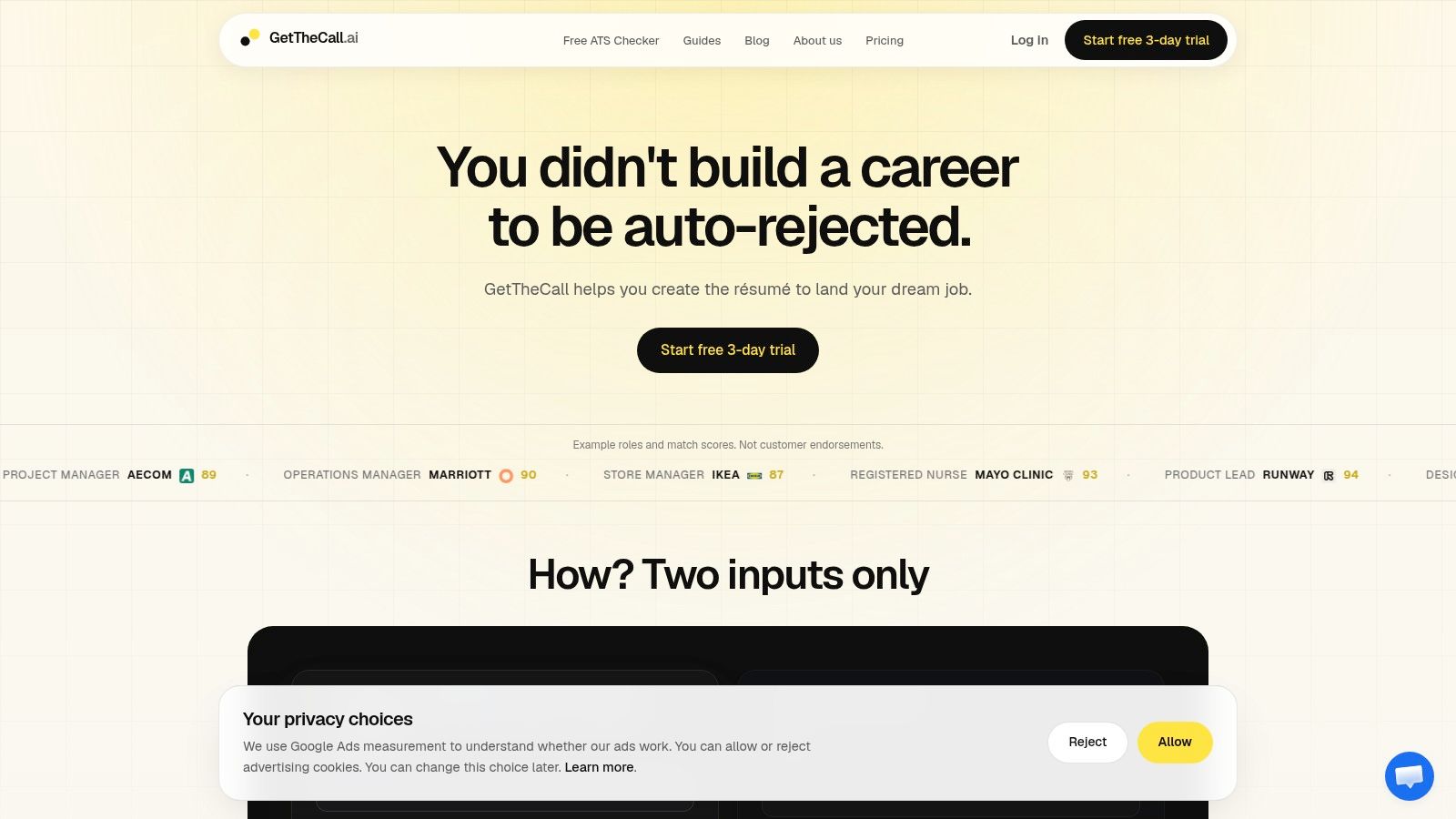
GetTheCall is the strongest choice for job seekers who want to move from job listing to customized, submission-ready resume without stitching together several apps. You can import a LinkedIn profile, upload a PDF or DOCX, and paste a job listing or listing URL. The platform then identifies the role's skills and responsibilities and generates resume suggestions based on your verified experience.
That last point matters. GetTheCall reframes what you've already done instead of inventing roles, tools, or accomplishments. You can accept, edit, or reject suggestions while a live ATS Role Match score updates as you improve the resume. This turns tailoring from guesswork into an editing workflow with visible feedback.
Best for repeatable, evidence-based tailoring
A key advantage is speed across multiple applications. Instead of copying a job description into one tool, rewriting bullets in another, and formatting the final file somewhere else, GetTheCall connects import, analysis, rewriting, design, and export in one workflow. Its 20+ ATS-friendly templates let you switch styles without rebuilding the content, and its PDF export produces a polished file ready for submission.
The free ATS resume checker is useful when you only need to identify parsing or formatting problems. Pro adds the live Role Match experience, advanced templates, and sharing tools for comments and feedback. The site presents a one-time $49 USD payment for lifetime access, alongside a three-day trial that requires a card, and also references a non-renewing Pro pass model. Check the current terms before buying because product pricing can change.
Practical rule: Use the score to find gaps, not to justify stuffing every possible keyword into your resume.
GetTheCall suits mid-career professionals, career changers, students, coaches, and anyone applying to several roles with overlapping but different requirements. It won't create evidence you don't have, and a stronger match score won't guarantee an interview. The tool works best when your LinkedIn profile or existing resume contains complete, accurate career information.
Pros
- Job-specific matching: Tailors content to the target posting and shows a live Role Match score.
- Fast production: Imports LinkedIn or resume files, prioritizes rewrites, and exports a finished PDF.
- Truthful AI assistance: Uses verified experience rather than fabricating skills or employment.
- Simple payment model: Offers a free checker, trial access, and a non-recurring Pro option as listed on the site.
Cons
- Core features require Pro: Live scoring, advanced templates, and sharing aren't all available for free.
- Trial commitment: The trial requires a card, so review the terms before starting.
- No interview promise: Better alignment improves readiness, but hiring decisions still depend on qualifications and competition.
Visit GetTheCall if you want one workflow for analyzing, tailoring, formatting, and exporting a job-specific resume.
2. Jobscan
Jobscan is a practical fit for applicants who already have a resume and want a detailed comparison against a specific job posting. Its central workflow is simple: paste the listing, upload your resume, review the Match Rate report, and work through the missing terms and formatting warnings. The tool can also detect the ATS associated with many job postings and adjust its guidance accordingly.
That ATS-specific angle helps when you're applying through different hiring systems. A resume that parses cleanly in one platform may behave differently in another, so Jobscan's warnings about columns, headers, footers, and file formats can give you a useful technical review before submission.
Best for a diagnostic report
Jobscan highlights missing hard skills, soft skills, job titles, and keywords rather than leaving you to compare two documents manually. Its broader platform includes an ATS-friendly resume builder, LinkedIn optimization, a job tracker, and Auto Apply features. That makes it more than a scanner, although the Match Rate report remains the reason most users start there.
Use it when you want to preserve control over the writing. Jobscan identifies gaps, but you still need to decide whether each suggested term accurately reflects your background. A keyword that appears in the posting shouldn't be added solely because the software flags it.
The trade-off is access. Free scans are limited, and deeper features sit behind paid plans or trials. If you're applying occasionally, the free experience may be enough for occasional checks. If you're tailoring repeatedly, the wider workflow can justify a paid plan.
Pros
- Clear gap analysis: Shows missing role language and skills in a way that's easy to act on.
- ATS awareness: Offers system-specific formatting guidance on many postings.
- Broader job tools: Combines scanning with building, LinkedIn review, and tracking.
Cons
- Limited free usage: Regular scanning can push you toward a paid plan.
- Manual judgment remains essential: The report can't verify whether a keyword reflects genuine experience.
Explore Jobscan if your priority is a structured comparison report before you apply.
3. ResyMatch.io by Cultivated Culture
ResyMatch.io is the no-cost starting point for a quick ATS review. Upload your resume, paste a job description, or load the job from a URL, and the scanner returns a keyword comparison with resume best-practice guidance. The workflow is deliberately lightweight, which makes it useful when you don't need another full resume platform.
The tool is particularly helpful for a first pass. You can see whether the language in your resume reflects the role, identify obvious gaps, and review educational guidance on ATS-friendly structure. It doesn't try to replace careful editing or career strategy, and that restraint is part of its appeal.
Best for a fast pre-application check
ResyMatch.io works well for students, early-career applicants, and job seekers who want a free diagnostic before investing time in a full rewrite. It's also useful when you have a resume you generally like and only need to compare it with one new posting.
The limitation is workflow depth. The scanner doesn't offer the robust builder, job tracker, or integrated tailoring experience found in broader platforms. You'll need to make the edits yourself in Word, Google Docs, or another resume editor, then return for another review if you want to check the result.
That manual step can be a strength for experienced writers. It keeps you close to the evidence behind each bullet and reduces the temptation to accept generic AI language. It's less convenient if you're applying to many roles and want one tool to manage every version.
Pros
- Free entry point: Provides a useful starting diagnostic without requiring a paid suite.
- Simple process: Requires little setup and delivers quick keyword and structure feedback.
- Job URL support: Pulls requirements directly from the original listing when available.
Cons
- Limited editing workflow: It isn't a complete resume builder or application tracker.
- Less depth: Applicants seeking detailed rewrites or ongoing version management will need another tool.
Try ResyMatch.io by Cultivated Culture when you want a simple, free check before sending an application.
4. Resume Worded
Resume Worded takes a coaching-oriented approach. It grades resumes and LinkedIn profiles with an ATS-style score, runs 30+ automated checks, and provides itemized feedback on areas such as achievement strength, keyword phrasing, and clarity. Instead of only saying that a section is weak, it gives examples and templates that help you rewrite individual lines.
That line-by-line focus makes Resume Worded valuable for applicants who know their history but struggle to present it sharply. You can analyze a resume against a particular job description, then use the feedback library to improve bullets rather than accepting a complete rewrite that may sound generic.
Best for guided rewriting
The platform covers both resume and LinkedIn optimization, which is useful when your application materials need to tell the same professional story. A recruiter may encounter your resume first, then review your LinkedIn profile, so inconsistent titles, skills, or positioning can create avoidable friction.
Resume Worded's scores should be treated as directional feedback, not a hiring prediction. The checks can point you toward clearer accomplishments and better role alignment, but they can't determine whether your experience is competitive for a specific position. You still need to verify every suggested phrase.
Some features and higher usage levels are paywalled, and pricing or full access may require logging in. That makes it less transparent for users who want to compare costs before creating an account.
Pros
- Actionable feedback: Breaks improvement into specific edits instead of vague advice.
- Dual optimization: Reviews both resumes and LinkedIn profiles.
- Example-driven coaching: Offers models for stronger bullets and presentation.
Cons
- Paid limits: More extensive use and features require an upgrade.
- Access transparency: You may need to log in to see complete feature or pricing details.
Use Resume Worded if you want structured coaching while rewriting both your resume and LinkedIn profile.
5. Rezi
Rezi is built around an ATS-first resume creation workflow. Rather than starting with a visually elaborate template and hoping the text remains readable, you build inside structured layouts designed to reduce common formatting risks. Its Compact, Standard, and Modern templates support a controlled writing process, while real-time content analysis helps you review the document as you build it.
The platform's Rezi Score and AI Keyword Targeting features focus on tailoring content to a job description. You can use the target posting to identify relevant language, then revise the resume within the builder instead of moving between a scanner and a separate document editor.
Best for building from scratch
Rezi is a good option when your current resume needs more than small corrections. Its structured editor can help applicants who aren't confident with formatting, especially those who tend to create crowded layouts or place important information in design elements that ATS software may misread.
Exports include DOCX and PDF, with Google Drive support also available. A lifetime one-time purchase option provides an alternative to subscriptions, although the free plan is restrictive and limits resume creation or downloads. The useful workflow usually sits behind Pro or other paid tiers.
Rezi's strongest feature is control. It makes ATS-safe construction easier, but it won't know which achievements deserve emphasis unless you provide enough accurate detail. AI can help phrase a bullet, but you should check that the result preserves the scope, tools, and outcome of your actual work.
Pros
- Structured templates: Reduces formatting choices that can interfere with parsing.
- Role targeting: Uses a score and keyword tools to support job-specific editing.
- Export flexibility: Supports both DOCX and PDF, plus Google Drive export.
- Lifetime option: Offers a one-time purchase alternative to recurring billing.
Cons
- Restrictive free plan: Creation and download limits can make serious use difficult.
- Paid feature dependency: Advanced analysis and writing support require an upgrade.
Choose Rezi if you need an ATS-oriented builder rather than a scanner layered onto an existing document.
6. SkillSyncer
SkillSyncer focuses on one job at a time. Paste a job description, run the scan, review the match score and missing terms, then use Smart Scan to connect each issue to the relevant resume section. That last step cuts down the friction of hunting through a long document to find where a keyword or skill belongs.
The built-in ATS-oriented editor lets you make changes and export the result as a PDF. DOCX export is available on Premium. Because the scanner, editor, and export workflow sit together, SkillSyncer is more efficient than a tool that only produces a report and sends you elsewhere to edit.
Best for affordable application-by-application tailoring
SkillSyncer has a meaningful free tier and competitive paid options, making it attractive to applicants who want focused tailoring without committing to a broad job-search platform. It's especially useful when you have a stable master resume and need to adjust it for different postings.
The score can create false confidence if you accept every suggested keyword. Users have reported occasional false-positive matches, so manual review is necessary. A term may appear relevant to the algorithm but still be inaccurate, too broad, or unsupported by your experience.
A strong workflow is to use Smart Scan as a map, then rewrite only the sections where the posting directly overlaps with your background. Keep the bullet readable and include evidence of what you did, not just the term itself.
Pros
- Section-level fixes: Smart Scan links findings to the place where you can correct them.
- Integrated editing: Scan, revise, and export without juggling separate applications.
- Accessible pricing: The free tier and paid options suit focused job-by-job use.
Cons
- False positives: Suggested matches still need human validation.
- Export limits: DOCX support is reserved for Premium.
Try SkillSyncer if you want a focused tailoring loop with direct links from keyword findings to resume sections.
7. Teal
Teal is the broadest job-search workflow in this list. Its free ATS-friendly resume builder works alongside a job tracker and Chrome extension, so you can save roles, organize applications, and maintain different resume versions from one workspace. Basic keyword matching is available for free, while Teal+ provides full keyword surfacing and unlimited AI bullet generation.
That combination makes Teal less about perfecting one resume in isolation and more about managing a sustained search. If you're applying to several roles, the tracker helps preserve the job description and application context instead of forcing you to reconstruct your process later.
Best for organizing a high-volume search
Teal's builder includes ATS-aware templates and formatting guidance, while the job tracker helps you connect each application to an adapted version. The Chrome extension is useful for saving postings as you browse, particularly when your search spans multiple job boards and company career pages.
The free tier is generous enough for applicants who mainly need a builder, tracker, and basic matching. The trade-off appears when you want the complete keyword list or unlimited AI-assisted bullet writing. Those features sit behind a Teal+ subscription, so frequent tailoring may require paid access.
Teal is most effective when organization is your bottleneck. It won't replace judgment about which roles fit your experience, and AI-generated bullets still need fact-checking. Use the platform to maintain consistency and speed, then edit every bullet until it sounds like you.
Pros
- Strong free workflow: Combines a resume builder, job tracker, and browser extension.
- Application organization: Makes it easier to manage versions and saved postings.
- Scalable tailoring: Teal+ adds broader keyword surfacing and unlimited AI bullet generation.
Cons
- Advanced features are paid: Full keyword lists and unlimited rewrites require Teal+.
- More than some users need: Applicants applying selectively may prefer a lightweight scanner.
Explore Teal's resume builder if your main challenge is keeping a large, organized application pipeline.
Top 7 ATS Resume Tools Comparison
| Tool | Implementation complexity 🔄 | Resource requirements ⚡ | Expected outcomes 📊⭐ | Ideal use cases 💡 | Key advantages ⭐ |
|---|---|---|---|---|---|
| GetTheCall | 🔄 Low, automated import, live suggestions; Pro features gated | ⚡ Low, LinkedIn/PDF input; free checker + one‑time $49 Pro option | 📊 High measurable ATS fit; ⭐⭐⭐⭐, live Role Match score shows improvement | 💡 Fast, repeatable tailoring for mid‑career, career changers, students, coaches | ⭐ Evidence‑based tailoring; end‑to‑end workflow; live Role Match |
| Jobscan | 🔄 Medium, scanner + builder + ATS detection; some manual edits | ⚡ Moderate, free scans limited; subscription unlocks depth | 📊 Strong keyword & ATS‑specific fixes; ⭐⭐⭐⭐, Match Rate guidance | 💡 Applicants who need ATS detection and prioritized gap lists | ⭐ ATS detection; clear Match Rate report; broad feature set |
| ResyMatch.io | 🔄 Very Low, upload + quick analysis | ⚡ Very Low, genuinely free; no heavy resources | 📊 Basic keyword/ATS compliance check; ⭐⭐⭐, quick diagnostics | 💡 Rapid, no‑cost pre‑apply scan | ⭐ Free scanner; minimal learning curve |
| Resume Worded | 🔄 Medium, graders, many automated checks, template library | ⚡ Low–Moderate, free checks with paywalled tiers | 📊 Actionable, itemized fixes for résumé/LinkedIn; ⭐⭐⭐⭐ | 💡 Line‑by‑line improvement for résumé and LinkedIn profiles | ⭐ 30+ recruiter‑informed checks; combined résumé + LinkedIn focus |
| Rezi | 🔄 Medium, AI builder with real‑time analysis and scoring | ⚡ Moderate, restrictive free tier; lifetime plan available | 📊 Strong ATS‑safe formatting and keyword targeting; ⭐⭐⭐⭐ | 💡 Users who prioritize ATS‑safe templates and export control | ⭐ ATS‑first templates; Rezi Score; lifetime purchase option |
| SkillSyncer | 🔄 Low–Medium, focused scanner with on‑platform editor | ⚡ Low, meaningful free tier; premium for DOCX/advanced exports | 📊 Good live match scoring; ⭐⭐⭐, smart scan highlights gaps | 💡 Affordable job‑by‑job tailoring without many tools | ⭐ Smart Scan linking issues to resume sections; competitive pricing |
| Teal | 🔄 Medium, builder + tracker + Chrome extension workflow | ⚡ Low, generous free tier; Teal+ for full keyword/AI features | 📊 Useful for volume applications and organization; ⭐⭐⭐ | 💡 Jobseekers managing many applications and résumé variants | ⭐ Integrated tracker + builder + extension; strong free workflow |
From an Optimized Resume to Your Next Interview
Choosing the best ATS resume tool isn't about finding a magic bullet. It's about choosing a workflow that helps you make accurate, job-specific improvements without sacrificing human readability. The technical side matters because ATS systems can lose information when resumes use tables, columns, graphics, headers, or footers. The U.S. Department of Labor's Veterans' Employment and Training Service recommends simple chronological or combination formats and advises job seekers to use keywords from the posting in achievement statements, repeat important terms in the experience section, and write full terms alongside abbreviations when useful, such as Search Engine Optimization (SEO) (U.S. Department of Labor resume guidance).
The content side matters just as much. A job-specific term has value when it appears beside credible proof of your work. Independent ATS keyword guidance recommends prioritizing the top 15 to 35 requirements from a job description, usually separating roughly 10 to 20 must-have items from 5 to 15 supporting items (Jobwizard's keyword matching guidance). You don't need to repeat every phrase. You need to identify the requirements that match your background and place them where both software and people can understand them.
A useful editing test is straightforward. Can the ATS extract your job title, employer, dates, skills, and achievements in the correct order? Can a hiring manager understand your fit after a quick scan? If the answer to either question is no, change the structure or wording before you apply.
Choose your tool based on your search style:
- GetTheCall works best for fast, repeatable, evidence-based tailoring from import through PDF export.
- Jobscan suits applicants who want a detailed comparison report and ATS-specific guidance.
- ResyMatch.io is the best lightweight free diagnostic.
- Resume Worded helps with guided, line-by-line resume and LinkedIn improvements.
- Rezi fits applicants building a new resume inside an ATS-oriented editor.
- SkillSyncer supports focused, section-level tailoring for individual postings.
- Teal is strongest for managing many applications and resume versions.
Pick one tool, run your resume against a real target posting, and make only the changes you can support with your experience. The goal isn't to impress a score. The goal is to make your qualifications easy to parse, easy to trust, and easy for a recruiter to advance.
GetTheCall turns your LinkedIn profile or existing resume into a job-specific, ATS-optimized PDF, with prioritized suggestions, ATS checks, professional templates, and a live Role Match score as you edit. Visit GetTheCall to tailor your next application faster while keeping every claim grounded in your real experience.