ATS Resume Parser Explained and How to Beat It
Learn how an ATS resume parser extracts skills and dates, why it fails, and how to make your resume parsing-friendly to land more interviews.
You submit a resume for a role that seems made for you. The experience is relevant, the achievements are clear, and the document looks polished on screen. Then the application disappears into silence. No recruiter opens it, and no person explains why.
Sometimes that silence has nothing to do with your qualifications. Your resume may have reached an ATS resume parser, the software that reads uploaded applications before recruiters search or review them. If the parser can't identify your job titles, dates, skills, or employers, your experience may be stored incorrectly or left out of the searchable candidate profile.
There's a second problem, too. A resume can be perfectly readable and still use language that doesn't match the job description closely enough. Think of the process as translation: first, the system must translate your document into usable fields. Then it compares the translated content with the employer's language.
That distinction matters for experienced professionals, career switchers, recent graduates, and people returning to work. You don't need to become a software engineer or rebuild your entire career around keywords. You need a clear document, truthful wording, and a repeatable way to check both the mechanics and the meaning.
Table of Contents
- Introduction Why Your Great Resume Might Never Get Seen
- What an ATS Resume Parser Actually Does
- How Parsers Read Names Dates Skills and Job Titles
- Why Resumes Fail to Parse Common Formatting Traps
- The Hidden Problem Your Words Do Not Match the Job
- How to Create a Parsing Friendly Resume With GetTheCall
- Final Checklist Before You Hit Submit
Introduction Why Your Great Resume Might Never Get Seen
You submit a resume that matches the role, then receive no response. The experience is relevant, the achievements are clear, and the document looks polished on your screen. Yet a recruiter may never see the information in the form you intended.
The problem can begin with translation. An ATS resume parser converts your visual document into fields that a hiring system can store and search. Columns, floating text, graphics, or unusual placement can cause mechanical extraction errors. A parser may separate a job title from its employer, attach dates to the wrong position, or miss text inside an image.
Language creates a second translation gap. Your resume can be easy to read while using terms that do not match the employer's description. For example, a hiring team may search for a specific job title, tool, or responsibility, while your resume uses a truthful but less recognizable alternative. The software may then fail to connect related meaning.
A 2026 study of 2,417 anonymized resume scans reported formatting issues in 62% of submitted resumes and an average job-specific match score of 58 out of 100. It also reported that enterprise ATS platforms failed to parse nearly one in four resumes correctly, according to the 2026 ATS resume study.
The parser does not decide your whole career outcome. Recruiters, hiring managers, screening questions, location requirements, and internal hiring steps also affect the result. Still, the parsed candidate record may determine what recruiters can find, filter, and review. If key information enters the wrong field, strong qualifications can become difficult to locate.
The reassuring part: ATS compatibility is a translation problem with practical fixes.
Use one workflow for both sides of the problem. First, check whether the software extracts your text in the correct order. Then compare your wording with the target role and adjust it truthfully. GetTheCall can support this review by checking document readability and job-specific language together. A clean layout cannot rescue irrelevant wording, and strong keywords cannot help if the parser cannot read them.
What an ATS Resume Parser Actually Does
An Applicant Tracking System, or ATS, helps an employer collect and organize applications. It can receive resumes from a careers page, job board, or email and store them alongside application answers and recruiter notes.
The parser is the part that translates your document. A resume arrives as an unstructured file, usually a DOCX or PDF. The software tries to identify meaningful pieces of information and place them into structured fields such as name, contact details, employers, job titles, dates, education, certifications, and skills.
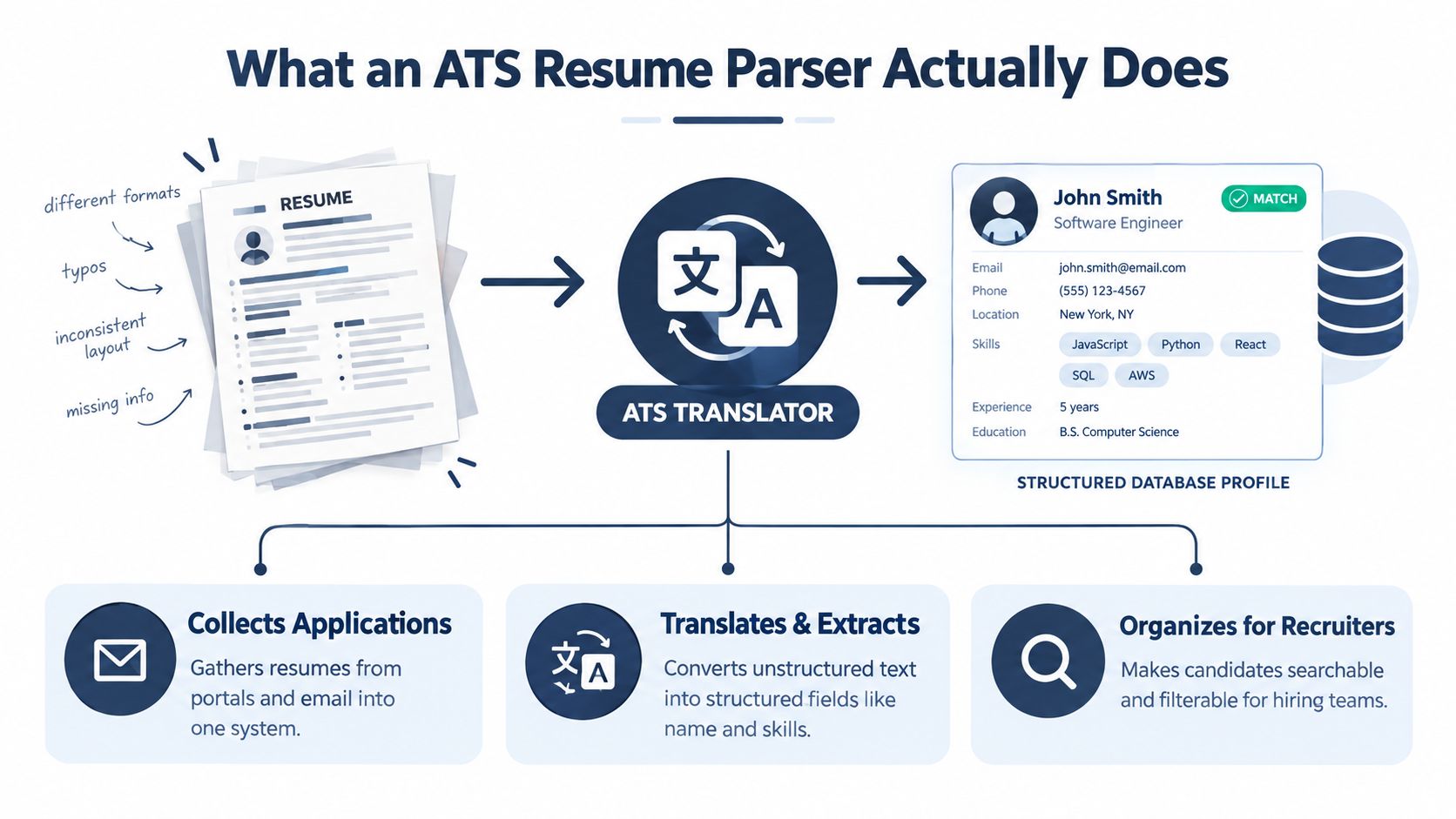
Parsing works like translation
Imagine handing a resume written in a visual language to someone who only understands a structured database. You can see that a title sits beside a company name and that a date belongs to a particular role. The parser can't rely on human intuition. It extracts text, follows reading order, detects familiar headings, and assigns meaning based on patterns.
A simplified version of the process looks like this:
- The system receives the file. It identifies the document type and attempts to access selectable text.
- The parser extracts content. It reads words, symbols, headings, and dates from the file.
- The system classifies the content. It maps information to fields such as Work Experience, Education, and Skills.
- The ATS stores a candidate profile. Recruiters can then search or filter the information.
Parsing is the translation step. Keyword matching can only work with the words that translation successfully preserves.
A parser isn't necessarily making a final hiring decision. Different employers configure their systems differently, and some use additional screening questions or review steps. Still, clean extraction is important because recruiters often search the structured profile rather than manually inspect every uploaded file.
The ATS resume format guidance from ResumeAdapter describes the core requirement clearly: parsers work best with a simple reading order, a single-column layout, text-selectable content, standard headings, and no tables, text boxes, icons, or image-based information. Those choices reduce the number of guesses the software must make.
How Parsers Read Names Dates Skills and Job Titles
The parser doesn't read a resume exactly as a person does. It looks for patterns that help it classify information. Standard headings and predictable placement give those patterns a clearer signal.
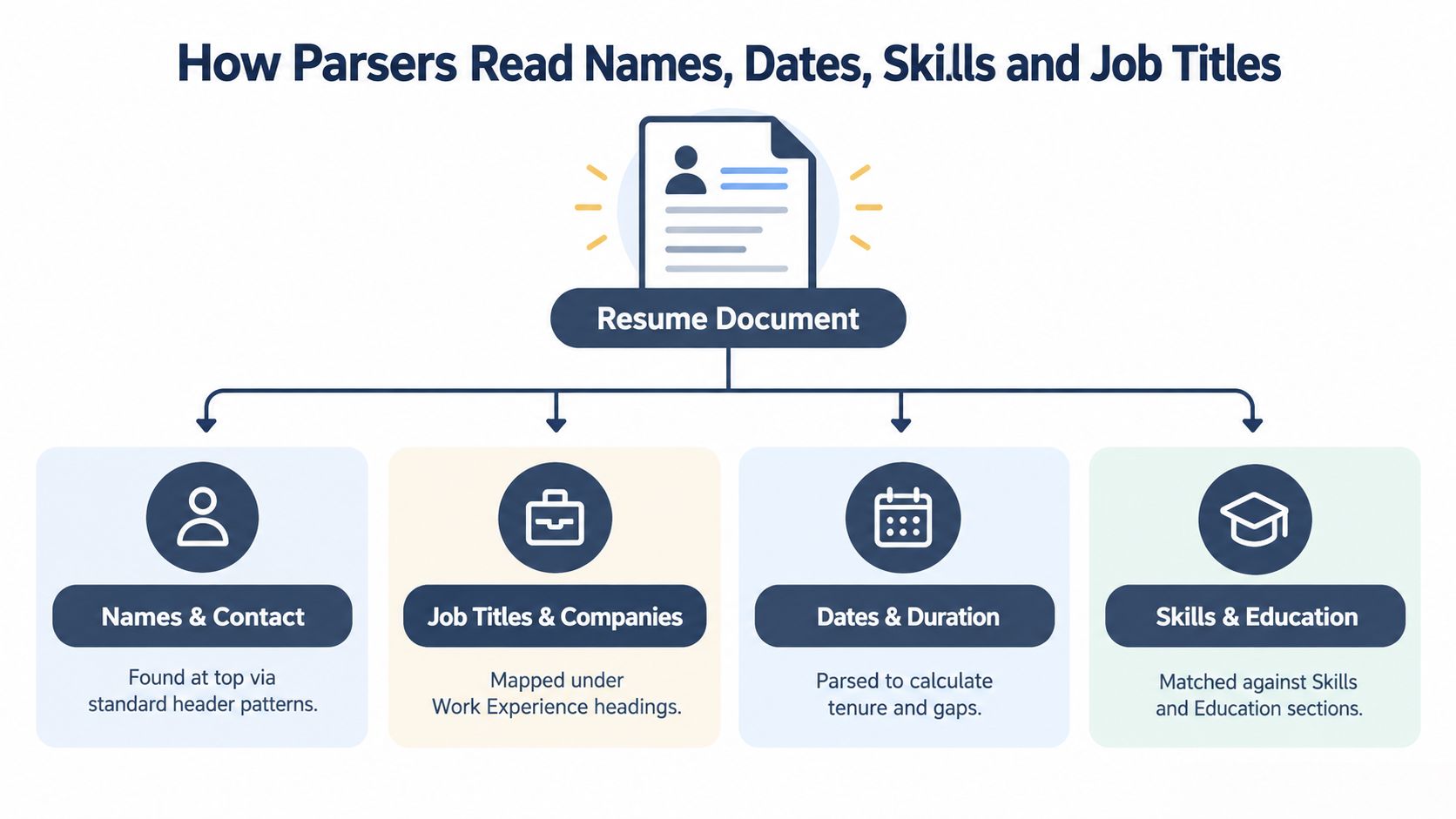
Names and contact details
Your name usually belongs at the top of the document in ordinary text. Contact details should also remain selectable text, not an image, decorative banner, or graphic. If the parser extracts a phone number or email address incorrectly, the employer may still have your original file, but the candidate record can become incomplete.
Keep the top area simple. A name, city and region if relevant, phone number, email address, and professional profile link are easier to identify than the same information spread across floating elements.
Job titles and employers
Under a heading such as Work Experience, the parser looks for repeated patterns. A recognizable job title, company name, location, and date range provide useful signals about the relationship between a role and its employer.
For example, a plain structure such as this is easier to interpret:
- Marketing Manager, Northstar Media
- January 2022 to Present
- Achievement and responsibility bullets
The exact wording of your bullet points still matters, but the surrounding structure helps the parser decide which company and dates belong to which role. Promotions deserve particular care. If you held two distinct titles at one employer, separate them clearly so the system doesn't merge the entire period into one ambiguous position.
Dates and duration
Dates help the ATS build a career timeline and estimate the length of each position. Inconsistent formats can make that calculation harder. Use a consistent pattern throughout your resume, such as January 2022 to Present or 2022 to Present, rather than changing formats from role to role.
The ATS format recommendations from ResumeOptimizerPro also warn that dates detached from the relevant role can confuse duration parsing. Put the date range close to the job title and employer, then use the same arrangement for every position.
Skills and education
Standard headings such as Skills and Education help the system map content into expected fields. A parser may recognize skills in experience bullets too, but a dedicated section makes important capabilities easier to find.
Use the terminology that describes your background. If a job asks for “project management” and your experience includes that work, use the phrase where it accurately fits. Don't replace a real skill with vague language to sound more creative.
The ATS statistics overview from ResumeAdapter identifies semantic mismatch as a major issue. It reports that the average resume contains only 46% of the keywords in its target job description, the median resume misses 5 keywords, and 72% miss at least one term marked critical. The lesson isn't to copy a posting. It's to make your real experience legible in the language employers use.
Why Resumes Fail to Parse Common Formatting Traps
A resume can look polished on screen yet become confusing after upload. A person may understand the intended hierarchy of a two-column page at a glance. An ATS resume parser reads text in an order set by the file structure, so it might finish the left column, jump to the right, and connect unrelated lines. The problem is a translation failure: the page's visual meaning does not survive conversion into machine-readable fields.
The 2026 ATS study identified two-column layouts as the top formatting error, appearing in 38% of resumes, with an associated 31% parsing failure rate. Platform results also differed. Oracle Taleo recorded 34.1%, Workday 28.3%, SAP SuccessFactors 26.4%, and iCIMS 22.7%, according to the platform-level ATS findings.
The layout traps to remove
- Two columns and tables: They can break the normal left-to-right, top-to-bottom sequence and attach a skill or date to the wrong role.
- Text boxes: Content inside them may sit outside the parser's usual text flow or fail to extract.
- Headers and footers: Contact details, page numbers, and qualifications placed there may be skipped.
- Graphics and icons: Software may ignore visual elements, including words embedded in images or icons.
- Scanned documents: An image-based PDF may contain a picture of the resume rather than selectable text.
- Decorative section names: Unusual labels can make Work Experience, Education, and Skills harder to classify.
File type and visual complexity affect the result together. Independent 2026 guidance reported a 4% parsing failure rate for plain DOCX files, compared with 18% for PDF files. It also found 93% parsing accuracy for single-column layouts versus 86% for two-column layouts. Images and graphics were associated with an 88% rejection rate in templates that ATS could not properly read, according to this ATS filtering and keyword screening analysis.
| Format or Layout | Parsing Failure or Accuracy | Takeaway |
|---|---|---|
| Plain DOCX | 4% failure rate | A dependable default when the posting does not specify another format |
| 18% failure rate | Use a clean, text-selectable PDF and check it before uploading | |
| Single column | 93% accuracy | Preserves a straightforward reading order |
| Two columns | 86% accuracy | Creates a greater risk of scrambled extraction |
| Images and graphics | 88% rejection rate in unreadable templates | Keep important information in ordinary text |
A separate guide recommends submitting .docx unless the job posting explicitly requests PDF, along with standard headings, one column, and no tables, text boxes, or graphics. Review this ATS-friendly resume guide before changing your structure.
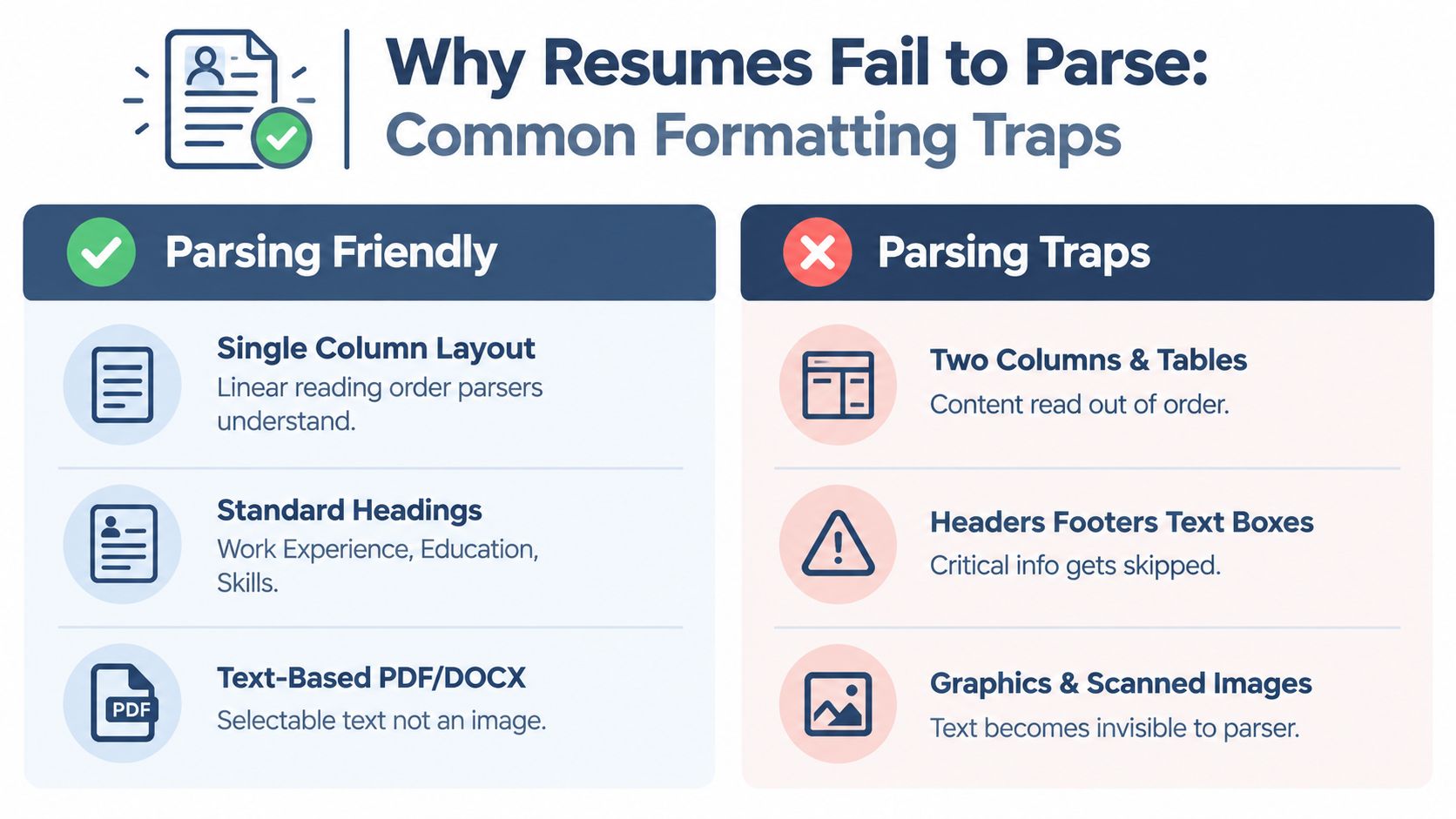
A visual reference can help diagnose a resume that looks correct in a word processor but exports poorly.
Run one quick check before submitting. Select and copy the resume, paste it into a plain-text editor, and inspect whether each section remains complete and logically ordered. If the name, dates, job titles, or skills become jumbled, simplify the layout first. Then review the wording separately, because a parser can extract text correctly and still miss a match when your terms do not reflect the job description.
The Hidden Problem Your Words Do Not Match the Job
Clean parsing solves only the first half of the problem. Once the ATS has extracted your information, it may compare that content with the job description. A resume can therefore be technically readable but still look less relevant because it describes familiar work using different terms.
Consider a career switcher who writes “managed projects” while the posting repeatedly uses “project management.” A human may understand the connection immediately. A keyword-focused system may give more weight to the exact phrase it has been configured to find.
Treat tailoring as honest translation
Tailoring doesn't mean stuffing every phrase from a job posting into your resume. It means translating your actual experience into language that accurately reflects the target role.
Start with the job description and separate terms into three groups:
- Required capabilities: Skills or qualifications you possess and can support with evidence.
- Responsibilities: Work you've performed, even if your previous title used different terminology.
- Context terms: Industry, tools, methods, customers, or environments that help explain your experience.
Then look for truthful places to use those terms. A bullet about coordinating schedules, budgets, vendors, and delivery milestones may support project management language if that description accurately represents the work. A recent graduate can do the same with coursework, internships, volunteer projects, or student leadership, without pretending those activities were paid employment.
The guide to tailoring a resume to a job description offers a useful principle: match the employer's language where it describes your real background, and leave out terms you can't defend in an interview.
Why the gap affects visibility
The 2026 data on keyword coverage shows that many resumes don't contain the language used in their target posting. Another 2026 summary reports that resumes matching 80% or more of a job description's keywords are 5 to 7 times more likely to lead to an interview than resumes matching below 60%, according to this ATS keyword matching summary.
Those figures don't guarantee an interview, because hiring outcomes depend on more than an ATS. They do show why formatting advice alone is incomplete. The parser needs to extract the content, and the content needs to communicate relevance in terms the employer recognizes.
How to Create a Parsing Friendly Resume With GetTheCall
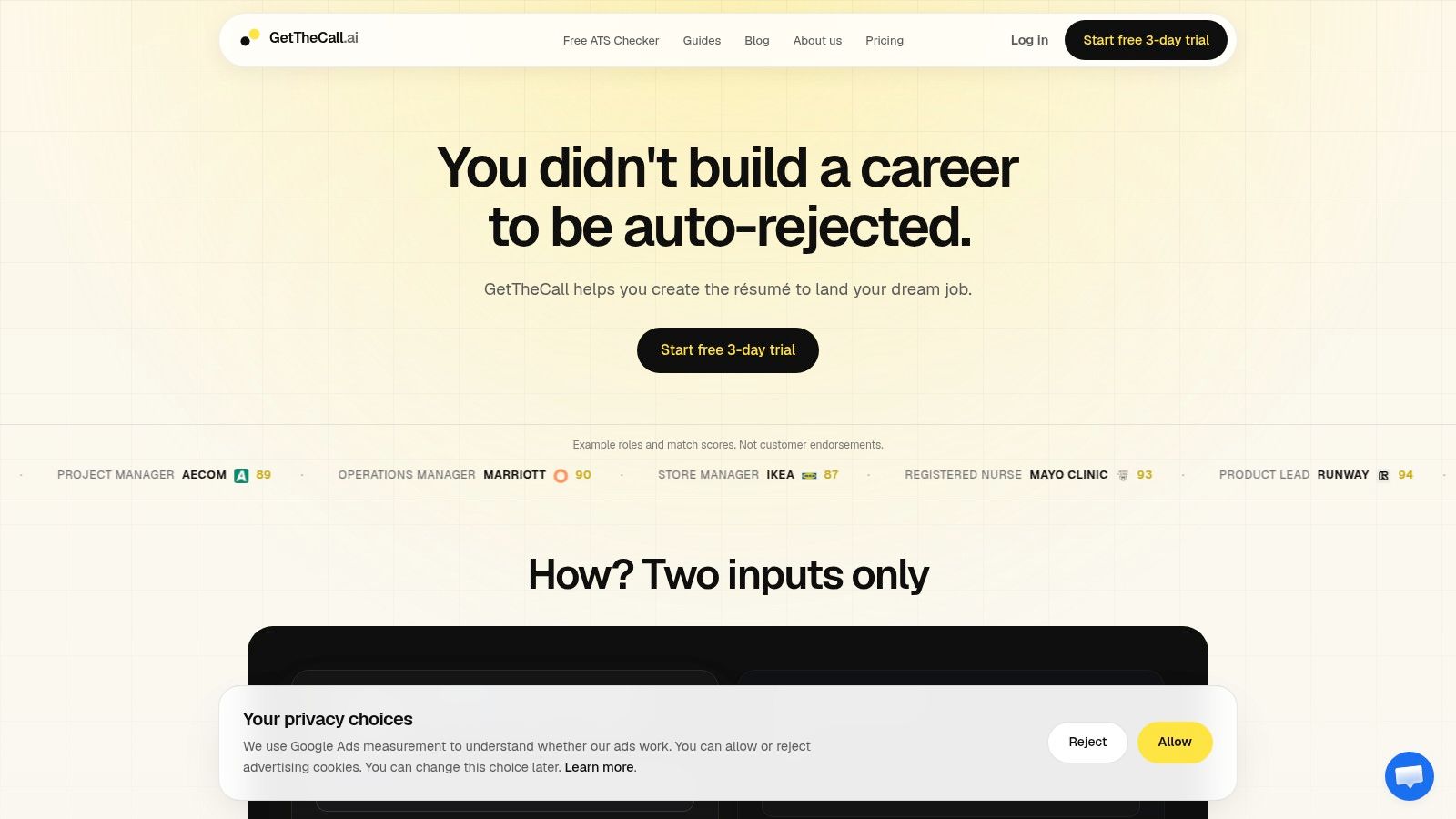
You can handle formatting and semantic alignment in one workflow rather than moving between a design app, a document editor, a keyword checker, and a PDF converter. GetTheCall can import a LinkedIn profile URL or an existing PDF, DOC, or DOCX file, then use that career history as the basis for a targeted resume.
Start with verified experience
Import your existing information first. Review the extracted roles, employers, dates, education, and skills before generating new content. This gives you a factual foundation and reduces the risk of adding an attractive phrase that you can't support.
Next, provide the target job listing. The workflow analyzes the posting for relevant responsibilities, skills, and terminology. You can then identify where your background overlaps and where the resume needs clearer wording.
Tailor, inspect, and export
Generate role-specific content from your existing experience, then review each suggestion as an editor. A strong bullet should make the connection between your work and the target role clearer, not invent a credential or inflate your responsibility.
The live ATS Role Match score updates as you edit, giving you a way to see whether the wording is becoming more aligned with the selected job. GetTheCall also offers 20+ ATS-aligned templates, one-click style switching, and high-quality PDF export. Its free ATS resume checker can help you inspect parsing and keyword issues before submission.
Use the result as a review signal, not a promise of hiring success. Confirm that the final file remains single-column, text-selectable, logically ordered, and truthful. A score can't replace your judgment about whether the resume sounds like you.
Final Checklist Before You Hit Submit
Before uploading, run through a short technical and content check:
- Reading order: The resume uses a single-column, top-to-bottom structure.
- Selectable text: You can select and copy the name, contact details, experience, education, and skills.
- Standard headings: Sections use familiar labels such as Work Experience, Education, and Skills.
- File choice: Submit a clean DOCX unless the posting requests PDF. If you use PDF, make sure the text is selectable.
- Placement: Essential information isn't hidden in headers, footers, text boxes, tables, icons, or graphics.
- Dates: Employment dates follow one consistent format and sit close to the relevant role.
- Job language: The resume includes accurate terms from the posting where they describe your real experience.
- Final review: Read the extracted text or use a match score to identify missing content and wording gaps.
An ATS-friendly resume isn't a magic template. It's a document that software can translate and a recruiter can skim quickly. Mechanical clarity and truthful semantic overlap work together. If either one fails, your qualifications become harder to find.
Test the file before you apply, especially when you changed the layout, exported a new PDF, or customized the resume for a different role. A few minutes of checking can reveal missing text, scrambled dates, or an important keyword gap while you still have time to fix it.
GetTheCall turns a LinkedIn profile or existing resume into a job-specific, ATS-oriented document, with target-job analysis, custom content, live role matching, and professional export options. Visit GetTheCall to check your resume, align it with a real job description, and prepare a readable version before you submit.