AI Resume Review Explained How It Works and How to Use It
Learn what AI resume review is, how it scores your resume, and how to use live feedback to improve ATS fit without losing your voice.
You send an application you feel good about. The experience is real. The resume looks polished. You even had a friend read it.
Then nothing happens.
That silence usually doesn't mean you're unqualified. More often, it means your resume didn't become visible in the way that hiring systems and recruiters needed it to. That's where AI resume review becomes useful. Not as a magic judge, and not as a fake promise that one score guarantees interviews. It works better as a second pair of eyes that checks how your resume reads to software first, and to humans right after.
A good AI review can show you whether your wording matches the role, whether your format is easy to parse, and whether your strongest experience is coming through clearly enough to get attention. Used well, it becomes a live feedback loop. You compare your resume to a job posting, review the gaps, rewrite a few lines, check the score again, and submit with more confidence.
That shift matters. You're no longer guessing why a resume isn't landing. You're testing, adjusting, and improving.
Table of Contents
- Introduction Why Your Resume Needs a Second Pair of Eyes
- What AI Resume Review Really Means for Job Seekers
- How AI Actually Reads and Scores Your Resume
- Benefits and Limits of AI Feedback
- How to Use Live Scoring and AI Rewriting Effectively
- Common Pitfalls and How to Keep Your Resume Human
- Putting It All Together and Applying With Confidence
Introduction Why Your Resume Needs a Second Pair of Eyes
A lot of job seekers are stuck in the same cycle. They apply to roles that fit their background, hear little back, and start wondering whether the whole process is random. It usually isn't random. It's filtered.
Large employers rely heavily on applicant tracking systems, and independent 2025 tracking found ATS platforms on 489 of 500 Fortune 500 company career sites, or 97.8% adoption. The same reporting noted 98.4% in 2024 and 97.4% in 2023, which shows this isn't a passing trend but a stable part of hiring infrastructure (independent ATS adoption tracking).
That matters because your resume often enters a workflow before a recruiter ever sees it. The file gets parsed, sections get organized, skills and job titles may get matched against the role, and only then does a person decide whether to read more closely.
The real problem is often visibility
Think about two candidates with similar experience. One says, “Led onboarding improvements for new users.” The other says, “Improved customer onboarding workflows for SaaS users, partnering with support and product teams.” Both may have done strong work. But if the job description emphasizes customer onboarding, cross-functional teamwork, and SaaS operations, the second version is easier for both software and humans to connect to the role.
That doesn't mean you should stuff your resume with jargon. It means your resume needs translation.
Practical rule: A resume can be strong and still underperform if it isn't easy for systems to parse and easy for recruiters to map to the job.
Why AI review helps now
AI resume review is useful because it can catch issues you don't notice after staring at your own document for too long. It can flag weak alignment, missing role language, unclear bullet points, and formatting that may confuse hiring systems.
It also gives you something many job seekers need most. Feedback you can act on right away.
Instead of asking, “Is my resume good?” you start asking better questions. Which bullet is too vague? Which skill is implied but not stated? Which section is readable to a parser but flat to a recruiter? That mindset turns resume writing from guesswork into revision.
What AI Resume Review Really Means for Job Seekers
You apply to a role that fits your background well. A day later, you wonder whether your resume showed that fit clearly enough, or whether your experience got buried under wording that made sense to you but not to the employer.
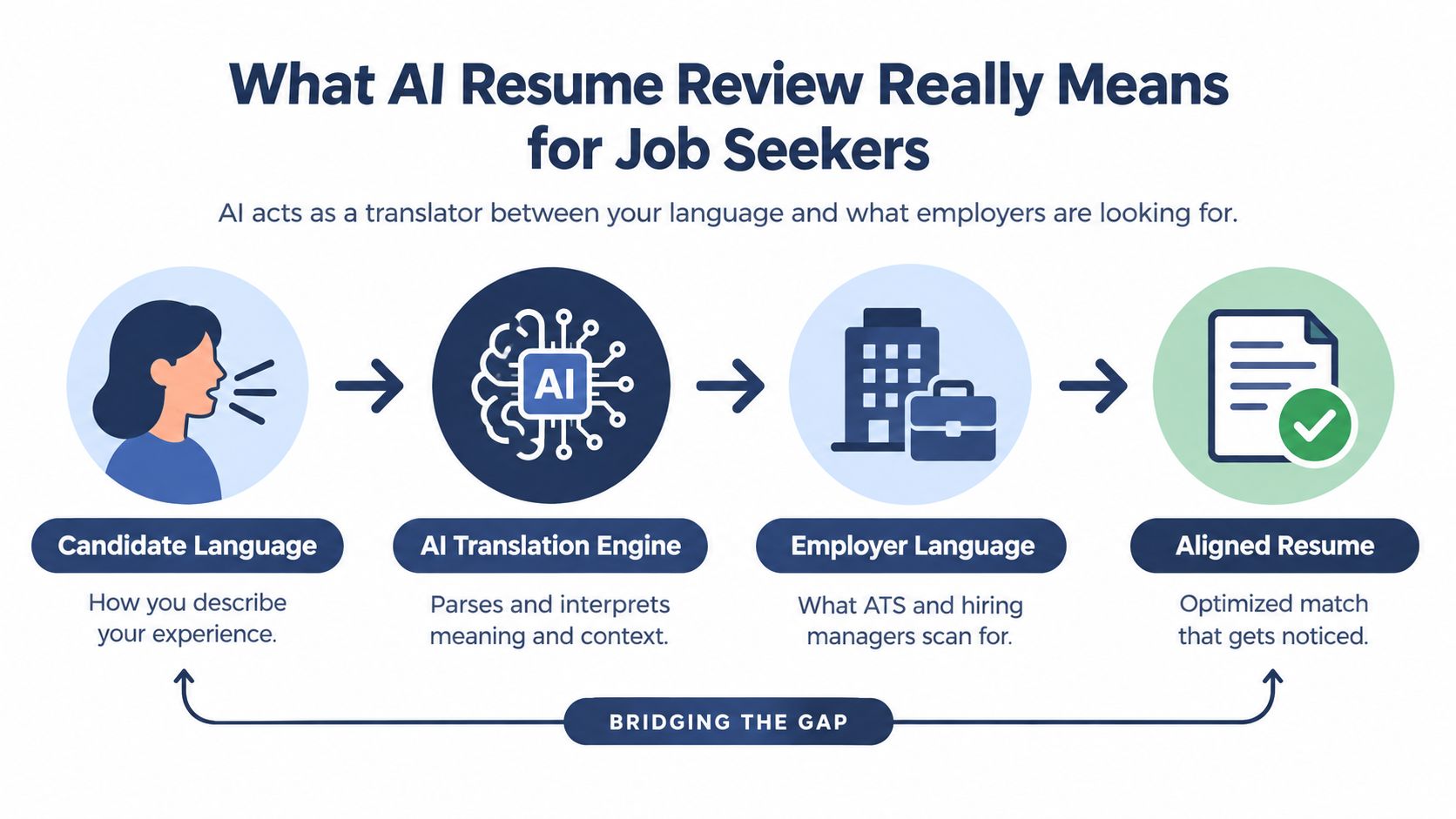
That is the practical use of AI resume review. It gives you a fast feedback loop for tailoring. Instead of treating your resume like a pass or fail test, it helps you see how your experience is likely to be interpreted, where the match feels weak, and what to revise before you apply.
It helps translate your experience into the employer's language
You know what you did because you did the work. Hiring teams know the role through a job description, team goals, and internal terminology. AI review compares those two versions and points out where they connect well and where they do not.
That matters because strong experience can sound generic if it is framed too loosely. A bullet like “worked with sales on account issues” describes real work, but it leaves the employer to guess at the scope and value. A more specific version such as “partnered cross-functionally with sales to resolve client issues and support retention” makes the same experience easier to recognize.
The goal is not to make your resume sound robotic. The goal is to make your evidence easier to spot.
Visibility, not quality, is often the problem
Many job seekers assume a weak score means they are unqualified. Often, the problem is simpler. The resume does not surface the right evidence quickly enough.
A recruiter may scan for ten seconds. A system may look for standard headings, skills, dates, and job language it can categorize cleanly. If your strongest match is hidden in vague bullets, unusual section names, or broad wording, good experience can stay invisible.
AI review is useful here because it shows where visibility breaks down. You might learn that a skill is present but buried, that a project sounds impressive but unrelated to the role, or that your summary uses space without helping the match.
Ask how quickly your resume makes sense to both the system and the recruiter.
It gives feedback you can act on right away
A useful review does more than label your resume with a score. It points to specific revision choices.
For example, if a posting emphasizes stakeholder management, onboarding, and SaaS support, the tool may highlight bullets that mention those tasks only indirectly. That tells you what to adjust. You can rewrite one line, rescore it, and see whether the match improves. That is why AI review works best as a live coaching tool. You test, revise, and compare, much like checking directions while driving instead of waiting until you are lost.
Many job seekers find this process clarifying. “Good resume” is too vague to improve. “This bullet is too broad for the target role” is something you can fix.
This is bigger than one ATS gate
Many job seekers still hear the old claim that most resumes get rejected automatically by software. Newer reviews question that idea. One 2026 synthesis states that the 75% ATS auto-rejection claim lacks research backing, while also noting that ATS use remains widespread among large employers (resume research synthesis on ATS myths and adoption).
What matters more is the full chain of interpretation. Your file has to be readable. Your experience has to align with the job. Your bullets have to sound relevant fast. AI review helps with that chain by showing where the match gets weaker before a person sees your application.
What job seekers should take from this
Use AI review as a drafting partner, not a final judge.
- Check one target role at a time: Feedback is more useful when it compares your resume to a specific posting.
- Read the score like a signal, not a verdict: A lower score usually means “rewrite for clarity or alignment,” not “you are a poor candidate.”
- Revise with your real experience: Add concrete details, tools, outcomes, and collaboration instead of copying phrases blindly.
- Keep your voice: If a rewrite sounds inflated or unnatural, edit it until it sounds like you again.
Used well, AI resume review helps you tailor with more precision and less guesswork. It can show you how to present your background in language employers recognize, while keeping the substance honest and human.
How AI Actually Reads and Scores Your Resume
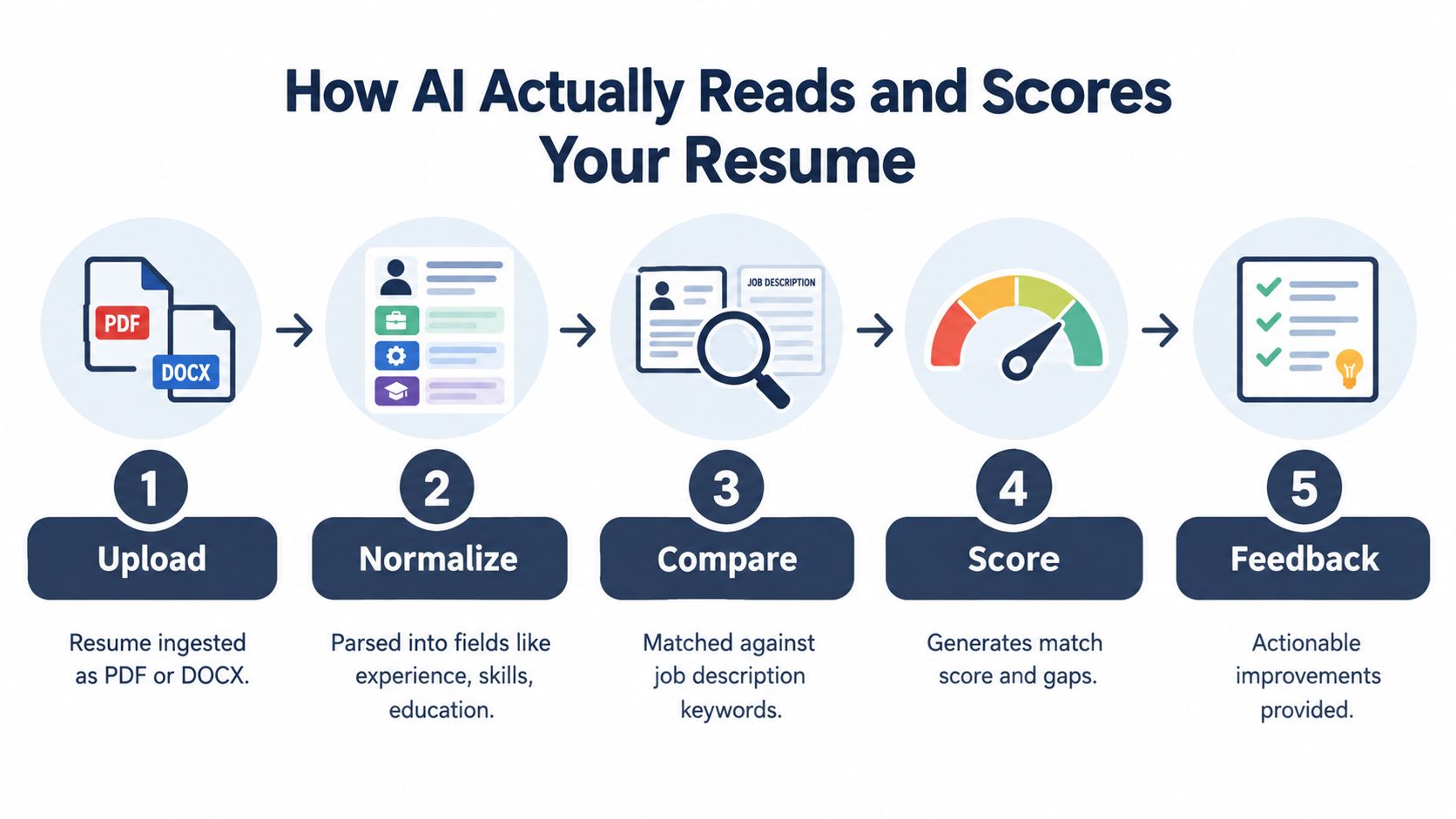
Most AI resume tools don't “read” your resume the way a recruiter does. They process it in stages.
First, the file is uploaded as a PDF or DOCX. Then the system extracts the text and organizes it into fields such as job title, company, dates, skills, and education. After that, it compares what it found against the job description.
The scoring is usually similarity math
One technical implementation described this process directly. Resumes were ingested, skills and qualifications were extracted, and the system then used TF-IDF or cosine-similarity scoring against weighted job requirements to rank candidates (technical explanation of resume scoring and matching).
Those terms sound more intimidating than they are.
A simple way to think about it is this:
- TF-IDF helps the system notice which words matter more in a document set
- Cosine similarity checks how closely two pieces of text point in the same direction
- Weighted requirements mean some job needs count more than others
If a job posting repeats “SQL,” “dashboarding,” and “stakeholder communication,” a scoring model may give more weight to those than to generic business language. That's why broad, polished writing can still score poorly if it doesn't connect to the job's actual requirements.
Formatting affects whether the score is trustworthy
If parsing breaks, the score becomes less meaningful because the system is evaluating damaged input.
In a 2026 ATS study of 2,417 anonymized scans, formatting issues appeared in 62% of resumes. The same study found that two-column layouts were the most common error at 38%, and they were associated with a 31% parsing-failure rate. It also reported that tailoring a resume to a specific job description improved average match scores by 22 points (2026 ATS resume study on formatting and tailoring).
A separate 2026 study summary reported that plain-text DOCX files failed parsing about 4% of the time, complex PDF styling about 18%, and tables or multi-column layouts 31%+ of the time (ATS parsing study summary on file structure).
That tells you two practical things. Keep the structure simple. And don't panic if a low score improves quickly once the format and wording are cleaned up.
Useful lens: A match score is not a verdict on your career. It's a report on how well this version of your resume matches this role in this format.
What live feedback is actually showing you
When a tool gives you a score, it usually reflects some mix of:
Parsing quality
Did the system extract the right sections and content cleanly?Keyword and concept overlap
Does your resume mention the relevant skills, tasks, and tools?Requirement weighting
Are the most important needs reflected strongly enough?Gap signals
What's missing, vague, or buried too low in the document?
If you want to test this on your own file, an ATS resume checker can show whether the issue is format, language, or both.
A short walkthrough helps if this still feels abstract:
Benefits and Limits of AI Feedback
AI feedback is useful because it shortens the distance between “I think this resume is okay” and “I know what to fix next.” But it helps most when you expect the right things from it.
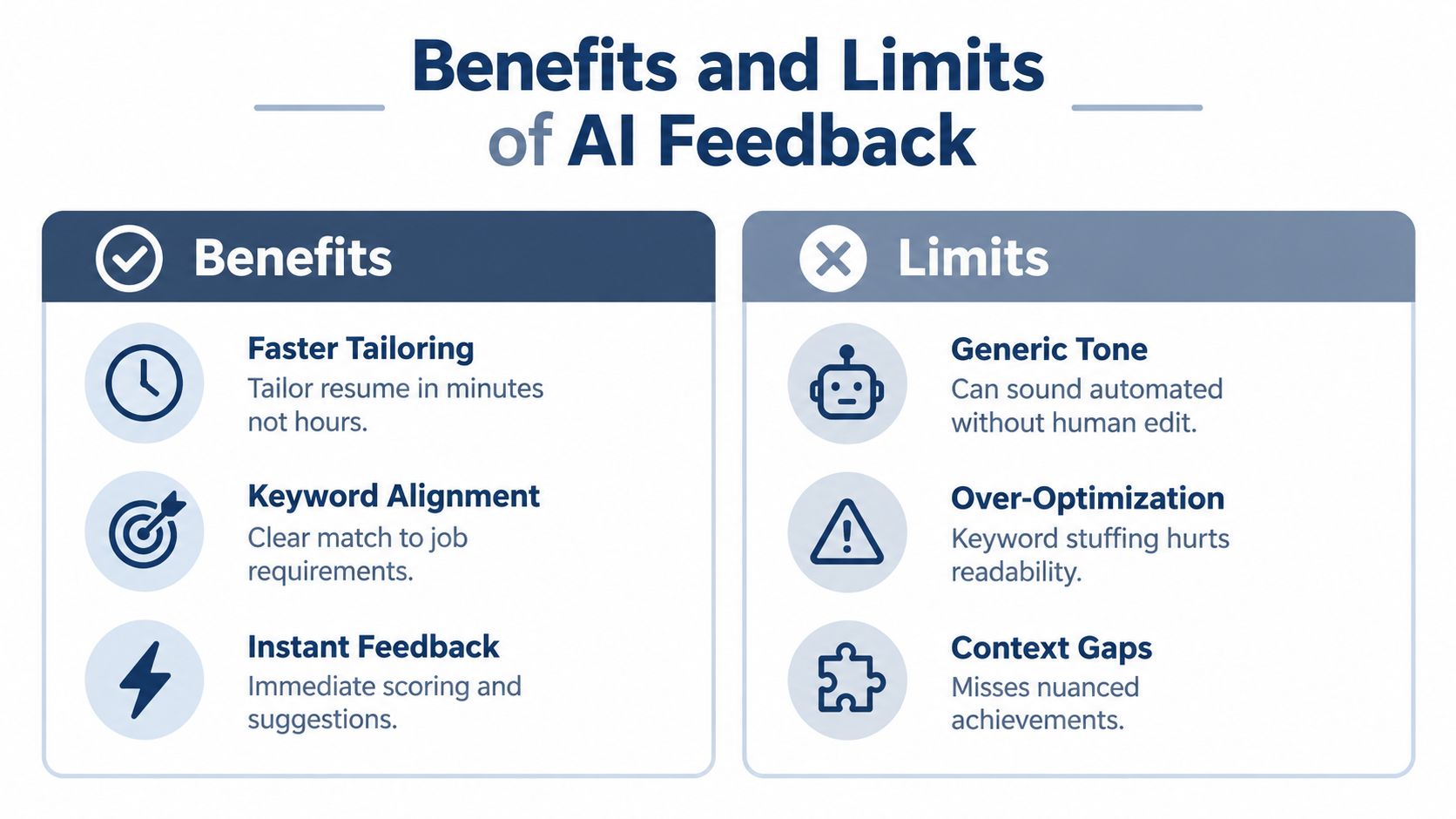
It can spot patterns quickly. It can compare your wording against a job description in seconds. It can help you revise faster than you would by starting from a blank page each time.
Where the upside is real
One recruiter summary reports that 98% of Fortune 500 companies use an ATS, while another survey found 92% of recruiters said their systems do not auto-reject resumes at all (ATS usage and recruiter survey summary). That supports a more balanced view. ATS matters a lot, but not because a machine is always making final decisions alone.
The biggest benefit of AI review is that it helps you improve fit inside that larger process.
A large application dataset summarized in search results reported an interview rate of 4.23% for tailored resumes versus 2.07% for untailored resumes across 139,927 applications, which shows that tailoring can roughly double interview outcomes (application dataset summary on tailored resumes).
What AI Resume Review Can and Cannot Do
| Capability | What AI Does Well | Where Human Judgment Is Needed |
|---|---|---|
| Job matching | Compares your resume to a target job description and highlights gaps | Deciding whether a suggested keyword actually reflects your experience |
| Structural review | Flags likely parsing problems and missing sections | Choosing a format that still feels appropriate for your field |
| Bullet rewriting | Suggests tighter, more role-aligned wording | Preserving your voice and avoiding exaggeration |
| Progress tracking | Shows whether edits improve alignment over time | Interpreting whether a score change matters enough to submit |
| Relevance checks | Surfaces buried skills or repeated weak phrasing | Prioritizing which achievements tell your story best |
Where people overestimate it
AI can tell you that a bullet is vague. It can't tell you the most meaningful version of your career story unless you provide that detail.
It can suggest stronger wording for “managed projects.” It can't verify whether “led cross-functional delivery” is accurate in your context. That's your job.
The strongest use of AI feedback is diagnostic. It points to what may be weak, missing, or unclear. You still decide what is true, useful, and worth saying.
A smart expectation to keep
Use AI for speed, pattern recognition, and iteration. Keep human judgment for honesty, emphasis, and tone.
If you remember that split, AI review becomes a real advantage instead of a source of false confidence.
How to Use Live Scoring and AI Rewriting Effectively
The most effective workflow is revise, recheck, and refine, not a single upload followed by blind trust in the score.
Used well, live scoring works like a practice round before the real application. You make one change, see what moved, and decide whether that change improved the resume or just made it sound more generic. That feedback loop is value. The score is a signal, not a verdict.
Start with your real resume, not a blank page
Import your current resume or pull in your LinkedIn profile so the draft begins with work you have done.
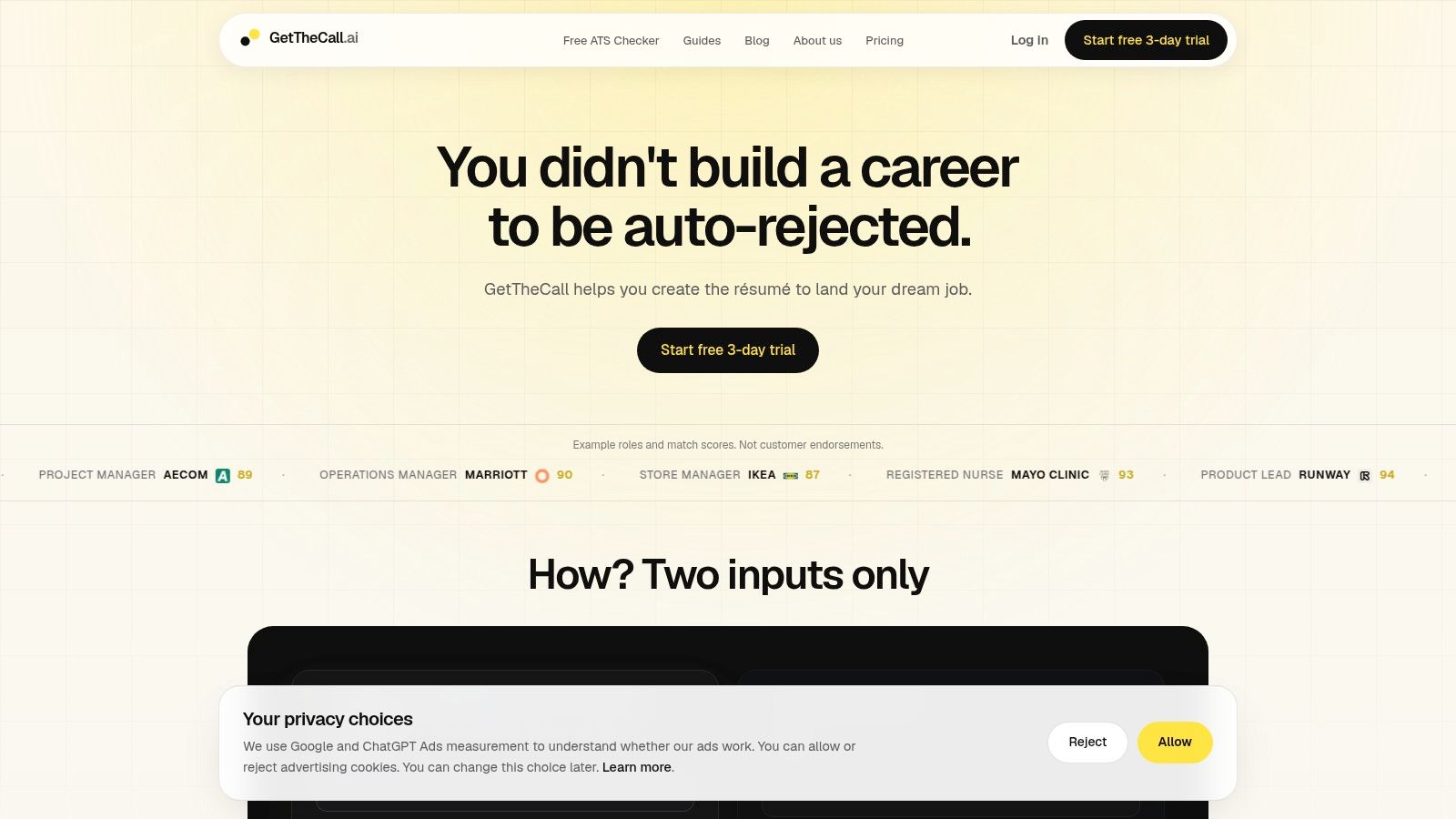
That matters more than it may seem. A blank page invites overwriting and guesswork. A real resume gives the AI something solid to work with, which makes the suggestions more grounded and easier to verify.
One practical reason tools such as GetTheCall fit this process is simple. They can import a LinkedIn profile URL or an existing PDF, DOC, or DOCX, parse a target job listing, and generate role-specific resume revisions from your verified experience while updating a live Role Match score as you edit.
Use the score in passes, not all at once
A score becomes useful when you treat it like a checklist with priorities.
Start with the foundation. If section headings are unclear, dates are inconsistent, or the layout breaks parsing, the score may be reacting to formatting noise instead of content quality. Fix that first so you are measuring the right thing.
Then look at the biggest gaps. Focus on the skills, tools, and responsibilities that show up repeatedly in the posting. If you have done that work, bring it closer to the surface. If you have not, do not force it in.
After that, improve weak bullets one by one. AI rewriting helps most here. It can turn a blurry sentence into one that shows scope and action.
- Before: “Supported reporting”
- After: “Built weekly performance reports for leadership using Excel and dashboard tools”
That revision does two things at once. It adds concrete detail, and it uses language a hiring team is more likely to recognize.
Read score changes like feedback, not grades
A higher score can mean your resume is becoming clearer and more relevant. It does not automatically mean it is ready to send.
For example, adding one missing tool name might lift the score quickly. That is helpful. But if the same edit makes your bullet awkward or overstated, the better choice is to keep refining. A resume should sound like a capable person, not a keyword warehouse.
This is why live scoring is more useful than a one-time scan. You can test small edits, keep the ones that improve clarity, and throw out the ones that only impress the software.
Rewrite with the employer's language, but keep your facts
Copying lines from the job description is the fastest way to make a resume sound borrowed. A better approach is translation.
If the posting says “stakeholder communication,” look for the place in your own experience where you did that work. Then describe it plainly.
- Before: “Worked with different teams on rollout”
- After: “Coordinated rollout timelines and stakeholder updates across operations, product, and support teams”
Notice the difference. The second version matches the job's terminology, but it still sounds tied to a real project. That is the balance you want.
If you want a more detailed editing process, this guide on how to tailor your resume to a job description walks through how to adapt one resume for one role without losing accuracy.
Keep each round small and deliberate
Fast iteration helps, but only if you stay selective.
A practical workflow looks like this:
- Import your baseline resume or profile.
- Paste one specific job description.
- Review the top gaps and mark the ones that are both important and true.
- Rewrite the bullets that undersell relevant work.
- Recheck the score after each round.
- Export a clean PDF when the content and formatting are stable.
Small rounds prevent a common problem. If you change ten things at once, you will not know which edit helped and which one weakened the resume.
A simple test for every AI suggestion
Ask two questions before you keep any rewrite:
- Is it accurate?
- Would I be comfortable saying this out loud in an interview?
If either answer is no, revise it again.
That one habit keeps AI resume review useful. You get speed, clearer phrasing, and better role alignment, while your resume still sounds like you.
Common Pitfalls and How to Keep Your Resume Human
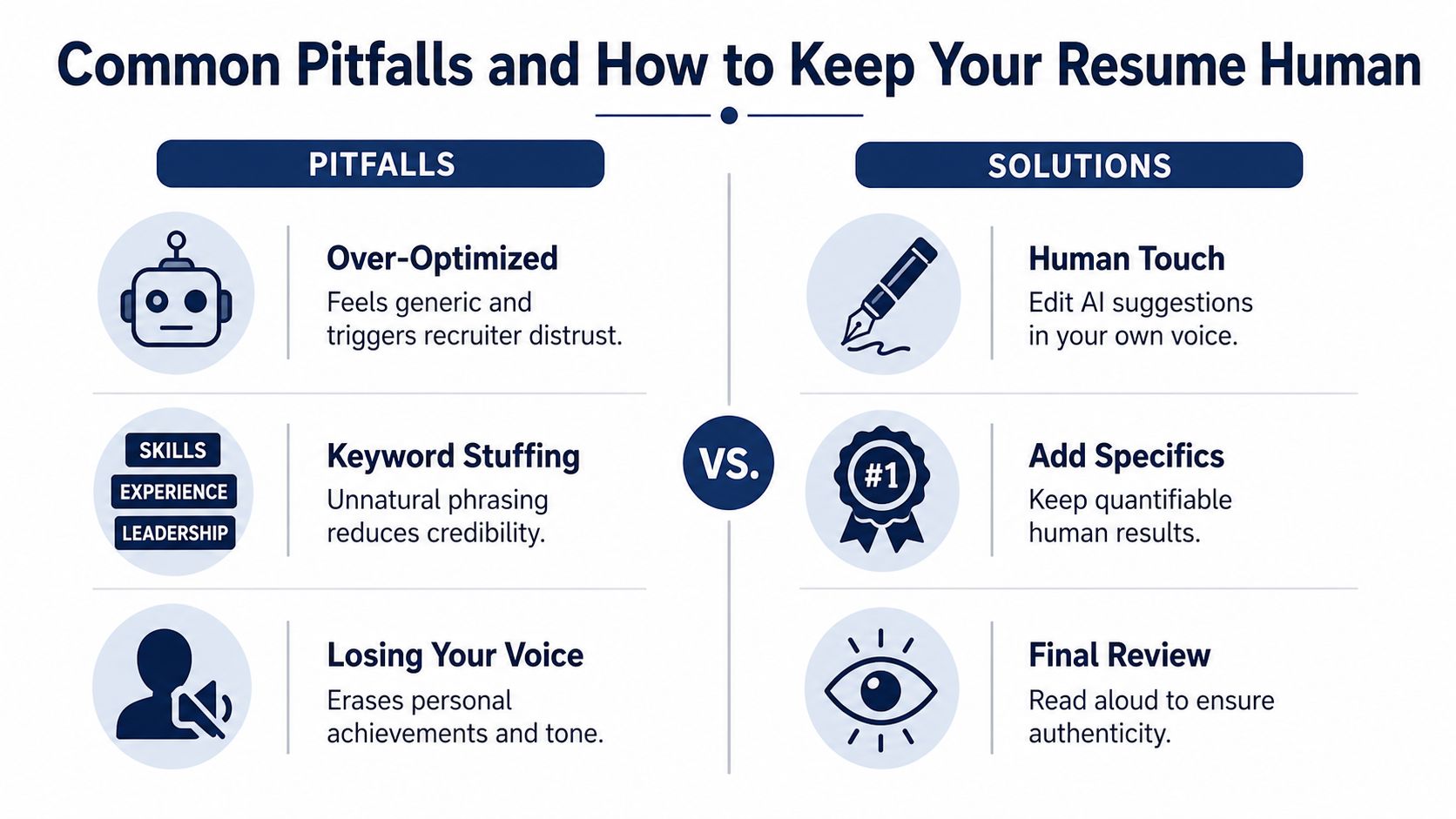
The odd thing about AI resume review is that a resume can become better for software and worse for people if you overdo it.
That's because recruiters don't just react to relevance. They react to voice, specificity, and trust. If every bullet starts sounding polished in the same generic way, your resume may feel less believable even when it is more keyword-aligned.
Recruiters are paying attention to AI sameness
Recent surveys suggest this concern is real. 19.6% of recruiters said they would reject a resume they believe was written by AI, 49% of hiring managers said they auto-dismiss suspected AI resumes, and 62% of employers reject AI resumes that lack personalization (survey summary on AI-generated resume concerns).
The useful takeaway isn't “don't use AI.” It's “don't submit untouched AI language.”
Reality check: AI assistance is often fine. Generic, impersonal writing is what raises suspicion.
The three mistakes that cause the most trouble
Accepting every rewrite blindly
AI often smooths out rough phrasing, but it can flatten your voice. If all your bullets start sounding interchangeable, pull them back toward your own language.Stuffing in terms you can't defend
If you add a tool, method, or responsibility just because it appears in the job description, expect trouble later. If you're asked about it in an interview, you'll need real examples.Forgetting that bias exists in screening
Independent 2025 research found that LLM-based resume evaluators and hiring tools can show uneven treatment across demographic signals. One study reported White-associated names were preferred in 85.1% of tests, while Black-associated names led in 8.6% (research summary on bias in AI hiring tools).
That doesn't mean every tool is biased in the same way. It does mean you should treat AI output as a product result, not neutral truth.
How to keep the document credible
A practical way to protect your resume is to do a final human pass after all AI edits.
- Read it aloud: If a phrase sounds unnatural, it probably reads that way too.
- Keep specifics: Concrete examples, named tools you've used, and real achievements make a resume feel human.
- Preserve your emphasis: AI may not know which project changed your career direction or which achievement best shows leadership.
- Check ATS safety separately: A clean layout still matters, and this ATS-friendly resume guide can help you sanity-check formatting choices.
The best resume usually isn't the most optimized one. It's the one that clearly fits the role and still sounds like a real person wrote it.
Putting It All Together and Applying With Confidence
The most useful way to think about AI resume review is as a loop, not a gate.
You start with your real experience. You compare it to one specific job. You look at the feedback, improve the wording, fix the layout if needed, and check whether the revised version makes your fit easier to see. Then you stop polishing and apply.
That last part matters. The goal isn't a perfect score. The goal is a resume that is clear, relevant, machine-readable, and credible to a recruiter.
A simple checklist helps:
- Match one resume to one role
- Use a clean one-column format
- Bring forward relevant skills you have
- Rewrite vague bullets into specific evidence
- Review AI suggestions for truth and tone
- Export a clean final version and submit
If you've been treating resume feedback as a pass or fail judgment, this shift is worth keeping. AI can help you improve quickly, but your judgment still decides what belongs on the page. That's a good thing. It means the strongest version of your resume is still built on your own story.
GetTheCall helps you turn an existing resume or LinkedIn profile into a job-specific, ATS-ready PDF with live match scoring and AI rewriting based on your verified experience. If you want a faster way to tailor each application without losing your voice, visit GetTheCall.